<?xml version="1.0" encoding="utf-8"?><feed xmlns="http://www.w3.org/2005/Atom" ><generator uri="https://jekyllrb.com/" version="4.3.4">Jekyll</generator><link href="https://wafer.space/index.xml" rel="self" type="application/atom+xml" /><link href="https://wafer.space/" rel="alternate" type="text/html" /><updated>2026-06-25T00:54:33+00:00</updated><id>https://wafer.space/index.xml</id><entry><title type="html">Run 2 Deadline Update and Reminder</title><link href="https://wafer.space/news/run2-deadline-update" rel="alternate" type="text/html" title="Run 2 Deadline Update and Reminder" /><published>2026-06-24T12:00:00+00:00</published><updated>2026-06-24T12:00:00+00:00</updated><id>https://wafer.space/news/run2-deadline-update</id><content type="html" xml:base="https://wafer.space/news/run2-deadline-update"><![CDATA[<p>Hi all, quick announcement about the Run 2 deadline.</p>

<p>Due to delays in getting the submission platform up and running, the deadline for having a clean GDS submitted for Run 2
has been extended by 2 weeks. Note: the <strong>purchase</strong> deadline has not changed. You have less than a week to purchase a
slot, if you haven’t already.</p>

<p>The new dates are:</p>
<ul>
  <li><strong>Purchasing</strong> on CrowdSupply: 30 June 2026 @ 11:59 PM AoE.</li>
  <li><strong>GDS in</strong> for Run 2: 14 July 2026 @ 11:59 PM AoE.</li>
</ul>

<p>The submission platform is up and running right now, those who are submitting a design please confirm access and
create your project on there as soon as possible.</p>

<p><strong>GDS in</strong> means that the project has successfully passed the precheck on the platform. This is the same precheck
which is found at <a href="https://github.com/wafer-space/gf180mcu-precheck">github.com/wafer-space/gf180mcu-precheck</a>.</p>

<p>This is a one time extension and will <strong>not</strong> be happening on future runs. Do not expect any other deadline extensions
this run.</p>

<h2 id="after-you-purchase">After You Purchase</h2>

<p>Once you’ve purchased your slot, you have until 14 July 2026 to create, verify and submit your design. Ensure
you run the <a href="https://github.com/wafer-space/gf180mcu-precheck">gf180mcu-precheck</a> locally to verify your design before
submitting. Verify early and often! If you find problems last minute, you may not have the time to fix them.</p>

<p>If you do run into issues or just want to stay in the loop, join the <a href="https://wafer.space/discord">wafer.space Discord</a>
or connect with us on <a href="https://matrix.to/#/#gf180mcu:fossi-chat.org">Matrix</a>. Many people are finalising their designs,
and problems you encounter have likely been solved by others who could lend a hand.</p>

<div class="post-gallery light-gallery-wrapper mb-30">
    
    <p class="text-center text-muted mb-10"><small>wafer.space bringing open accessible custom silicon fabrication</small></p>
    
    <figure class="overlay overlay1 rounded">
        <a href="/assets/images/news/run2-deadline-update/waferspace-rainbow-open.png" class="lightbox">
            <span class="bg"></span>
            <img src="/assets/images/news/run2-deadline-update/waferspace-rainbow-open.png" alt="wafer.space bringing open accessible custom silicon fabrication" />
        </a>
    </figure>
</div>]]></content><author><name>Tim &apos;mithro&apos; Ansell</name></author><category term="news" /><category term="gf180mcu" /><category term="run2" /><category term="announcement" /><category term="deadline" /><summary type="html"><![CDATA[Run 2 is finally here with major improvements and early-bird pricing.]]></summary></entry><entry><title type="html">Taping Out KianV - a Linux/XV6-capable RISC-V SoC</title><link href="https://wafer.space/news/kianv-riscv-soc" rel="alternate" type="text/html" title="Taping Out KianV - a Linux/XV6-capable RISC-V SoC" /><published>2026-06-05T12:00:00+00:00</published><updated>2026-06-05T12:00:00+00:00</updated><id>https://wafer.space/news/kianv-riscv-soc</id><content type="html" xml:base="https://wafer.space/news/kianv-riscv-soc"><![CDATA[<p>Hi everybody!</p>

<p>In this update we’ll be exploring a homegrown SoC which is capable of booting Linux, µLinux and XV6. It
implements the RISC-V RV32IMA ISA alongside additional extensions for more functionality.</p>

<p>If you’d like to explore the design, the source is available on the author’s GitHub: <a href="https://github.com/splinedrive/kianRiscV">github.com/splinedrive/kianRiscV</a></p>

<p>In addition to the ASIC, a compact bring-up PCB was designed to enable hardware validation and early software development.</p>

<h2 id="soc-overview">SoC Overview</h2>

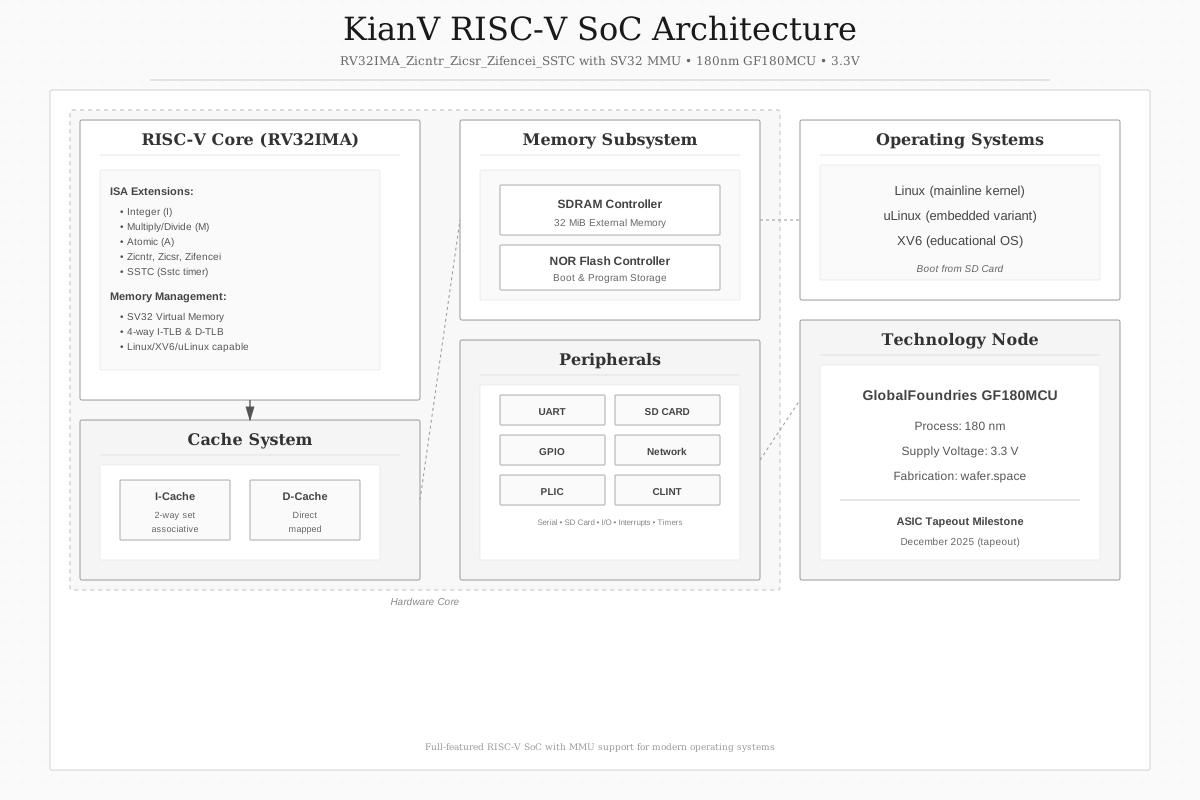
<p>The KianV SoC is built around an RV32IMA core - that’s a 32-bit base with integer multiplication &amp; division (<code class="language-plaintext highlighter-rouge">M</code>) and
atomic instructions (<code class="language-plaintext highlighter-rouge">A</code>) extensions. In addition to those, it has support for <a href="https://docs.riscv.org/reference/isa/unpriv/counters.html#7-1-1-zicntr-extension-for-base-counters-and-timers">Zicntr</a>, <a href="https://docs.riscv.org/reference/isa/unpriv/zicsr.html#csrinsts">Zicsr</a>,
<a href="https://docs.riscv.org/reference/isa/unpriv/zifencei.html#zifencei">Zifencei</a>, <a href="https://docs.riscv.org/reference/isa/priv/sstc.html#Sstc">SSTC</a> and
<a href="https://docs.riscv.org/reference/isa/priv/supervisor.html#sv32">Sv32</a>.</p>

<p>The Sv32 extension allows KianV to access memory - this is done using a page-based 32-bit virtual memory system,
which then interacts with 32MiB of external memory through an on-board SDRAM controller.</p>

<p>The CPU itself includes a 2-way set-associative instruction cache, a direct-mapped data cache, and 4-way associative
instruction and data TLBs, sufficient for MMU-based operating systems.</p>

<p>Furthermore, KianV integrates a minimal peripheral set connected via an internal system bus. The peripherals are listed below:</p>

<ul>
  <li>SDRAM controller (interacting with 32 MiB external memory)</li>
  <li>UART</li>
  <li>2× SPI interfaces</li>
  <li>GPIO</li>
  <li>NOR flash controller</li>
</ul>

<p>With these peripherals, the system is capable of booting from an external SD card and accessing networked resources via
an SPI-based Ethernet connection. A system like this may find uses in a variety of situations: industrial, IoT or educational.</p>

<div class="post-gallery light-gallery-wrapper mb-30">
    
    <p class="text-center text-muted mb-10"><small>Block diagram of the KianV RV32 SV32-capable RISC-V SoC</small></p>
    
    <figure class="overlay overlay1 rounded">
        <a href="/assets/images/news/kianv-riscv-soc/soc-overview.svg" class="lightbox">
            <span class="bg"></span>
            <img src="/assets/images/news/kianv-riscv-soc/soc-overview.svg" alt="Block diagram of the KianV RV32 SV32-capable RISC-V SoC" />
        </a>
    </figure>
</div>

<h2 id="pinout">Pinout</h2>

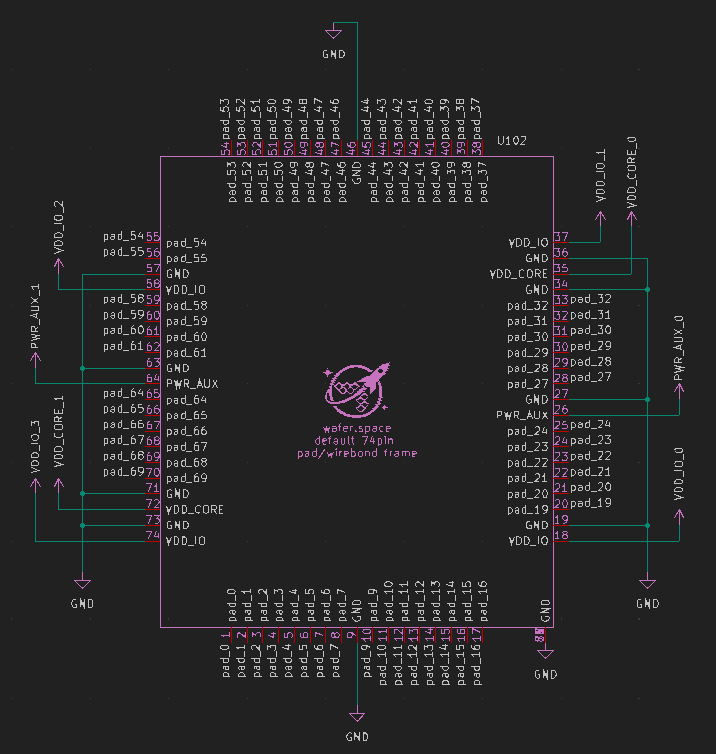
<p>The pinout is designed around a strict 58 external IO signal limit, all divided between the peripherals mentioned
beforehand. The <a href="https://github.com/wafer-space/gf180mcu-project-template">wafer.space template</a> provides access to 74
pads, however these also include power and ground connections.</p>

<div class="post-gallery light-gallery-wrapper mb-30">
    
    <p class="text-center text-muted mb-10"><small>KianV SoC external IO pinout</small></p>
    
    <figure class="overlay overlay1 rounded">
        <a href="/assets/images/news/kianv-riscv-soc/chip_symbol.png" class="lightbox">
            <span class="bg"></span>
            <img src="/assets/images/news/kianv-riscv-soc/chip_symbol.png" alt="KianV SoC external IO pinout" />
        </a>
    </figure>
</div>

<table>
  <thead>
    <tr>
      <th style="text-align: center">Interface</th>
      <th>Signals</th>
      <th style="text-align: center">Dir</th>
      <th>Description</th>
    </tr>
  </thead>
  <tbody>
    <tr>
      <td style="text-align: center"><strong>UART</strong></td>
      <td><code class="language-plaintext highlighter-rouge">RX</code>, <code class="language-plaintext highlighter-rouge">TX</code></td>
      <td style="text-align: center">I/O</td>
      <td>Serial console</td>
    </tr>
    <tr>
      <td style="text-align: center"><strong>SPI0</strong></td>
      <td><code class="language-plaintext highlighter-rouge">CS#</code>, <code class="language-plaintext highlighter-rouge">SCLK</code>, <code class="language-plaintext highlighter-rouge">MOSI</code>, <code class="language-plaintext highlighter-rouge">MISO</code></td>
      <td style="text-align: center">I/O</td>
      <td>SD card</td>
    </tr>
    <tr>
      <td style="text-align: center"><strong>SPI1</strong></td>
      <td><code class="language-plaintext highlighter-rouge">CS#</code>, <code class="language-plaintext highlighter-rouge">SCLK</code>, <code class="language-plaintext highlighter-rouge">MOSI</code>, <code class="language-plaintext highlighter-rouge">MISO</code></td>
      <td style="text-align: center">I/O</td>
      <td>Ethernet</td>
    </tr>
    <tr>
      <td style="text-align: center"><strong>Flash</strong></td>
      <td><code class="language-plaintext highlighter-rouge">CS#</code>, <code class="language-plaintext highlighter-rouge">SCLK</code>, <code class="language-plaintext highlighter-rouge">MOSI</code>, <code class="language-plaintext highlighter-rouge">MISO</code></td>
      <td style="text-align: center">I/O</td>
      <td>SPI NOR flash</td>
    </tr>
    <tr>
      <td style="text-align: center"><strong>SDRAM</strong></td>
      <td><code class="language-plaintext highlighter-rouge">CLK</code>, <code class="language-plaintext highlighter-rouge">CKE</code></td>
      <td style="text-align: center">Out</td>
      <td>Clocking</td>
    </tr>
    <tr>
      <td style="text-align: center"> </td>
      <td><code class="language-plaintext highlighter-rouge">ADDR[12:0]</code></td>
      <td style="text-align: center">Out</td>
      <td>Address bus</td>
    </tr>
    <tr>
      <td style="text-align: center"> </td>
      <td><code class="language-plaintext highlighter-rouge">BA[1:0]</code></td>
      <td style="text-align: center">Out</td>
      <td>Bank select</td>
    </tr>
    <tr>
      <td style="text-align: center"> </td>
      <td><code class="language-plaintext highlighter-rouge">DQ[15:0]</code></td>
      <td style="text-align: center">I/O</td>
      <td>Data bus</td>
    </tr>
    <tr>
      <td style="text-align: center"> </td>
      <td><code class="language-plaintext highlighter-rouge">DQM[1:0]</code></td>
      <td style="text-align: center">Out</td>
      <td>Byte mask</td>
    </tr>
    <tr>
      <td style="text-align: center"> </td>
      <td><code class="language-plaintext highlighter-rouge">CS#</code>, <code class="language-plaintext highlighter-rouge">RAS#</code>, <code class="language-plaintext highlighter-rouge">CAS#</code>, <code class="language-plaintext highlighter-rouge">WE#</code></td>
      <td style="text-align: center">Out</td>
      <td>Control signals</td>
    </tr>
    <tr>
      <td style="text-align: center"><strong>GPIO</strong></td>
      <td><code class="language-plaintext highlighter-rouge">GPIO0</code></td>
      <td style="text-align: center">I/O</td>
      <td>General-purpose IO</td>
    </tr>
  </tbody>
</table>

<p><em>Signals are grouped by function; directions are given from the SoC perspective.</em></p>

<hr />

<h2 id="design-philosophy">Design Philosophy</h2>

<p>The RISC-V processor in this SoC is a multi-cycle RV32 core, optimized for area. The architecture was validated
prior to taping out on FPGA platforms, where SV32-capable mainline Linux and network connectivity were demonstrated.</p>

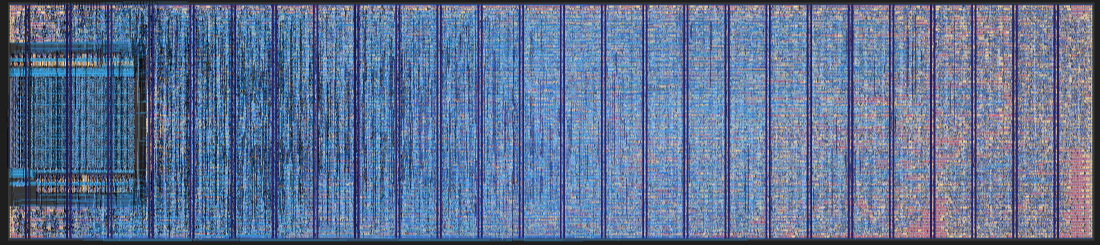
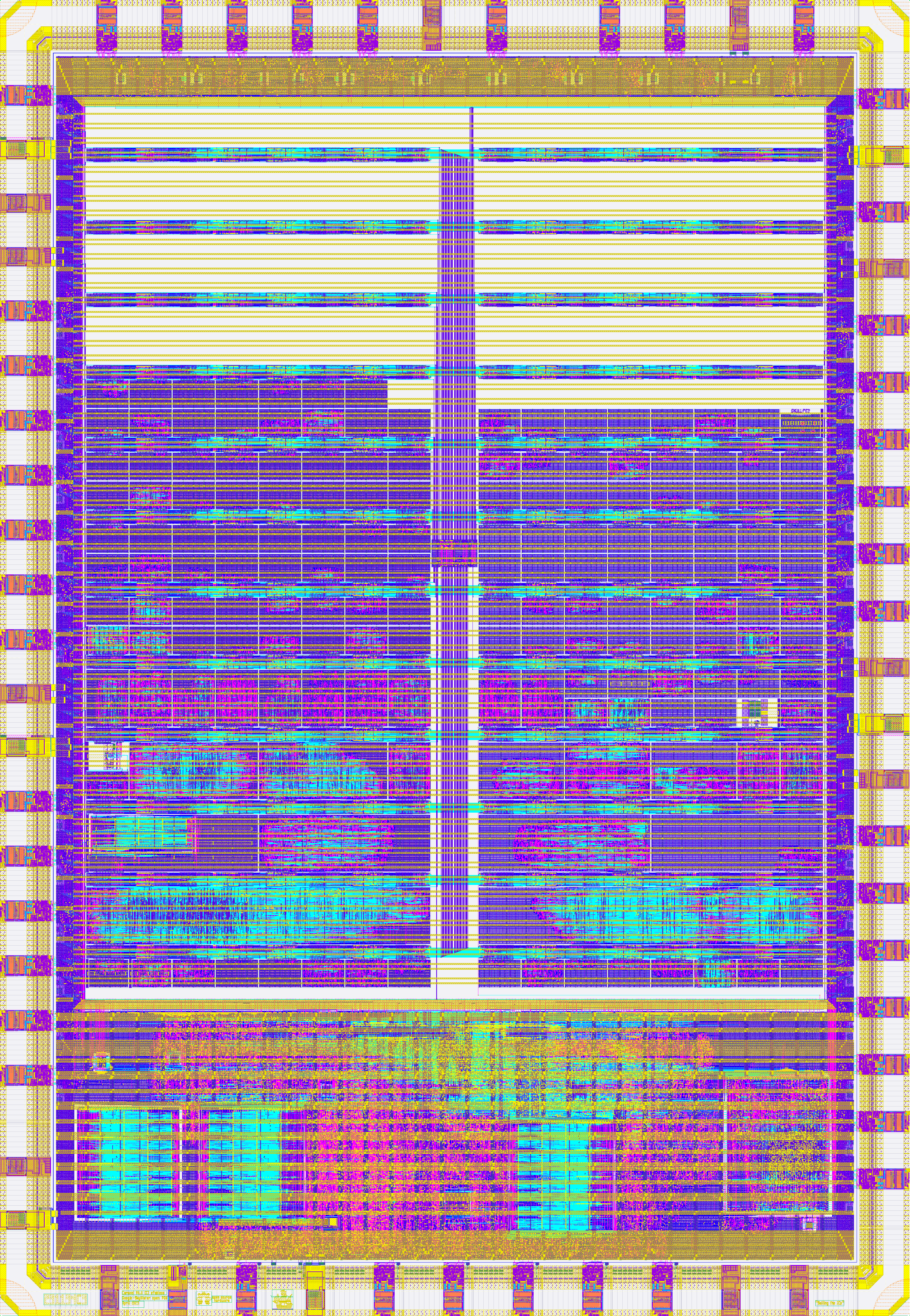
<p>Likewise, a µLinux (no-MMU) version of the KianV SoC was fabricated on multiple shuttles run by Tiny Tapeout, providing
silicon validation of the core and peripheral subsystems. You can view these submissions online on the Tiny Tapeout
website: <a href="https://tinytapeout.com/chips/ttsky25a/tt_um_kianV_rv32ima_uLinux_SoC">TTSky25a</a>, <a href="https://tinytapeout.com/chips/ttihp25b/tt_um_kianV_rv32ima_uLinux_SoC">TTIHP25b</a>,
<a href="https://tinytapeout.com/chips/ttsky25b/tt_um_kianV_rv32ima_uLinux_SoC">TTSky25b</a> and <a href="https://tinytapeout.com/chips/ttihp26a/tt_um_kianv_sv32_soc">TTIHP26a</a>.</p>

<p>KianV is also mentioned in a <a href="https://fossi-foundation.org/blog/2025-01-14-ecl82">FOSSi Foundation article</a> and
referenced in an <a href="https://ieeexplore.ieee.org/document/10584359">IEEE Solid-State Circuits Magazine publication</a>.</p>

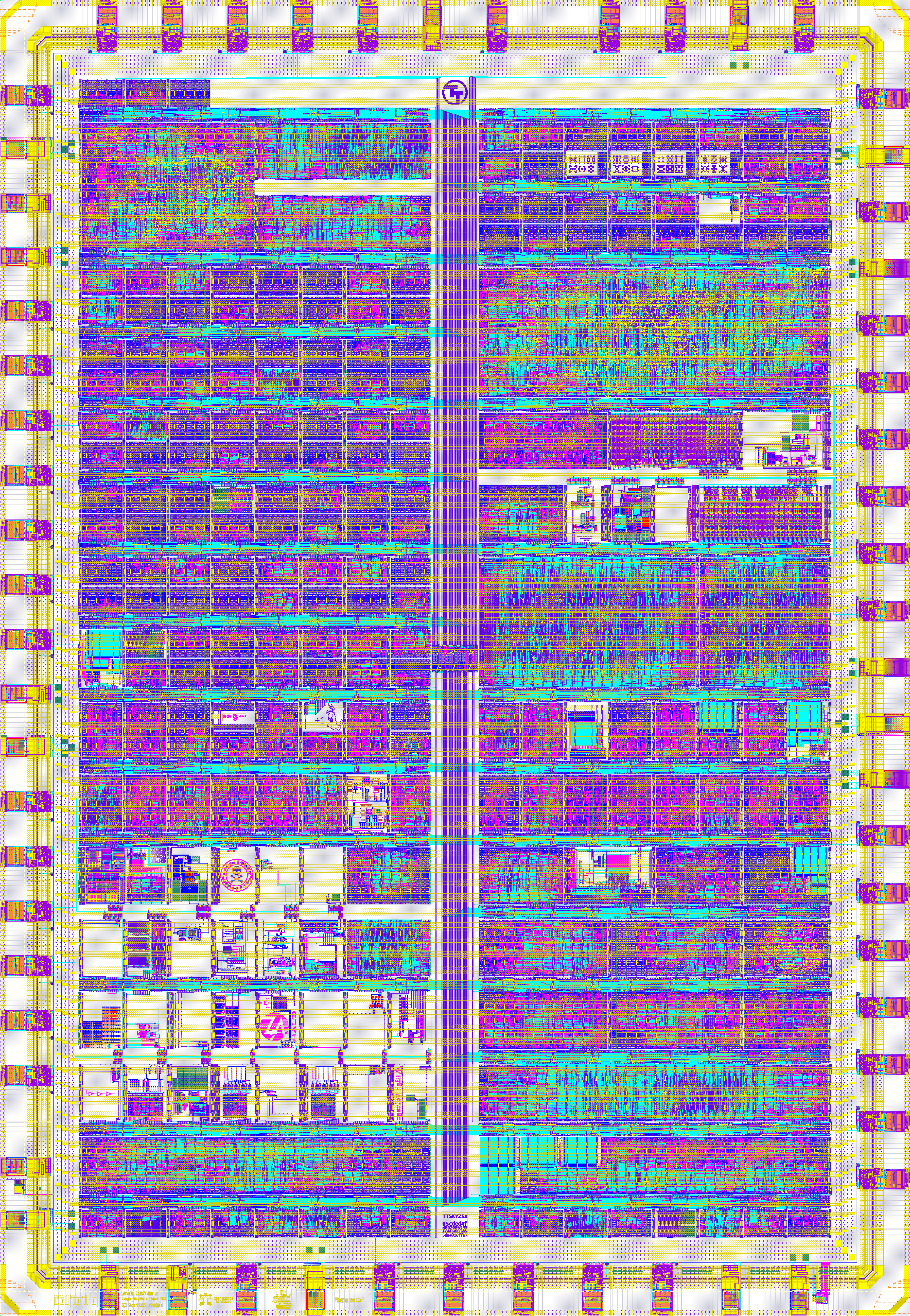
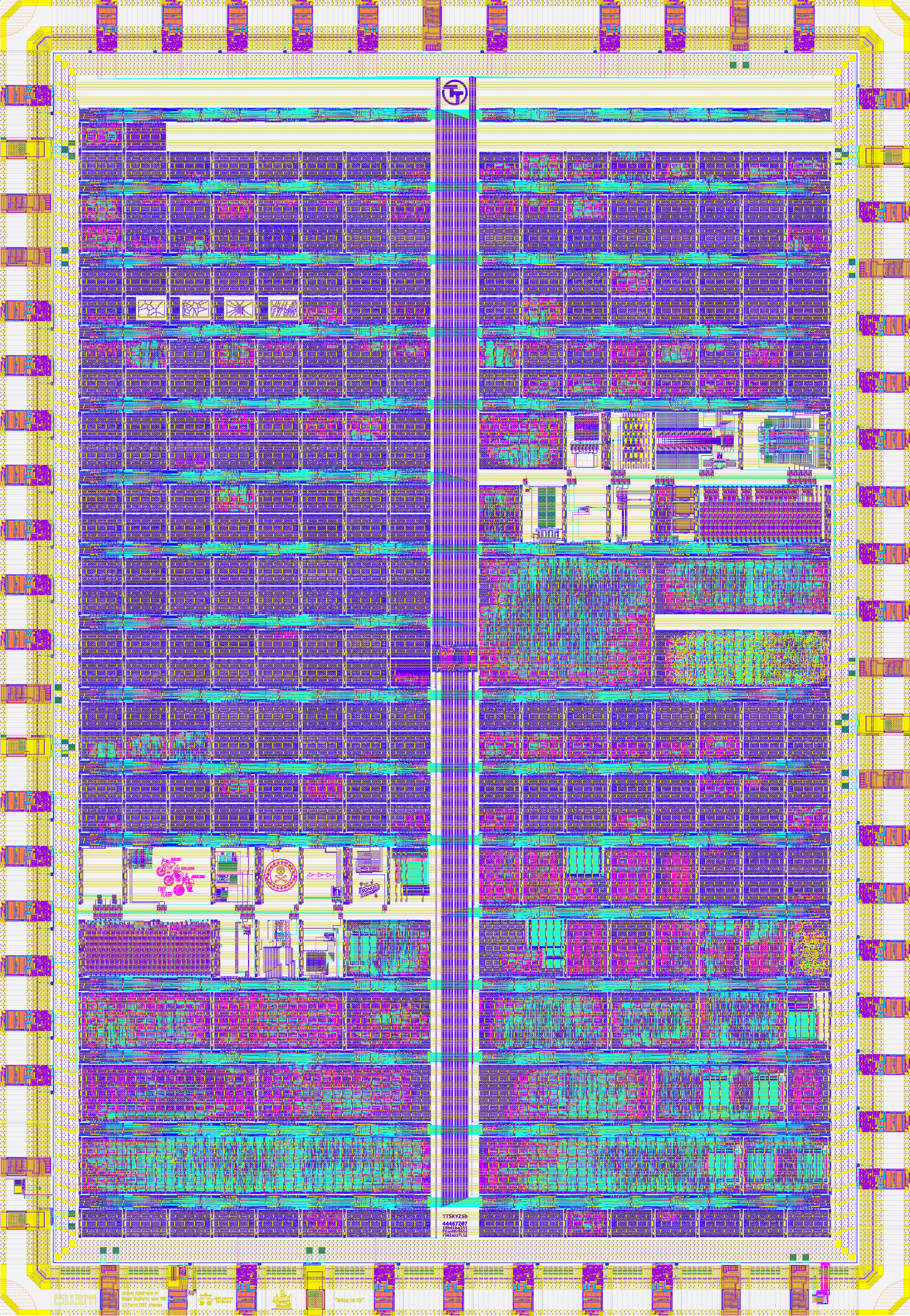
<div class="post-gallery light-gallery-wrapper mb-30">
    
    <p class="text-center text-muted mb-10"><small>SkyWater 130 nm die layout of the Tiny Tapeout KianV uLinux (no-MMU) SoC</small></p>
    
    <figure class="overlay overlay1 rounded">
        <a href="/assets/images/news/kianv-riscv-soc/tt_ulinux_soc_kianv.png" class="lightbox">
            <span class="bg"></span>
            <img src="/assets/images/news/kianv-riscv-soc/tt_ulinux_soc_kianv.png" alt="SkyWater 130 nm die layout of the Tiny Tapeout KianV uLinux (no-MMU) SoC" />
        </a>
    </figure>
</div>

<h2 id="design-flow">Design Flow</h2>

<p>KianV was brought to life using <strong>LibreLane</strong> and the <strong><a href="https://github.com/wafer-space/gf180mcu-project-template">wafer.space GF180MCU project template</a></strong>,
which was then submitted to Run 1, and manufactured using the GlobalFoundries 180 nm PDK.</p>

<p>The flow provided by the project template covers everything you’d need to produce and successfully tapeout a design. It
contains software for RTL synthesis, floorplanning, place-and-route, clock tree synthesis and physical verification
using known open-source tools.</p>

<h2 id="implementation-results">Implementation Results</h2>

<p>Linux was booted in a gate-level simulation which painstakingly ran for an entire month before reaching the login prompt.
This was using the mainline 6.19 version of the Linux kernel, and was validated against a Micron SDRAM simulation model
driven by the author’s SDRAM controller.</p>

<p>Run 1 silicon is being shipped as we speak, so why not join our <a href="https://discord.gg/43y2t53jpE">Discord</a> or <a href="https://matrix.to/#/#gf180mcu:fossi-chat.org">Matrix</a>
channels to see some silicon validation?</p>

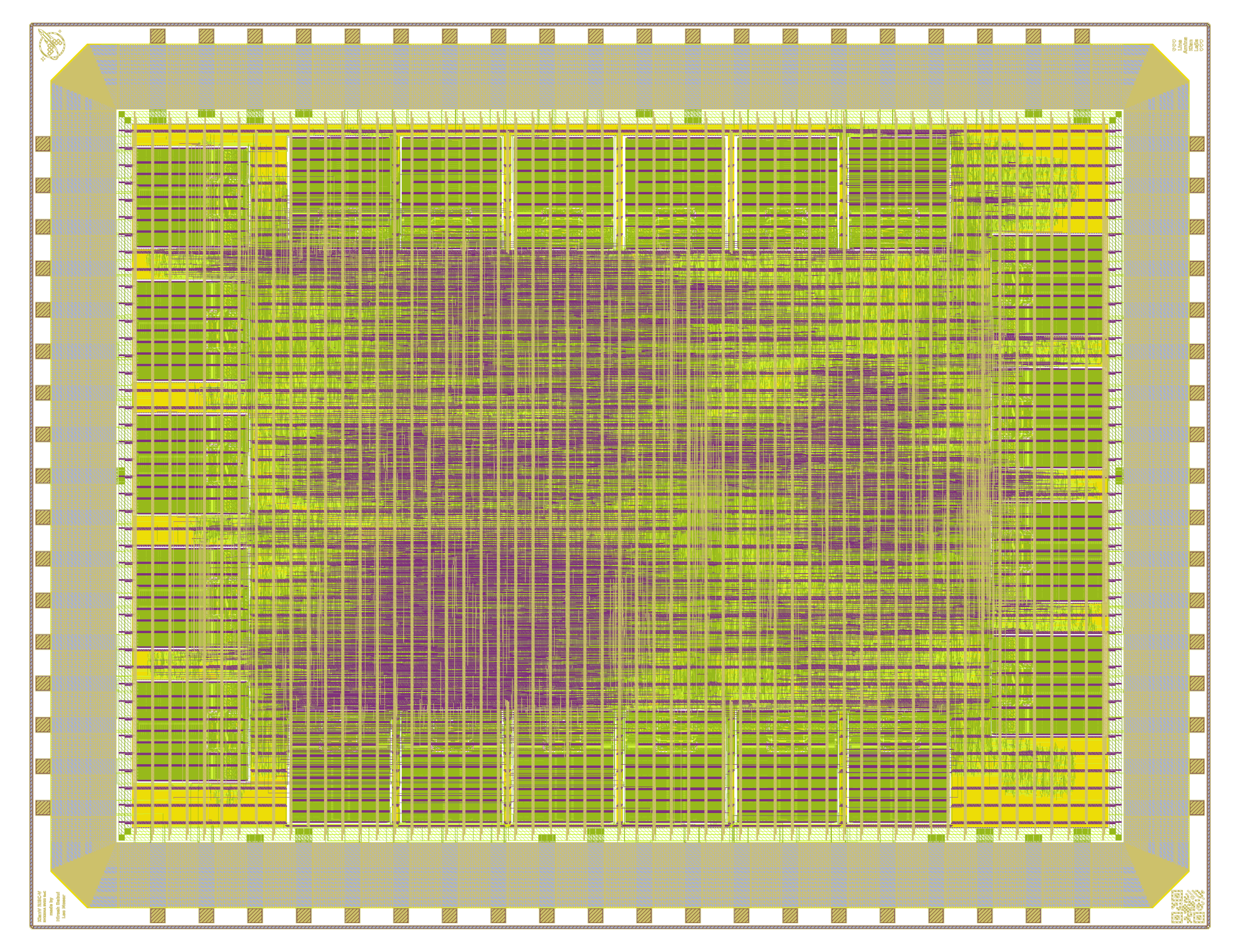
<p>KianV was taped out onto a full-sized die (20.1 mm²), with an approximate core utilization of 65% and an estimated
~13 mW of power consumption.</p>

<div class="post-gallery light-gallery-wrapper mb-30">
    
    <p class="text-center text-muted mb-10"><small>KianV chip layout: cache SRAM blocks surround the central core, with peripherals and IO placed around the perimeter</small></p>
    
    <figure class="overlay overlay1 rounded">
        <a href="/assets/images/news/kianv-riscv-soc/chip_top_white.png" class="lightbox">
            <span class="bg"></span>
            <img src="/assets/images/news/kianv-riscv-soc/chip_top_white.png" alt="KianV chip layout: cache SRAM blocks surround the central core, with peripherals and IO placed around the perimeter" />
        </a>
    </figure>
</div>

<h2 id="design-validation-pcb">Design Validation PCB</h2>

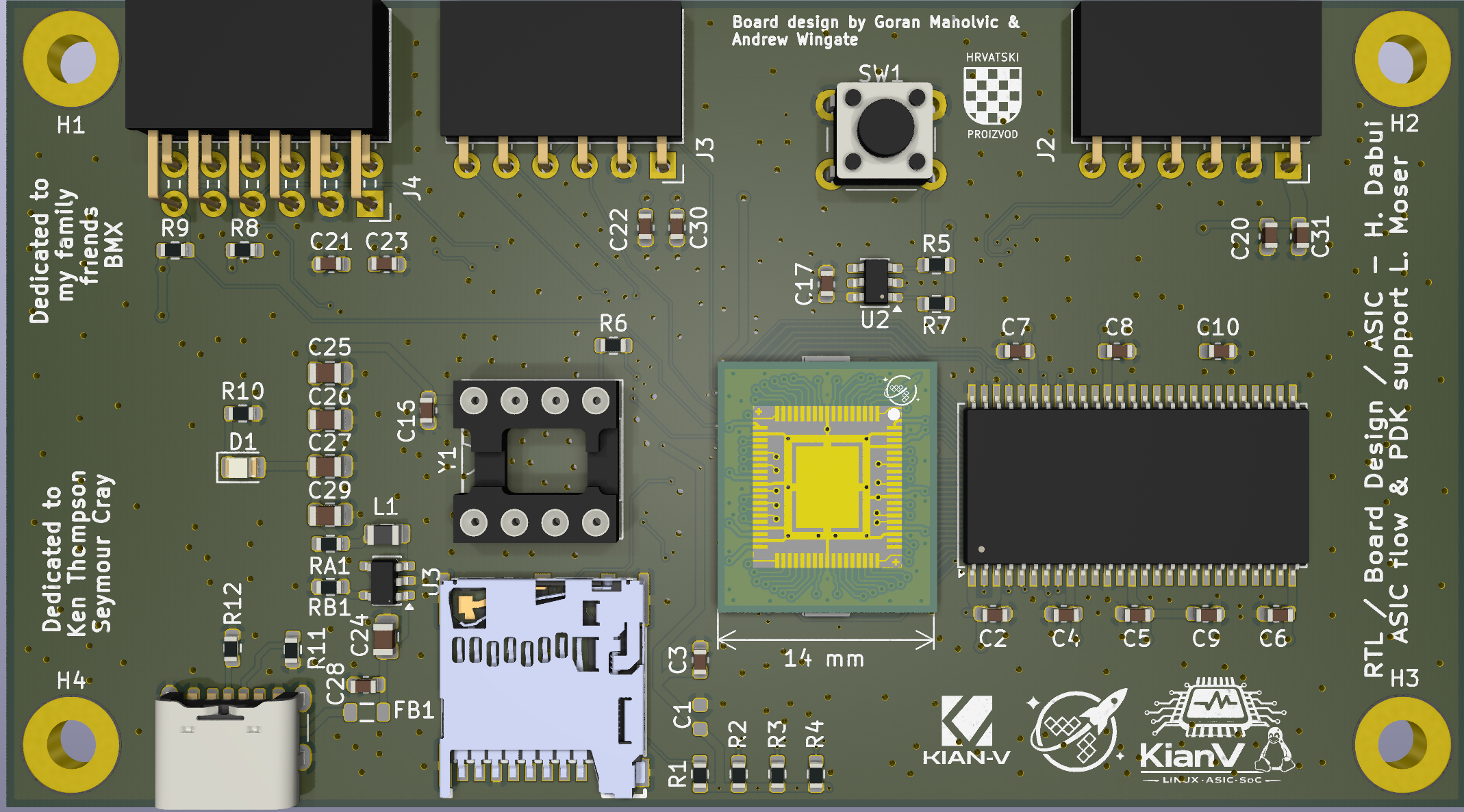
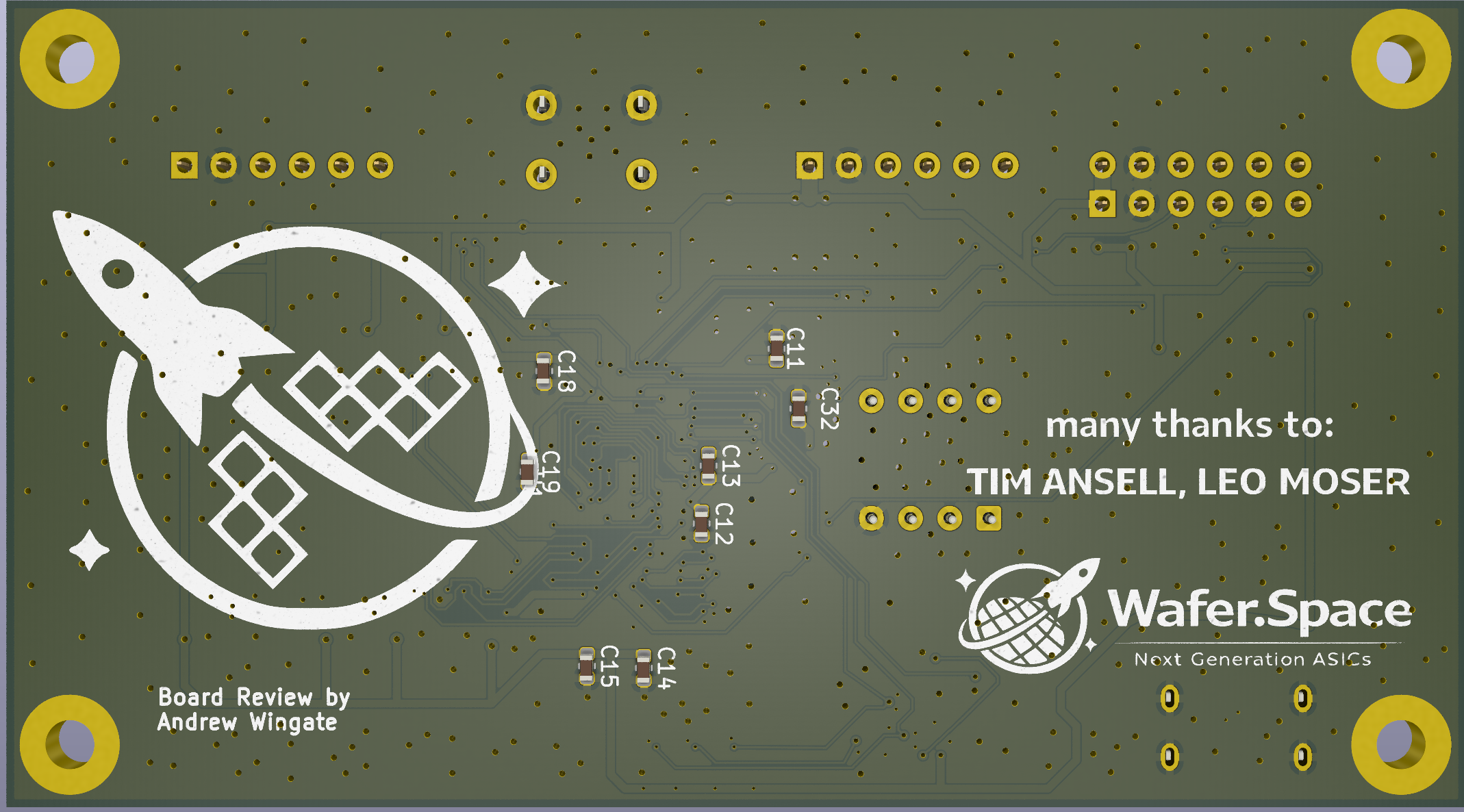
<p>As mentioned in the introduction, a small bring-up PCB was designed to support validation and software bring-up.</p>

<p>The board provides a number of supporting components, such as the 32 MiB of SDRAM, an SPI-based Ethernet connection,
SPI flash, SPI SD card interface, UART access and a power supply.</p>

<p>This PCB is available to view on GitHub too: <a href="https://github.com/splinedrive/gf180mcu-kianv-pcb">github.com/splinedrive/gf180mcu-kianv-pcb</a></p>

<div class="post-gallery light-gallery-wrapper mb-30">
  
  <p class="text-center text-muted mb-10"><small>KianV bring-up PCB</small></p>
  
  <div class="tiles tiles-s">
    <div class="items row">


          <div class="item col-md-6">
        
            <figure class="overlay overlay1 rounded">
              <a href="/assets/images/news/kianv-riscv-soc/pcb_top.png" class="lightbox">
                <span class="bg"></span>
                <img src="/assets/images/news/kianv-riscv-soc/pcb_top.png" alt="Bring-up PCB - top view" />
              </a>
              
            </figure>
          </div>
      
        
          <div class="item col-md-6">
        
            <figure class="overlay overlay1 rounded">
              <a href="/assets/images/news/kianv-riscv-soc/pcb_bottom.png" class="lightbox">
                <span class="bg"></span>
                <img src="/assets/images/news/kianv-riscv-soc/pcb_bottom.png" alt="Bring-up PCB - bottom view" />
              </a>
              
            </figure>
          </div>
      
    </div>
  </div>
</div>

<h2 id="software-status">Software Status</h2>

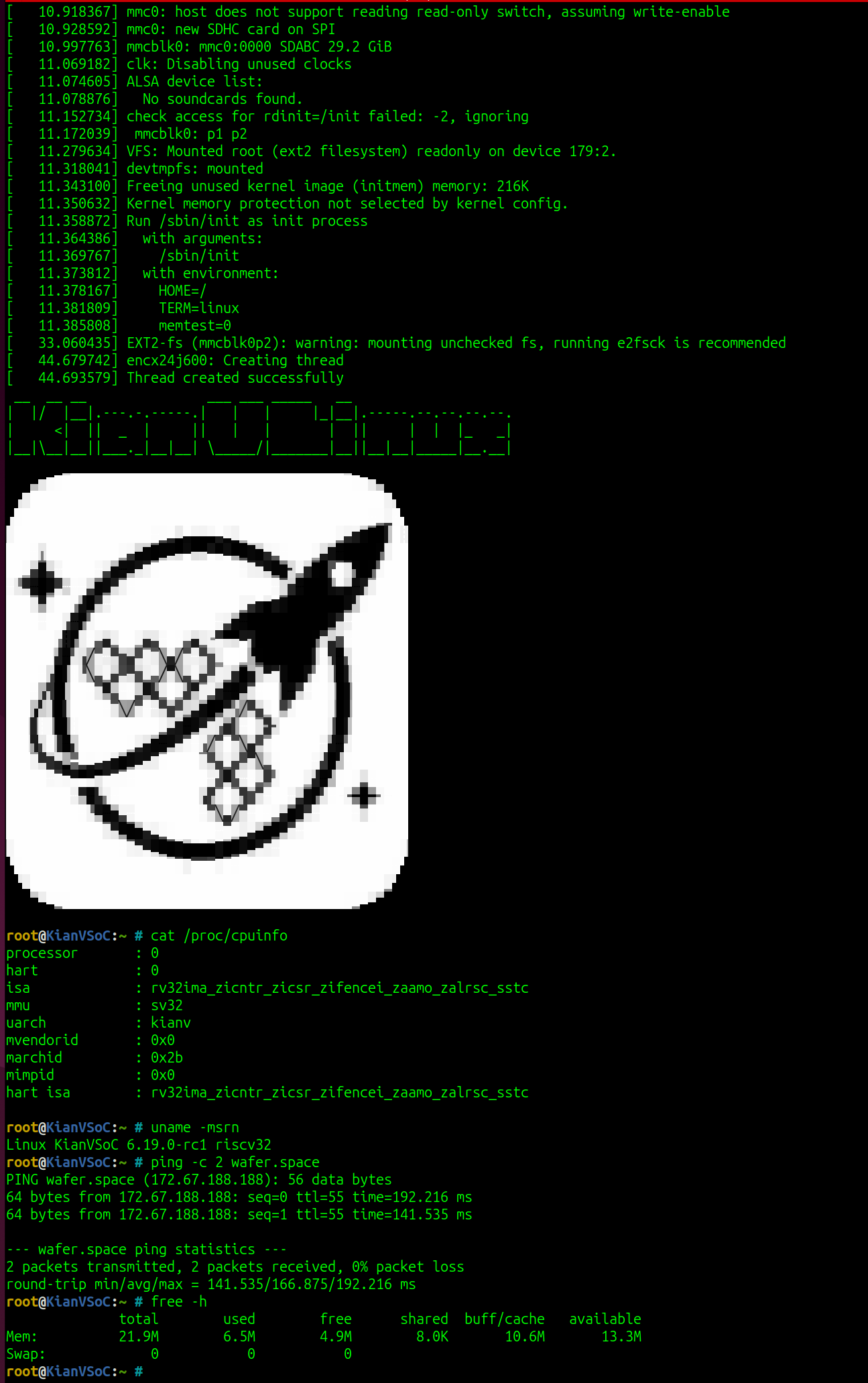
<p>KianV uses a custom bootloader, followed by <a href="https://github.com/riscv-software-src/opensbi">OpenSBI</a>, and then boots
the Linux kernel. Only minimal driver adaptations were required to boot mainline Linux with Sv32 MMU support on the SoC.</p>

<p>In addition to Linux, the system also runs µLinux and XV6 on the same hardware platform.</p>

<div class="post-gallery light-gallery-wrapper mb-30">
    
    <p class="text-center text-muted mb-10"><small>Linux 6.19.0-rc1 booting on KianV, with the wafer.space logo being drawn to the terminal</small></p>
    
    <figure class="overlay overlay1 rounded">
        <a href="/assets/images/news/kianv-riscv-soc/console.png" class="lightbox">
            <span class="bg"></span>
            <img src="/assets/images/news/kianv-riscv-soc/console.png" alt="Linux 6.19.0-rc1 booting on KianV, with the wafer.space logo being drawn to the terminal" />
        </a>
    </figure>
</div>

<h2 id="acknowledgments">Acknowledgments</h2>

<ul>
  <li><strong>Andrew Wingate</strong> - Board design review (wafer.space)</li>
  <li><strong>Christian Stredicke</strong> - Voida PBX</li>
  <li><strong>Goran Maholvic</strong> - Board design support and SDRAM routing</li>
  <li><strong>Leo Moser</strong> - ASIC flow and PDK support (wafer.space)</li>
  <li><strong>Marcelo Samsoniuk</strong> - For the technical and personal exchange over the past few years (DarkRiscV)</li>
  <li><strong>Matt Venn</strong> - Tiny Tapeout</li>
  <li><strong>Sylvain Munaut</strong> - Tiny Tapeout</li>
  <li><strong>Tim Ansell</strong> - Founder of wafer.space</li>
  <li><strong>Uri Shaked</strong> - Tiny Tapeout</li>
</ul>

<h2 id="additional-resources">Additional Resources</h2>

<ul>
  <li>KianV SoC Design: <a href="https://github.com/splinedrive/gf180mcu-kianv-rv32ima-sv32">github.com/splinedrive/gf180mcu-kianv-rv32ima-sv32</a></li>
  <li>Bring-up PCB Design: <a href="https://github.com/splinedrive/gf180mcu-kianv-pcb">github.com/splinedrive/gf180mcu-kianv-pcb</a></li>
  <li>Carl Karsten - Online access to FPGAs (with ASICs coming soon): <a href="https://ps1.fpgas.online/">https://ps1.fpgas.online/</a></li>
  <li>Matt Venn - RISC-V/Open Source Silicon Stream updates: <a href="https://www.linkedin.com/posts/matt-venn_riscv-opensourcesiliconstream-activity-7290765655132274690-Hfgw">linkedin.com/posts/matt-venn_riscv-opensourcesiliconstream-activity-7290765655132274690-Hfgw</a></li>
  <li>Matt Venn - Tiny Tapeout ASIC/Open Source development: <a href="https://www.linkedin.com/posts/matt-venn_asic-opensource-riscv-activity-7279556029233704960-d5ZO">linkedin.com/posts/matt-venn_asic-opensource-riscv-activity-7279556029233704960-d5ZO</a></li>
  <li>Uri Shaked - Tiny Tapeout project update: <a href="https://www.linkedin.com/feed/update/urn:li:activity:7312742011252490240/">linkedin.com/feed/update/urn:li:activity:7312742011252490240/</a></li>
  <li>Zero to ASIC Course 2024 Highlights: <a href="https://www.zerotoasiccourse.com/post/year_update_2024/#2024-highlights">zerotoasiccourse.com/post/year_update_2024/#2024-highlights</a></li>
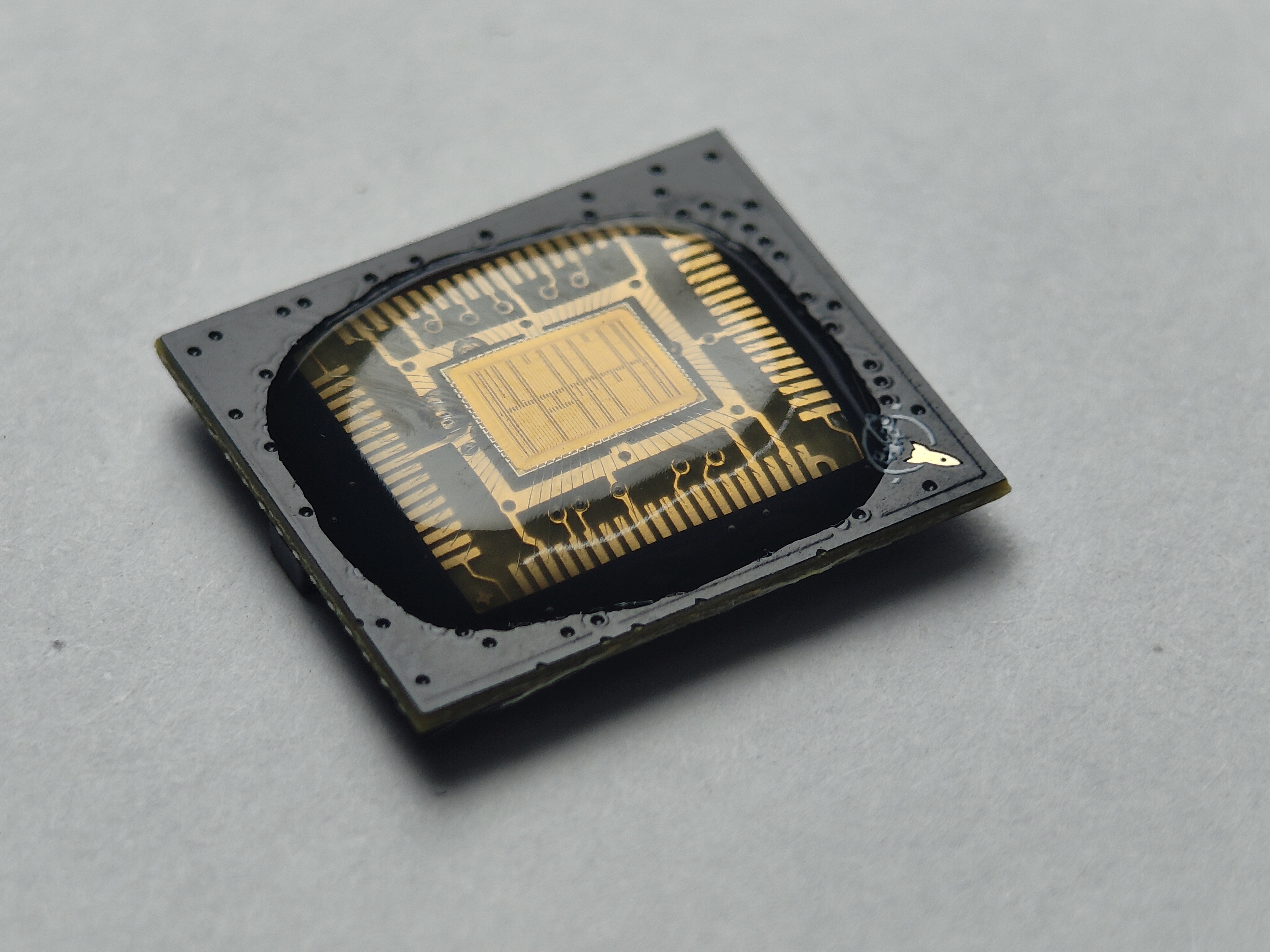
</ul>]]></content><author><name>Hirosh Dabui</name></author><category term="news" /><category term="gf180mcu" /><category term="run1" /><category term="featured-project" /><category term="risc-v" /><category term="kianv" /><summary type="html"><![CDATA[KianV is a RISC-V SoC capable of running µLinux, Linux, and XV6. Taped out using a fully open-source ASIC flow.]]></summary></entry><entry><title type="html">Chip-on-Board Packaging Progress</title><link href="https://wafer.space/news/chip-on-board-progress" rel="alternate" type="text/html" title="Chip-on-Board Packaging Progress" /><published>2026-06-03T12:00:00+00:00</published><updated>2026-06-03T12:00:00+00:00</updated><id>https://wafer.space/news/chip-on-board-progress</id><content type="html" xml:base="https://wafer.space/news/chip-on-board-progress"><![CDATA[<p>Run 1 bare dies and chips-on-board (COBs) have shipped - join us to have a look into the process.</p>

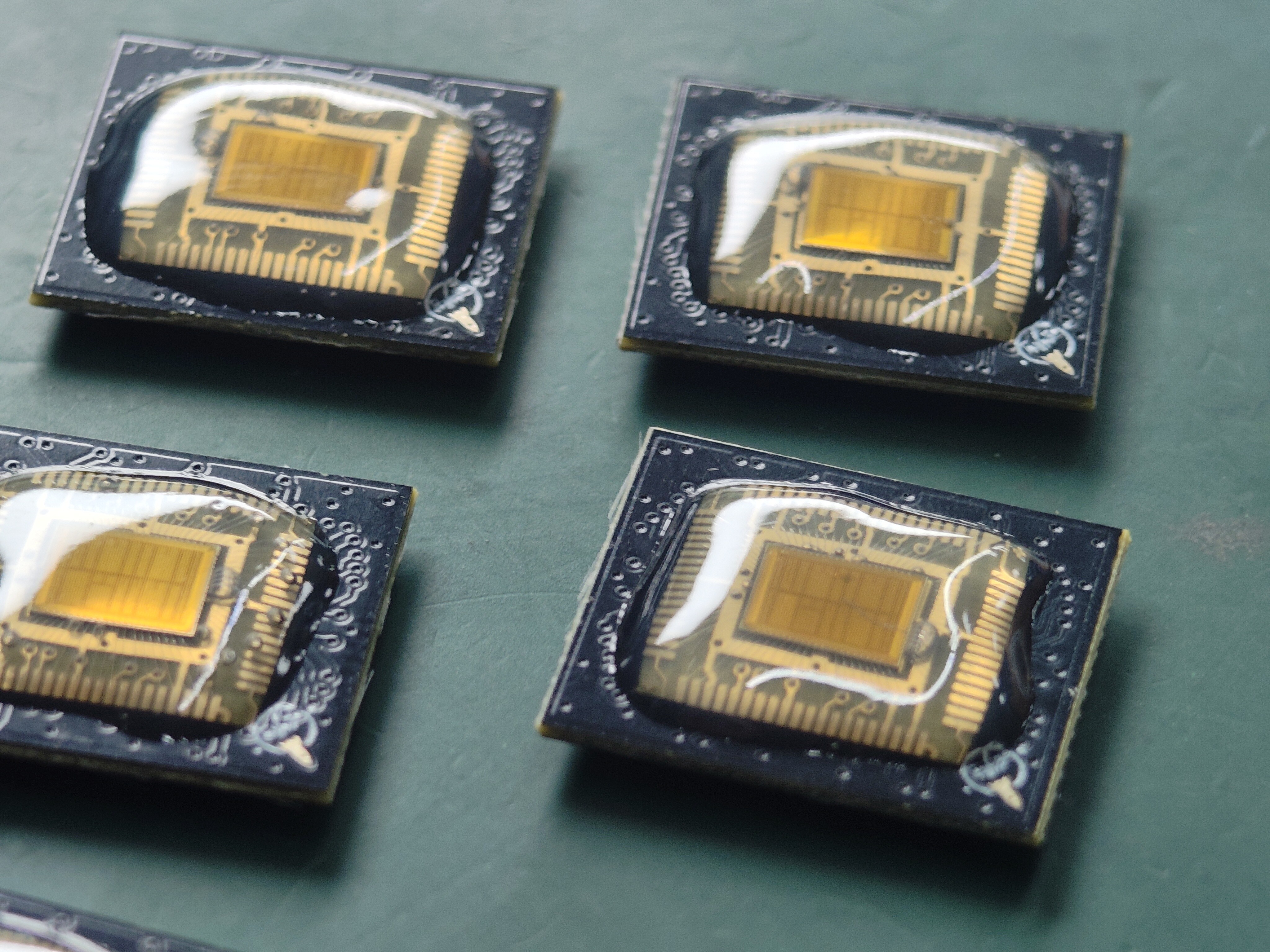
<div class="post-gallery light-gallery-wrapper mb-30">
    
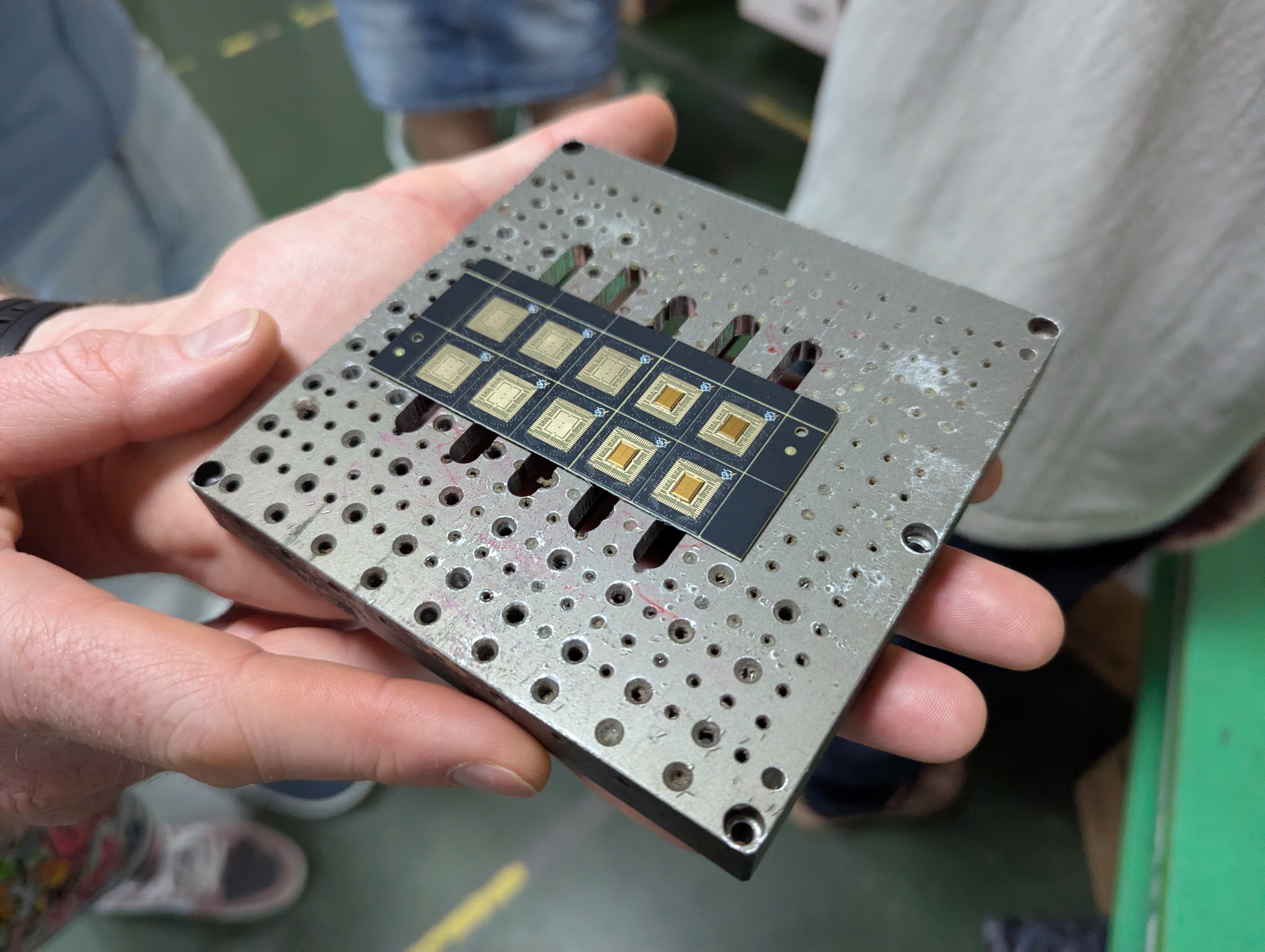
    <p class="text-center text-muted mb-10"><small>A wafer.space die wirebonded to a PCB, covered in protective epoxy</small></p>
    
    <figure class="overlay overlay1 rounded">
        <a href="/assets/images/news/chip-on-board-progress/closeup-single-cob.jpg" class="lightbox">
            <span class="bg"></span>
            <img src="/assets/images/news/chip-on-board-progress/closeup-single-cob.jpg" alt="A wafer.space die wirebonded to a PCB, covered in protective epoxy" />
        </a>
    </figure>
</div>

<h2 id="the-chip-on-board-boards">The Chip-on-Board Boards</h2>

<p>If you’ve been following along, you may remember a <a href="https://wafer.space/news/chip-on-board-strategy">previous update</a>
where we discussed different potential strategies for chip-on-board packaging. In this update we will see all that hard
work come to fruition, as we wirebond some of the very first dies from this run.</p>

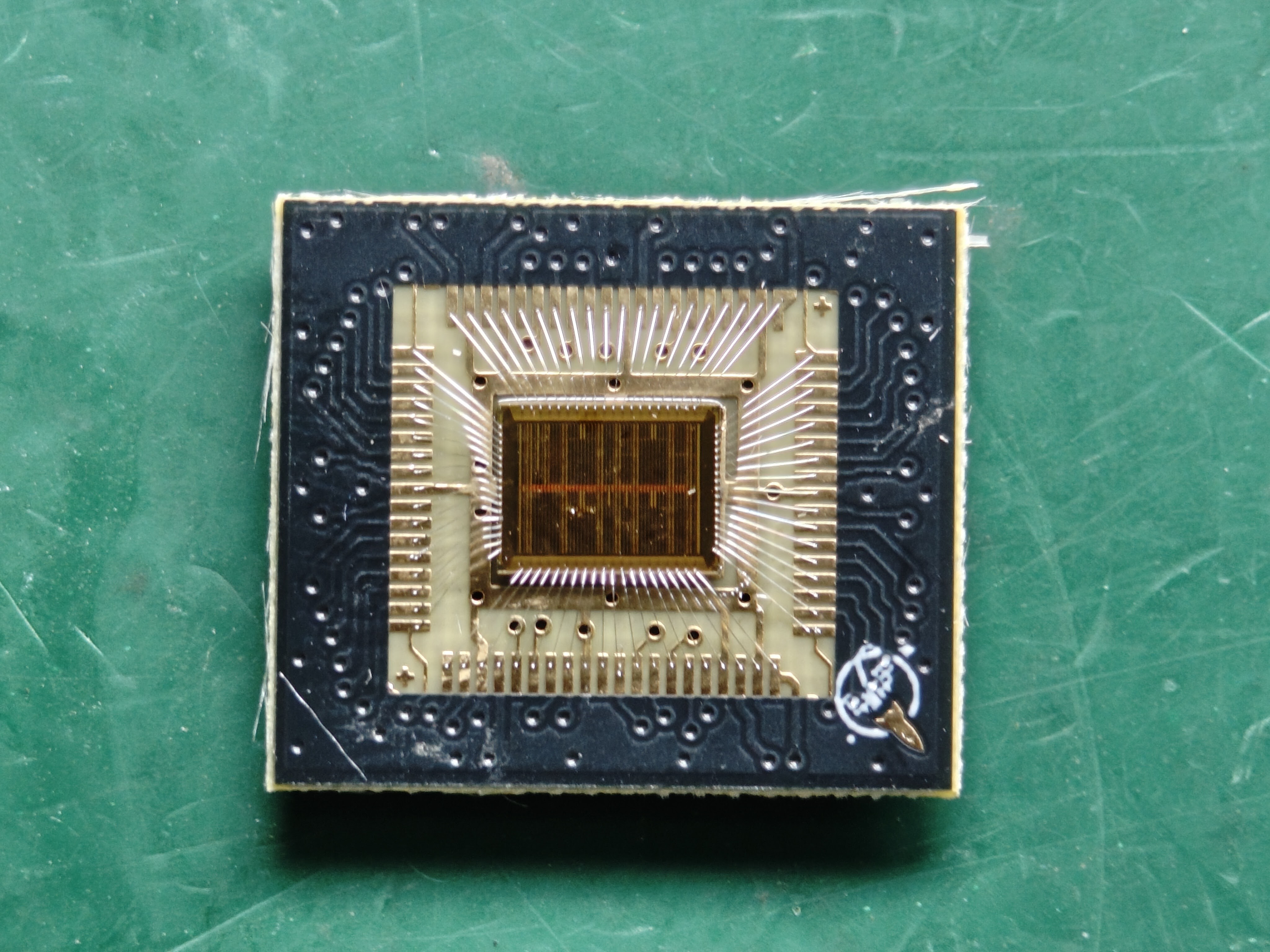
<p>The top-level view of the process is that each die is placed onto a small PCB and wirebonded to connect the die to the board.
Then, an epoxy glob-top is applied to protect the sensitive die and wires. The result is a packaged part that you can
plug into your own board and start testing immediately, no specialized equipment needed.</p>

<p>Wirebonding is inaccessible for most people, and traditional packaging solutions remain cost prohibitive due to the low
volume nature of the manufacturing runs. The COB boards were designed as an accessible way for people to use their
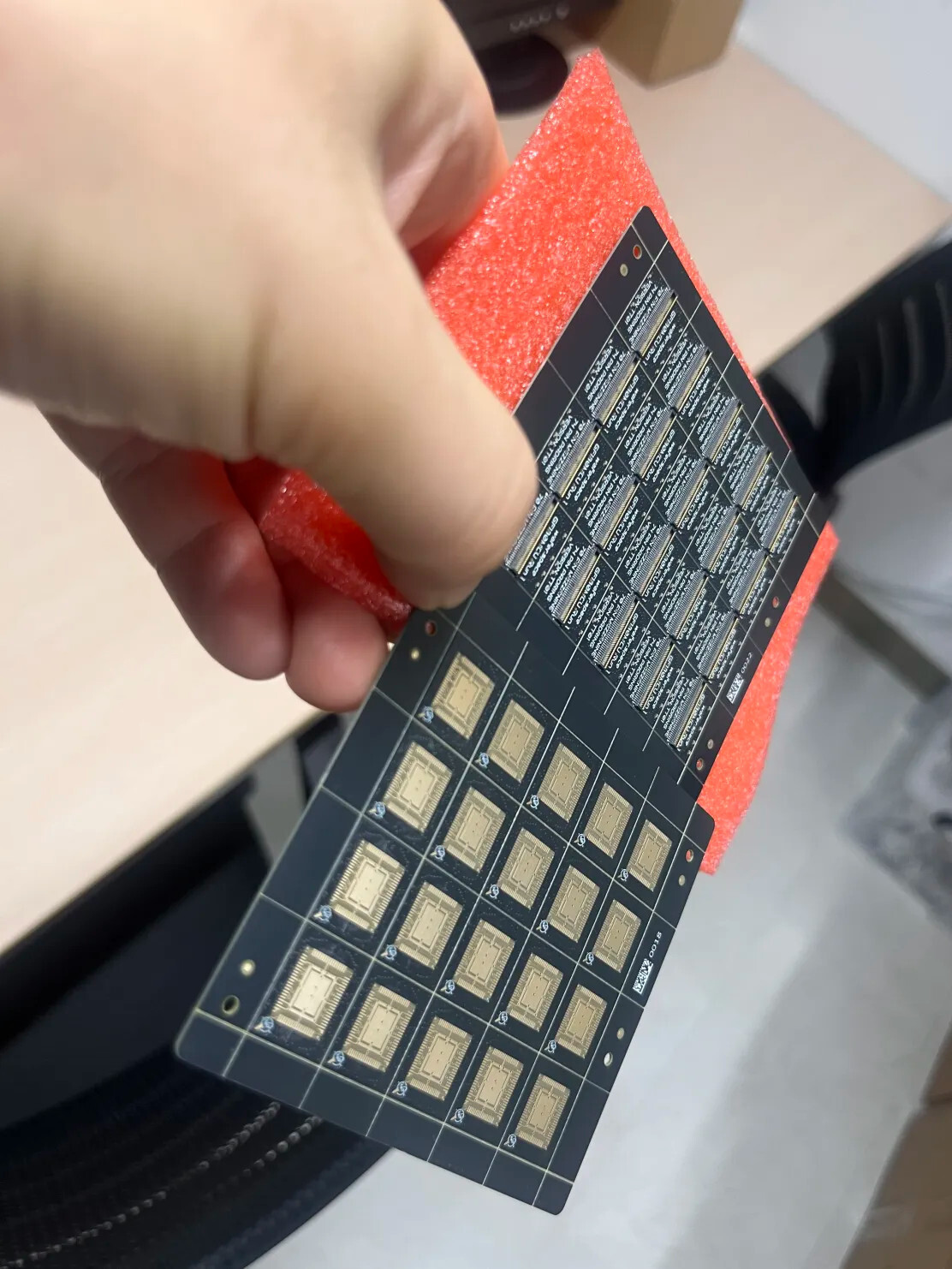
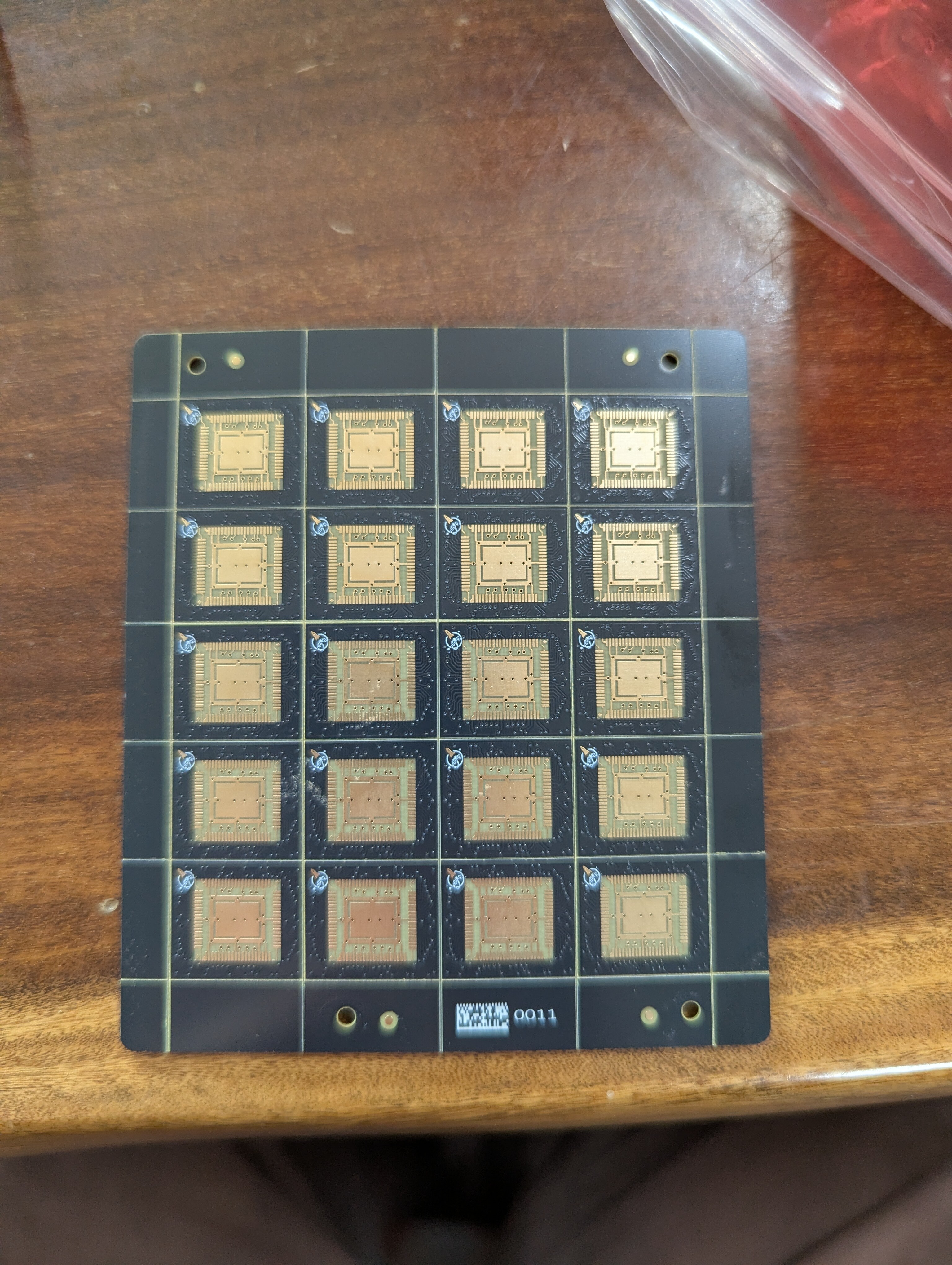
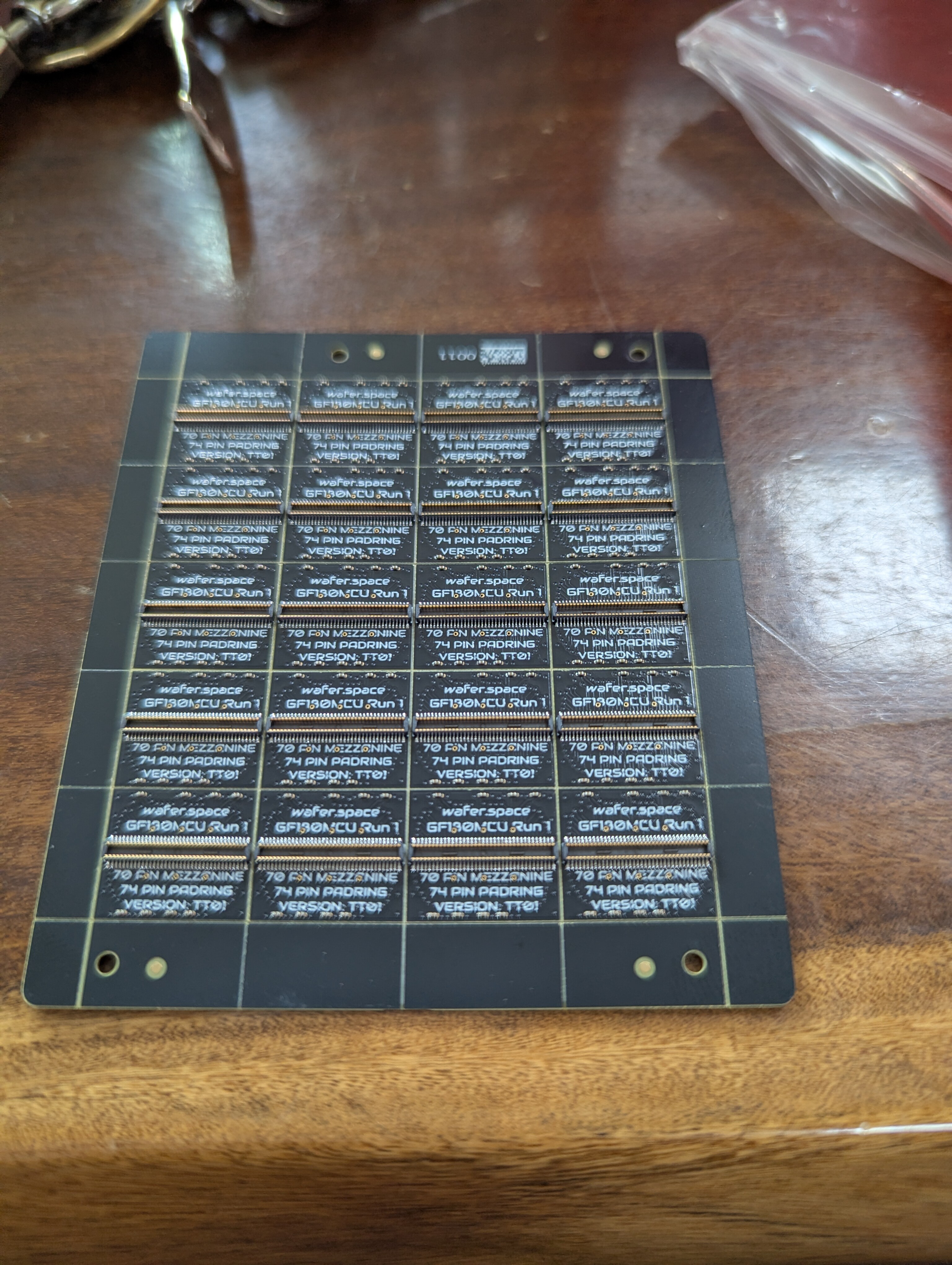
wafer.space dies.</p>

<p>These boards use an easily sourceable mezzanine connector for you to make your own motherboard. As always, the design
of this COB is available on <a href="https://github.com/wafer-space/chip-on-board-wire-bonded-pcbs">GitHub</a>.</p>

<div class="post-gallery light-gallery-wrapper mb-30">
  
  <p class="text-center text-muted mb-10"><small>Blank COB boards waiting for their die</small></p>
  
  <div class="tiles tiles-s">
    <div class="items row">


          <div class="item col-md-4">
        
            <figure class="overlay overlay1 rounded">
              <a href="/assets/images/news/chip-on-board-progress/cob-panel-front-back-view.jpg" class="lightbox">
                <span class="bg"></span>
                <img src="/assets/images/news/chip-on-board-progress/cob-panel-front-back-view.jpg" alt="Two panels held side-by-side" />
              </a>
              
            </figure>
          </div>
      
        
          <div class="item col-md-4">
        
            <figure class="overlay overlay1 rounded">
              <a href="/assets/images/news/chip-on-board-progress/cob-single-top.jpg" class="lightbox">
                <span class="bg"></span>
                <img src="/assets/images/news/chip-on-board-progress/cob-single-top.jpg" alt="Top view of the board" />
              </a>
              
            </figure>
          </div>
      
        
          <div class="item col-md-4">
        
            <figure class="overlay overlay1 rounded">
              <a href="/assets/images/news/chip-on-board-progress/cob-single-bottom.jpg" class="lightbox">
                <span class="bg"></span>
                <img src="/assets/images/news/chip-on-board-progress/cob-single-bottom.jpg" alt="Bottom view of the board" />
              </a>
              
            </figure>
          </div>
      
    </div>
  </div>
</div>

<h2 id="preparing-for-wirebonding">Preparing for Wirebonding</h2>

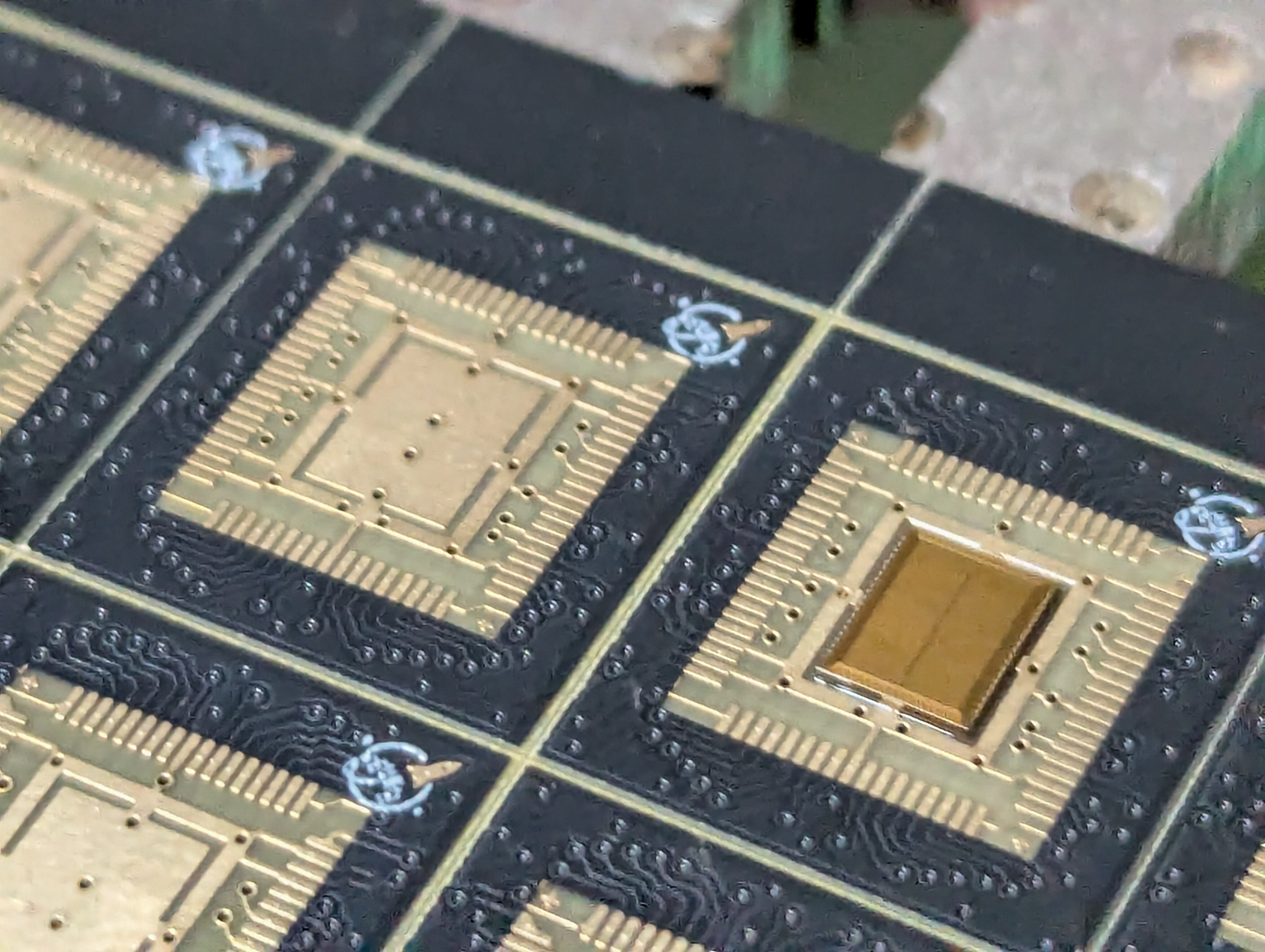
<p>The COB boards arrive as a panel of 20 from the PCB house, but these are too large to fit onto the vacuum chuck used by
the wirebonders. The solution is simple: snap the panels in half!</p>

<div class="post-gallery light-gallery-wrapper mb-30">
    
    <p class="text-center text-muted mb-10"><small>Half-a-panel of COBs fixed to the vacuum chuck</small></p>
    
    <figure class="overlay overlay1 rounded">
        <a href="/assets/images/news/chip-on-board-progress/cob-on-vacuum-chuck.jpg" class="lightbox">
            <span class="bg"></span>
            <img src="/assets/images/news/chip-on-board-progress/cob-on-vacuum-chuck.jpg" alt="Half-a-panel of COBs fixed to the vacuum chuck" />
        </a>
    </figure>
</div>

<p>Components moving during the wirebonding process is a concern. Tiny pads on the die and sharp movements caused by the
wirebonder mean that any misalignment could result in a failed bond (or multiple). These failed bonds could prevent
the chip from working properly, so our goal is to minimize any excessive movement.</p>

<p>The PCB itself is affixed to the chuck using a vacuum, and the die is physically glued to the PCB.</p>

<div class="post-gallery light-gallery-wrapper mb-30">
    
    <p class="text-center text-muted mb-10"><small>wafer.space dies being glued to a COB board</small></p>
    
    <figure class="overlay overlay1 rounded">
        <a href="/assets/images/news/chip-on-board-progress/die-glueing-to-cob.jpg" class="lightbox">
            <span class="bg"></span>
            <img src="/assets/images/news/chip-on-board-progress/die-glueing-to-cob.jpg" alt="wafer.space dies being glued to a COB board" />
        </a>
    </figure>
</div>

<div class="post-gallery light-gallery-wrapper mb-30">
    
    <p class="text-center text-muted mb-10"><small>An unpopulated COB (left) next to one with a die (right)</small></p>
    
    <figure class="overlay overlay1 rounded">
        <a href="/assets/images/news/chip-on-board-progress/cob-empty-vs-populated.jpg" class="lightbox">
            <span class="bg"></span>
            <img src="/assets/images/news/chip-on-board-progress/cob-empty-vs-populated.jpg" alt="An unpopulated COB (left) next to one with a die (right)" />
        </a>
    </figure>
</div>

<h2 id="performing-the-wirebonding">Performing the Wirebonding</h2>

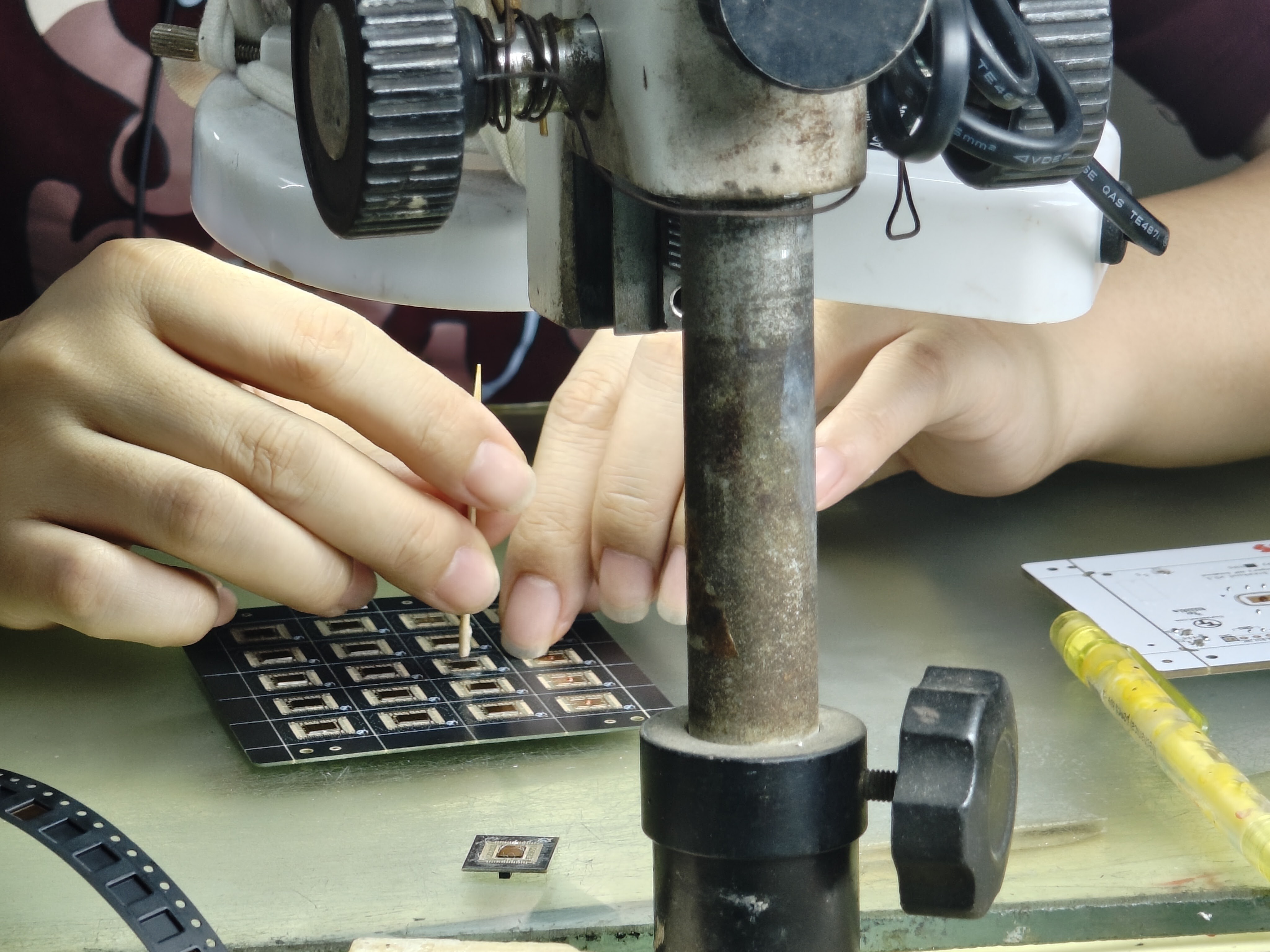
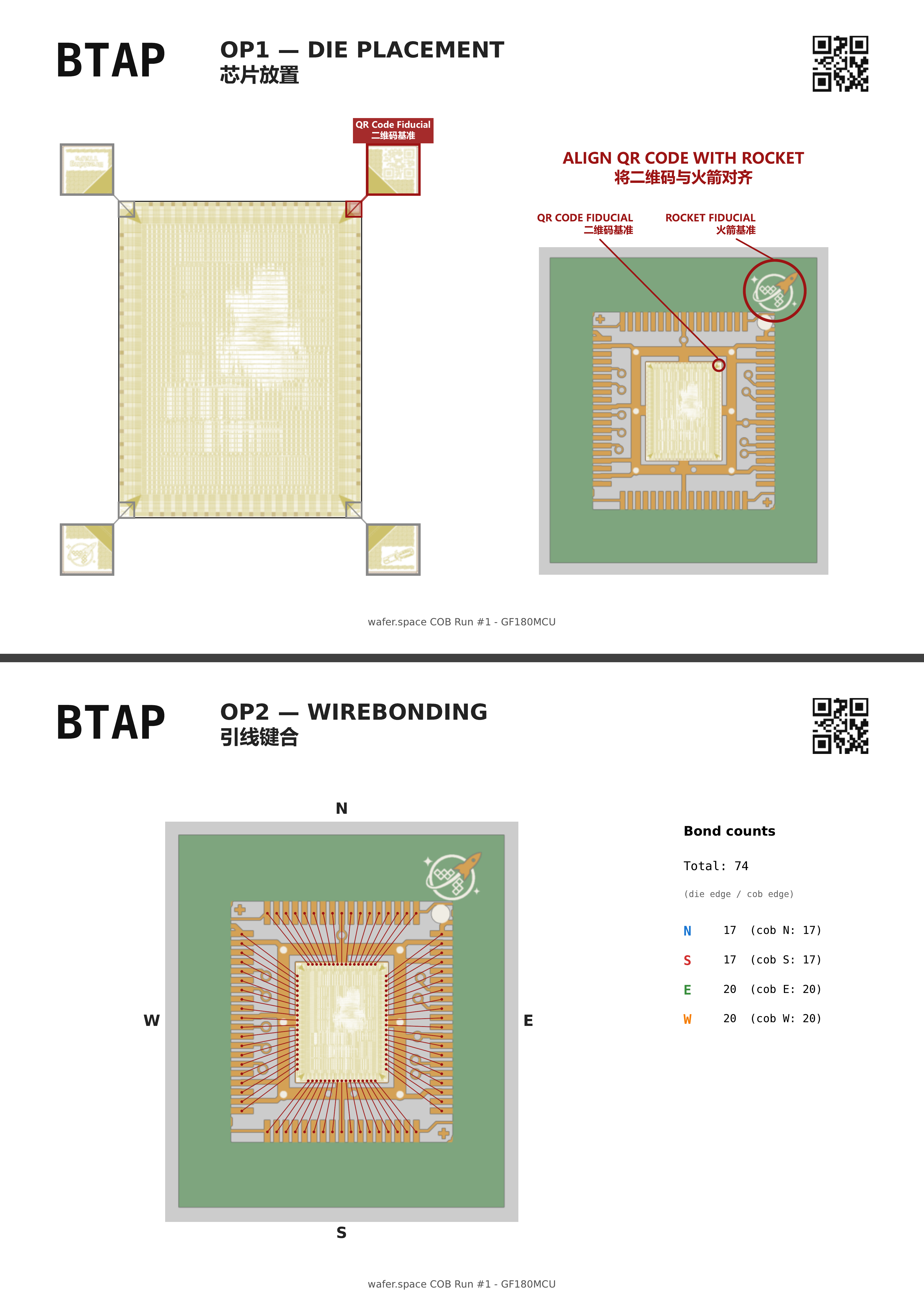
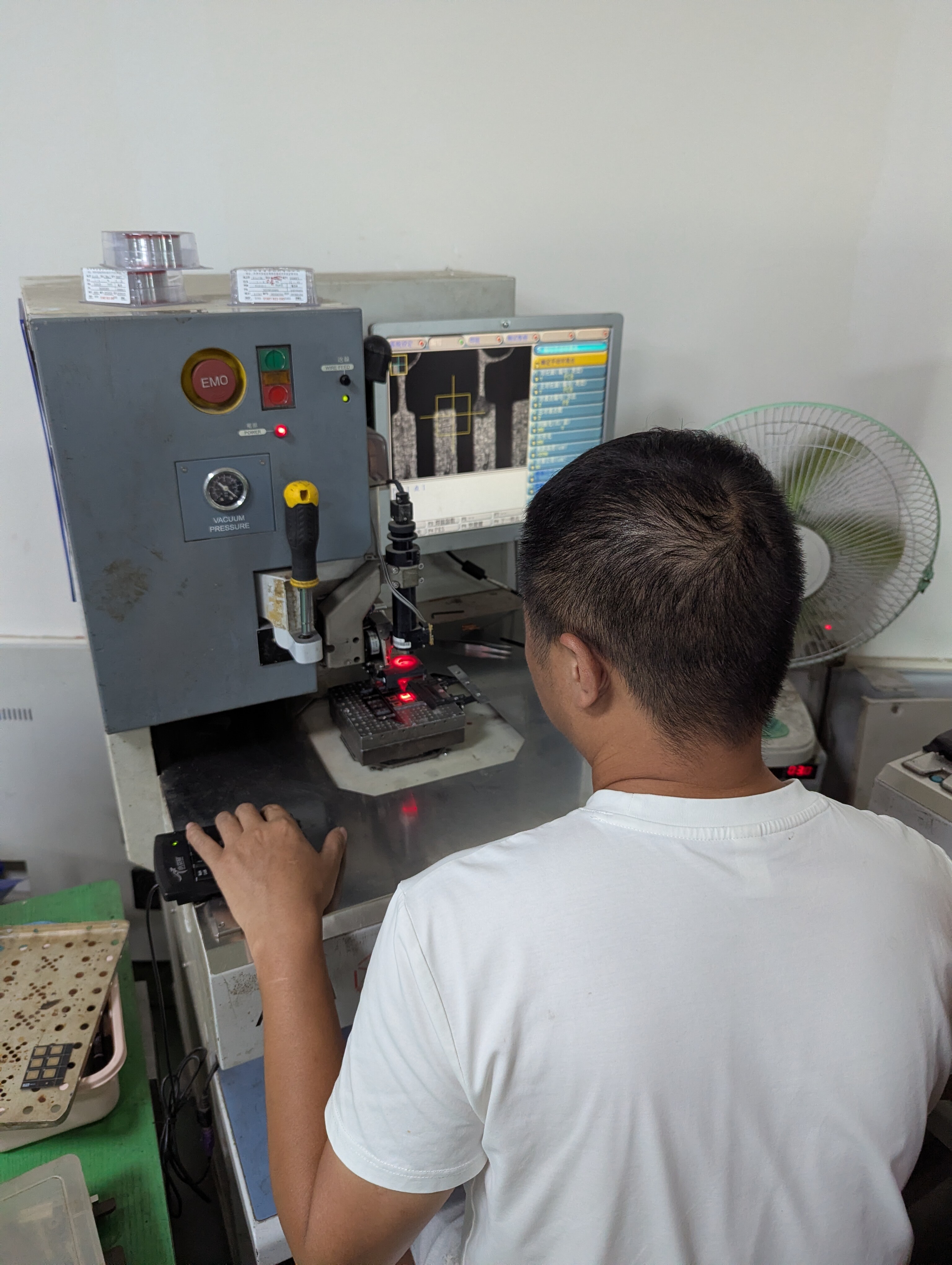
<p>Everything so far has been quite hands-on, and this is no different with the wirebonding machine. Before any bonding
can take place, the machine must first be programmed with the desired locations and settings, and only then can it
proceed. The machine operator is provided with a diagram showing all of our requested bonds, which they will interpret
and configure the machine with.</p>

<div class="post-gallery light-gallery-wrapper mb-30">
    
    <p class="text-center text-muted mb-10"><small>Example wirebonding diagram showcasing visual landmarks and bond locations</small></p>
    
    <figure class="overlay overlay1 rounded">
        <a href="/assets/images/news/chip-on-board-progress/BTAP-wirebond-diagram.png" class="lightbox">
            <span class="bg"></span>
            <img src="/assets/images/news/chip-on-board-progress/BTAP-wirebond-diagram.png" alt="Example wirebonding diagram showcasing visual landmarks and bond locations" />
        </a>
    </figure>
</div>

<p>Since the die is mounted by hand, the machine uses a computer vision system to readjust the bond based on the visual
location.</p>

<div class="post-gallery light-gallery-wrapper mb-30">
    
    <p class="text-center text-muted mb-10"><small>Wirebond operator configuring the bond path visually using a high-power microscope</small></p>
    
    <figure class="overlay overlay1 rounded">
        <a href="/assets/images/news/chip-on-board-progress/wirebonder-operator.jpg" class="lightbox">
            <span class="bg"></span>
            <img src="/assets/images/news/chip-on-board-progress/wirebonder-operator.jpg" alt="Wirebond operator configuring the bond path visually using a high-power microscope" />
        </a>
    </figure>
</div>

<div>
    
        <p class="text-center text-muted mb-10">
            <small>Wirebond operator programming the bonds the machine needs to perform</small>
        </p>
    
    <iframe style="width:100%; aspect-ratio: 16/9;" src="https://www.youtube.com/embed/gyE6ZMNqUeI?start=&amp;end=&amp;autoplay=1&amp;mute=1&amp;playsinline=1&amp;fs=1&amp;disablekb=1&amp;controls=0&amp;loop=1&amp;playlist=gyE6ZMNqUeI" title="YouTube video player" frameborder="0" allow="accelerometer; autoplay; clipboard-write; encrypted-media; gyroscope; picture-in-picture; web-share" referrerpolicy="strict-origin-when-cross-origin" allowfullscreen="">
    </iframe>
</div>

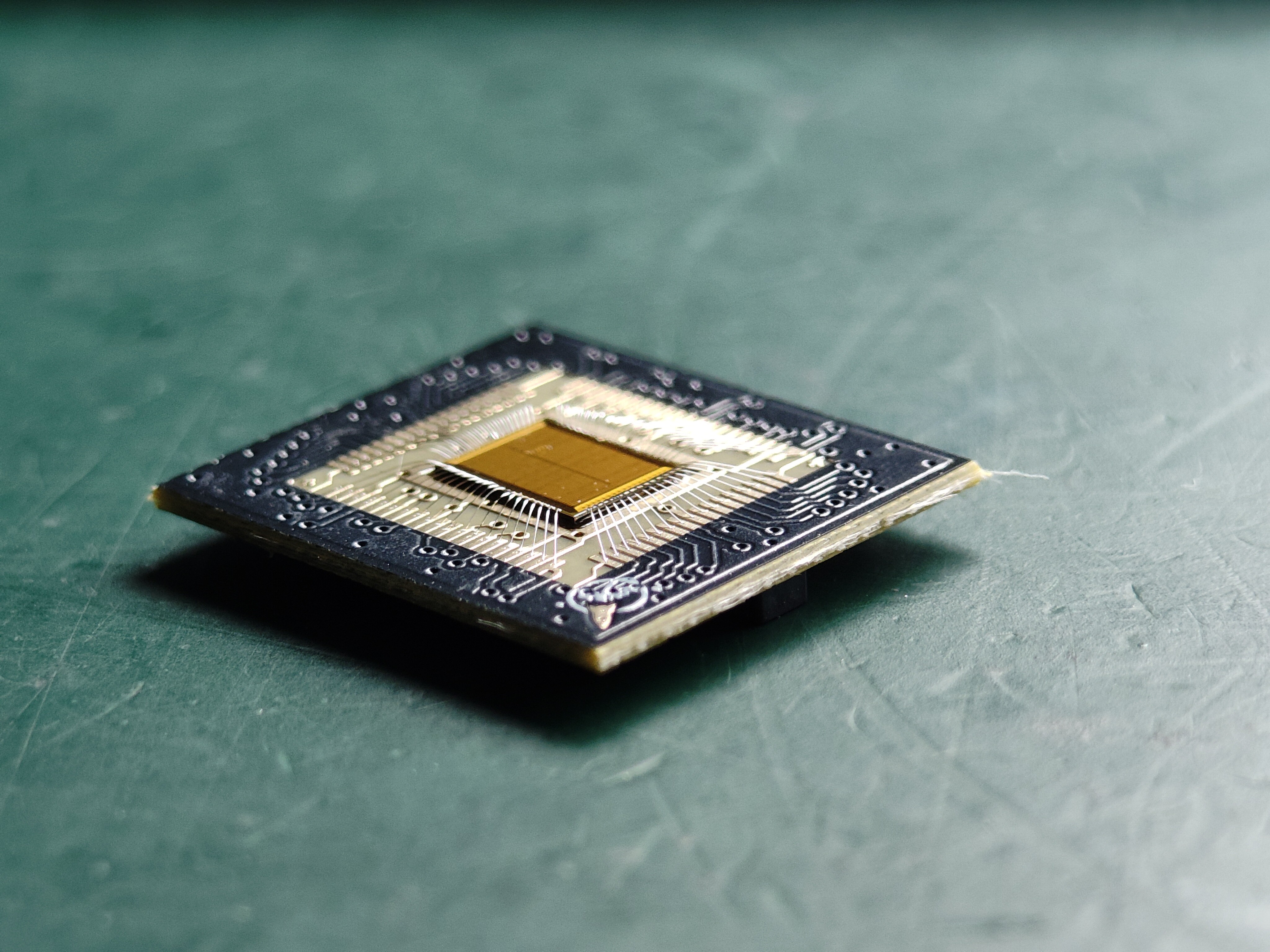
<p>Now we’re ready for the fun part! Once programmed, the machine will begin performing the wirebonding - all 74 pins.</p>

<div class="post-gallery light-gallery-wrapper mb-30">
  
  <p class="text-center text-muted mb-10"><small>Tiny Tapeout's TTGF0p2 die fully wirebonded and ready for epoxy</small></p>
  
  <div class="tiles tiles-s">
    <div class="items row">


          <div class="item col-md-6">
        
            <figure class="overlay overlay1 rounded">
              <a href="/assets/images/news/chip-on-board-progress/cob-bonded-top-view.jpg" class="lightbox">
                <span class="bg"></span>
                <img src="/assets/images/news/chip-on-board-progress/cob-bonded-top-view.jpg" alt="Top view of TTGF0p2 on a black COB PCB" />
              </a>
              
            </figure>
          </div>
      
        
          <div class="item col-md-6">
        
            <figure class="overlay overlay1 rounded">
              <a href="/assets/images/news/chip-on-board-progress/cob-bonded-side-view.jpg" class="lightbox">
                <span class="bg"></span>
                <img src="/assets/images/news/chip-on-board-progress/cob-bonded-side-view.jpg" alt="Side view of TTGF0p2 on a black COB PCB" />
              </a>
              
            </figure>
          </div>
      
    </div>
  </div>
</div>

<p>We’re not finished yet - the die and bonds are extremely fragile, so for them to survive the journey back to you, we must
first cover them with an epoxy resin and bake them in the oven to harden.</p>

<div class="post-gallery light-gallery-wrapper mb-30">
  
  <p class="text-center text-muted mb-10"><small>Finished COBs: wirebonded and epoxied, ready for your project</small></p>
  
  <div class="tiles tiles-s">
    <div class="items row">


          <div class="item col-md-6">
        
            <figure class="overlay overlay1 rounded">
              <a href="/assets/images/news/chip-on-board-progress/closeup-multiple-cobs.jpg" class="lightbox">
                <span class="bg"></span>
                <img src="/assets/images/news/chip-on-board-progress/closeup-multiple-cobs.jpg" alt="Four COBs next to each other" />
              </a>
              
            </figure>
          </div>
      
        
          <div class="item col-md-6">
        
            <figure class="overlay overlay1 rounded">
              <a href="/assets/images/news/chip-on-board-progress/closeup-single-cob.jpg" class="lightbox">
                <span class="bg"></span>
                <img src="/assets/images/news/chip-on-board-progress/closeup-single-cob.jpg" alt="A single COB" />
              </a>
              
            </figure>
          </div>
      
    </div>
  </div>
</div>

<h2 id="final-steps">Final Steps</h2>

<p><em>Do they work?</em></p>

<p>…</p>

<p><strong>Yes!!</strong></p>

<p>We’ve been able to successfully run Tiny Tapeout’s own factory test on their TTGF0p2 shuttle, and can confirm that it
works as expected. We’d love to hear about your testing successes when you get your hands on your COBs, so please
come join our community on <a href="https://discord.gg/43y2t53jpE">Discord</a>!</p>

<div>
    
        <p class="text-center text-muted mb-10">
            <small>Tiny Tapeout's TTGF0p2 factory test counting up (in binary, as shown on the LEDs)</small>
        </p>
    
    <iframe style="width:100%; aspect-ratio: 16/9;" src="https://www.youtube.com/embed/nAksPk27yB0?start=&amp;end=&amp;autoplay=1&amp;mute=1&amp;playsinline=1&amp;fs=1&amp;disablekb=1&amp;controls=0&amp;loop=1&amp;playlist=nAksPk27yB0" title="YouTube video player" frameborder="0" allow="accelerometer; autoplay; clipboard-write; encrypted-media; gyroscope; picture-in-picture; web-share" referrerpolicy="strict-origin-when-cross-origin" allowfullscreen="">
    </iframe>
</div>

<p>That’s not all though - check out this scrolling VGA screensaver with the <a href="https://wafer.space">wafer.space</a> logo. You can
view the source code for this on <a href="https://github.com/TinyTapeout/tt-waferspace-vga-screensaver">GitHub</a>, or experiment
with it on <a href="https://vga-playground.com/?repo=https://github.com/TinyTapeout/tt-waferspace-vga-screensaver">VGA Playground</a>.</p>

<div>
    
        <p class="text-center text-muted mb-10">
            <small>An animated wafer.space logo screensaver output over VGA</small>
        </p>
    
    <iframe style="width:100%; aspect-ratio: 16/9;" src="https://www.youtube.com/embed/rEfHia0b5vo?start=&amp;end=&amp;autoplay=1&amp;mute=1&amp;playsinline=1&amp;fs=1&amp;disablekb=1&amp;controls=0&amp;loop=1&amp;playlist=rEfHia0b5vo" title="YouTube video player" frameborder="0" allow="accelerometer; autoplay; clipboard-write; encrypted-media; gyroscope; picture-in-picture; web-share" referrerpolicy="strict-origin-when-cross-origin" allowfullscreen="">
    </iframe>
</div>

<p><a href="https://github.com/smunaut">Sylvain “tnt” Munaut</a> has also been hard at work testing several designs onboard the TTGF0p2
shuttle and reporting their status. You can view these on Tiny Tapeout’s “Silicon Proven Projects” page - head to
<a href="https://tinytapeout.com/chips/silicon-proven/#ttgf0p2">tinytapeout.com/chips/silicon-proven/#ttgf0p2</a> to view the
currently tested projects on TTGF0p2.</p>

<p>If you’d like to see some more packaging goodness, Tiny Tapeout recently uploaded a video with some more behind the scenes
footage for their TT08 shuttle.</p>

<div>
    
        <p class="text-center text-muted mb-10">
            <small>Behind the scenes footage of TT08 being wirebonded</small>
        </p>
    
    <iframe style="width:100%; aspect-ratio: 16/9;" src="https://www.youtube.com/embed/okJ7NFNJdfs?start=&amp;end=&amp;autoplay=0&amp;mute=1&amp;playsinline=1&amp;fs=1&amp;disablekb=1&amp;controls=1&amp;loop=1&amp;playlist=okJ7NFNJdfs" title="YouTube video player" frameborder="0" allow="accelerometer; autoplay; clipboard-write; encrypted-media; gyroscope; picture-in-picture; web-share" referrerpolicy="strict-origin-when-cross-origin" allowfullscreen="">
    </iframe>
</div>

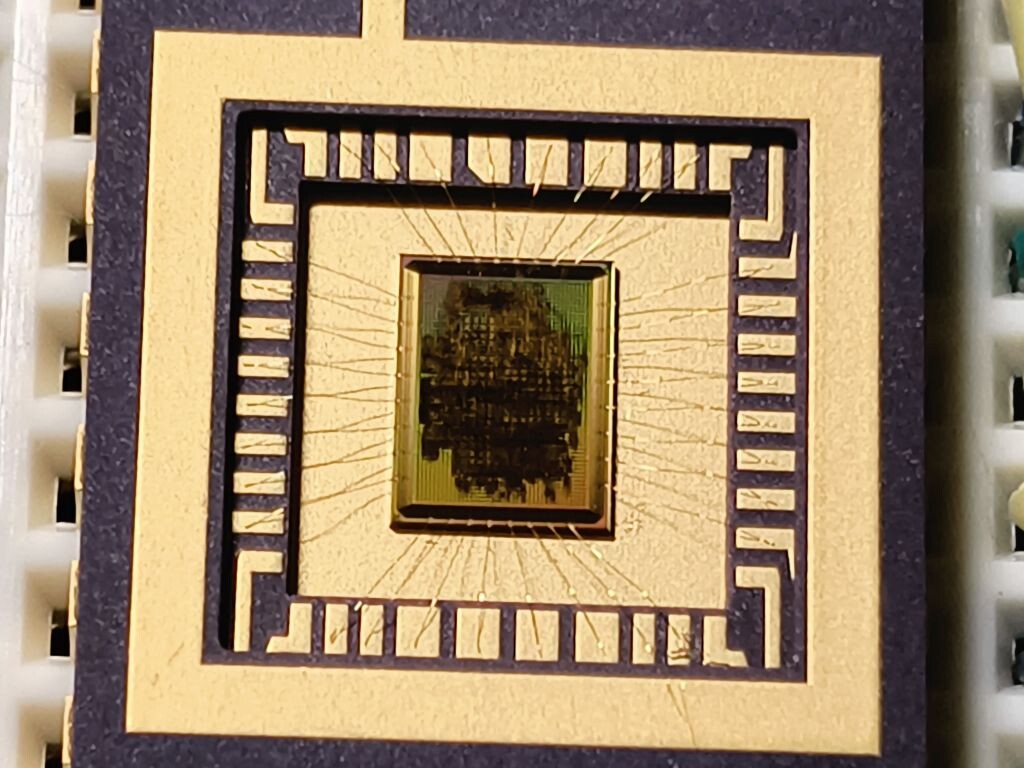
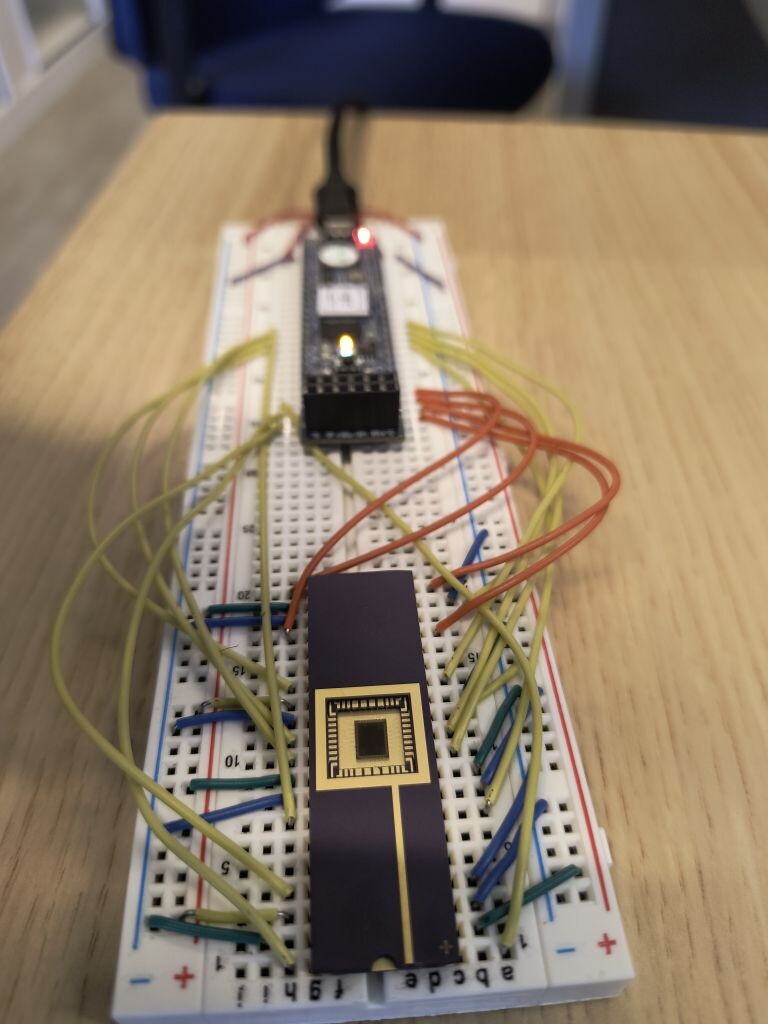
<p>Of course, COBs aren’t the only way to package your chip. Community member <a href="https://www.thorbenmoos.de/">Thorben Moos</a>
bonded their die to a stunning ceramic DIP, with others doing (or planning to do) their own bonding too.</p>

<div class="post-gallery light-gallery-wrapper mb-30">
  
  <p class="text-center text-muted mb-10"><small>Thorben Moos' Cloneless1 die in a ceramic package</small></p>
  
  <div class="tiles tiles-s">
    <div class="items row">


          <div class="item col-md-6">
        
            <figure class="overlay overlay1 rounded">
              <a href="/assets/images/news/chip-on-board-progress/cloneless1-closeup.jpg" class="lightbox">
                <span class="bg"></span>
                <img src="/assets/images/news/chip-on-board-progress/cloneless1-closeup.jpg" alt="Closeup image of the Cloneless1 die" />
              </a>
              
            </figure>
          </div>
      
        
          <div class="item col-md-6">
        
            <figure class="overlay overlay1 rounded">
              <a href="/assets/images/news/chip-on-board-progress/cloneless1-breadboard.jpg" class="lightbox">
                <span class="bg"></span>
                <img src="/assets/images/news/chip-on-board-progress/cloneless1-breadboard.jpg" alt="Cloneless1 mounted in a ceramic package on a breadboard, wired to a microcontroller" />
              </a>
              
            </figure>
          </div>
      
    </div>
  </div>
</div>

<h2 id="shipping-timeline">Shipping Timeline</h2>

<p>COB packaged parts have started to ship. You will receive a notification from Crowd Supply when your order is on its way.</p>

<h2 id="run-2-slots-still-available">Run 2: Slots Still Available</h2>

<p>Run 2 slots are available on Crowd Supply until <strong>30 June 2026</strong>. Standard pricing is now in effect:</p>

<ul>
  <li><strong>1x1 (full) slot</strong>: $7,500 ($7.50/die)</li>
  <li><strong>0.5x1 (half width) slot</strong>: $4,500 ($4.50/die)</li>
  <li><strong>1x0.5 (half height) slot</strong>: $4,500 ($4.50/die)</li>
</ul>

<p>Chip-on-board packaging is available as an add-on for $1,500 ($1.50/die).</p>

<ul>
  <li><a href="https://www.crowdsupply.com/wafer-space/gf180mcu-run-2">Run 2 on Crowd Supply</a></li>
  <li><a href="https://discord.gg/43y2t53jpE">Discord</a></li>
</ul>

<p>- Tim ‘mithro’ Ansell</p>]]></content><author><name>Tim &apos;mithro&apos; Ansell</name></author><category term="news" /><category term="gf180mcu" /><category term="run1" /><category term="packaging" /><category term="chip-on-board" /><summary type="html"><![CDATA[Run 1 bare dies have shipped. Now we are working through chip-on-board packaging for customers who ordered that add-on.]]></summary></entry><entry><title type="html">Die Sorting with Robots</title><link href="https://wafer.space/news/sorting-bare-dies" rel="alternate" type="text/html" title="Die Sorting with Robots" /><published>2026-05-29T12:00:00+00:00</published><updated>2026-05-29T12:00:00+00:00</updated><id>https://wafer.space/news/sorting-bare-dies</id><content type="html" xml:base="https://wafer.space/news/sorting-bare-dies"><![CDATA[<p>The Run 1 wafers are diced and the individual dies can now be sorted. Here is a look at the process.</p>

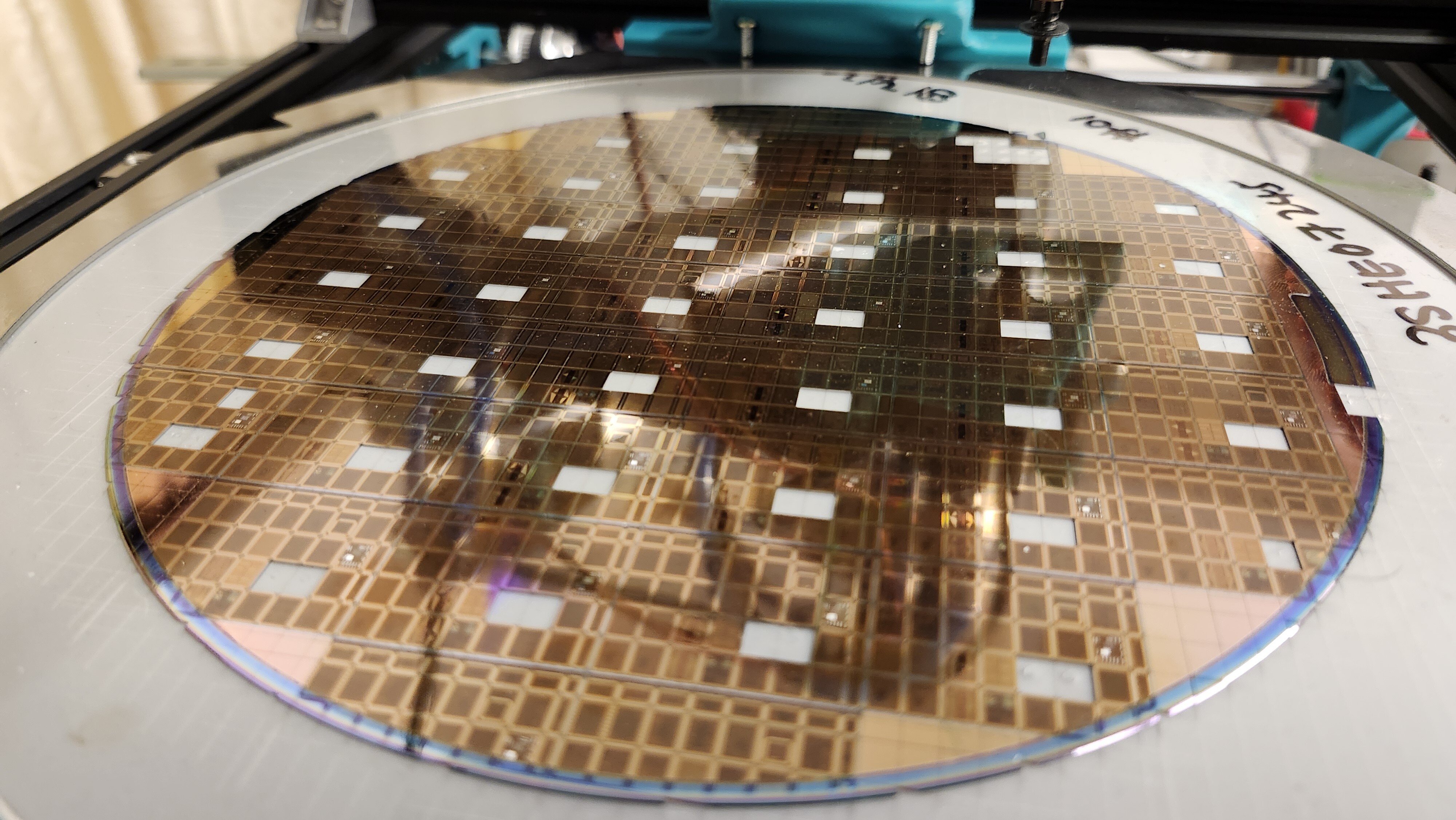
<div class="post-gallery light-gallery-wrapper mb-30">
    
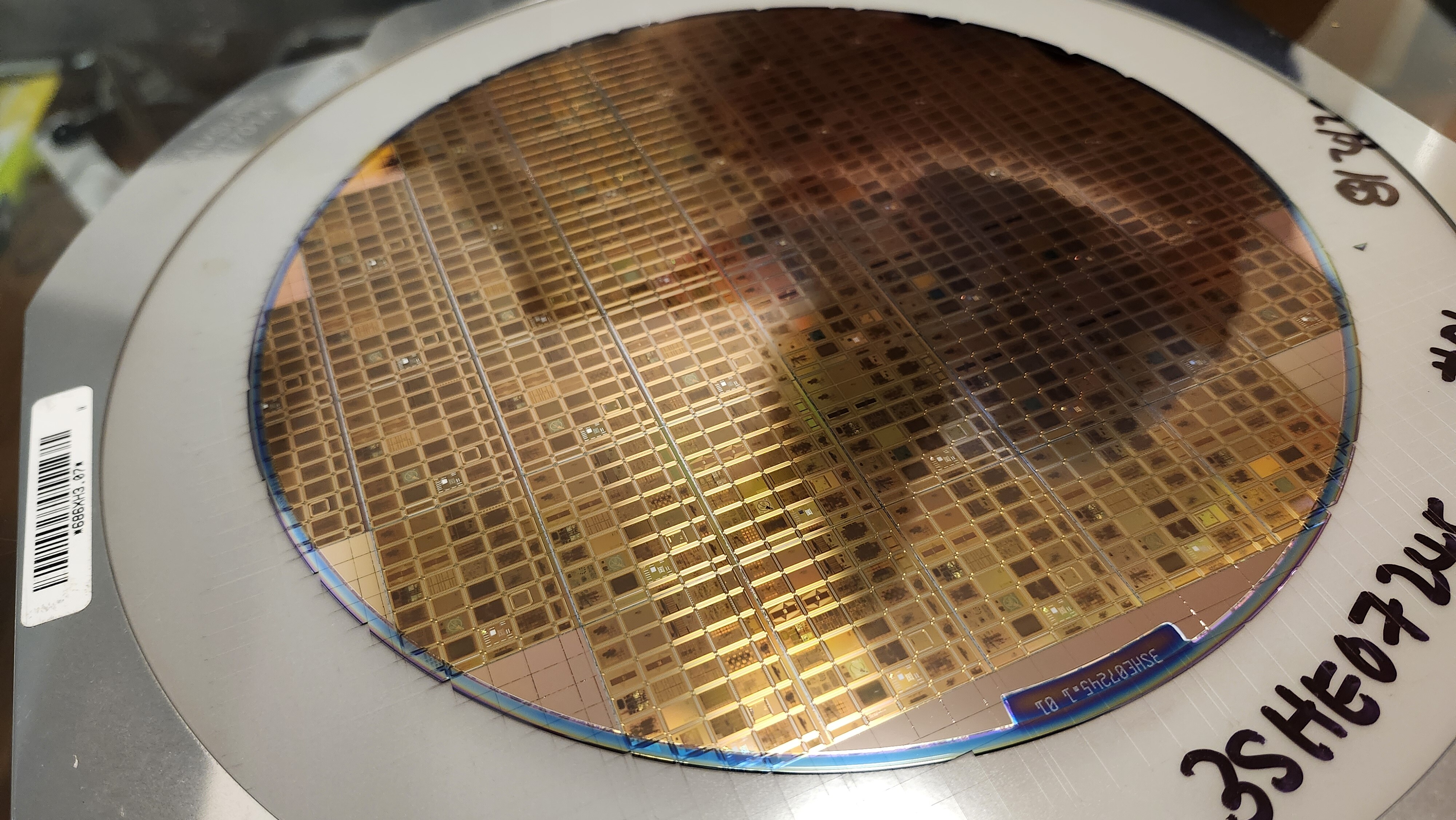
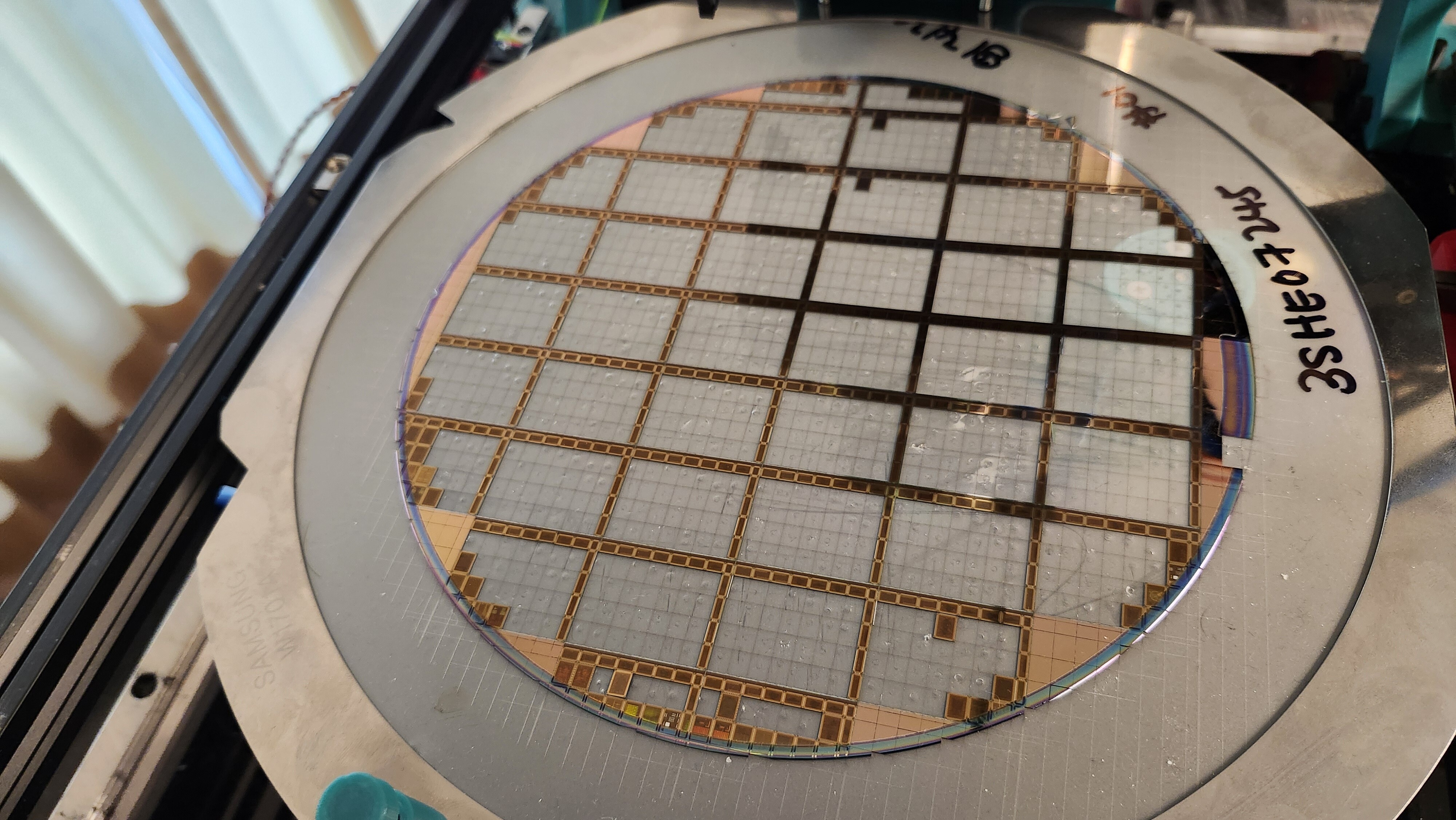
    <p class="text-center text-muted mb-10"><small>A diced wafer - note
the score marks visible on the lower half</small></p>
    
    <figure class="overlay overlay1 rounded">
        <a href="/assets/images/news/run1-wafers-arrived/wafer-closeup.jpg" class="lightbox">
            <span class="bg"></span>
            <img src="/assets/images/news/run1-wafers-arrived/wafer-closeup.jpg" alt="A diced wafer - note
the score marks visible on the lower half" />
        </a>
    </figure>
</div>

<div class="post-gallery light-gallery-wrapper mb-30">
    
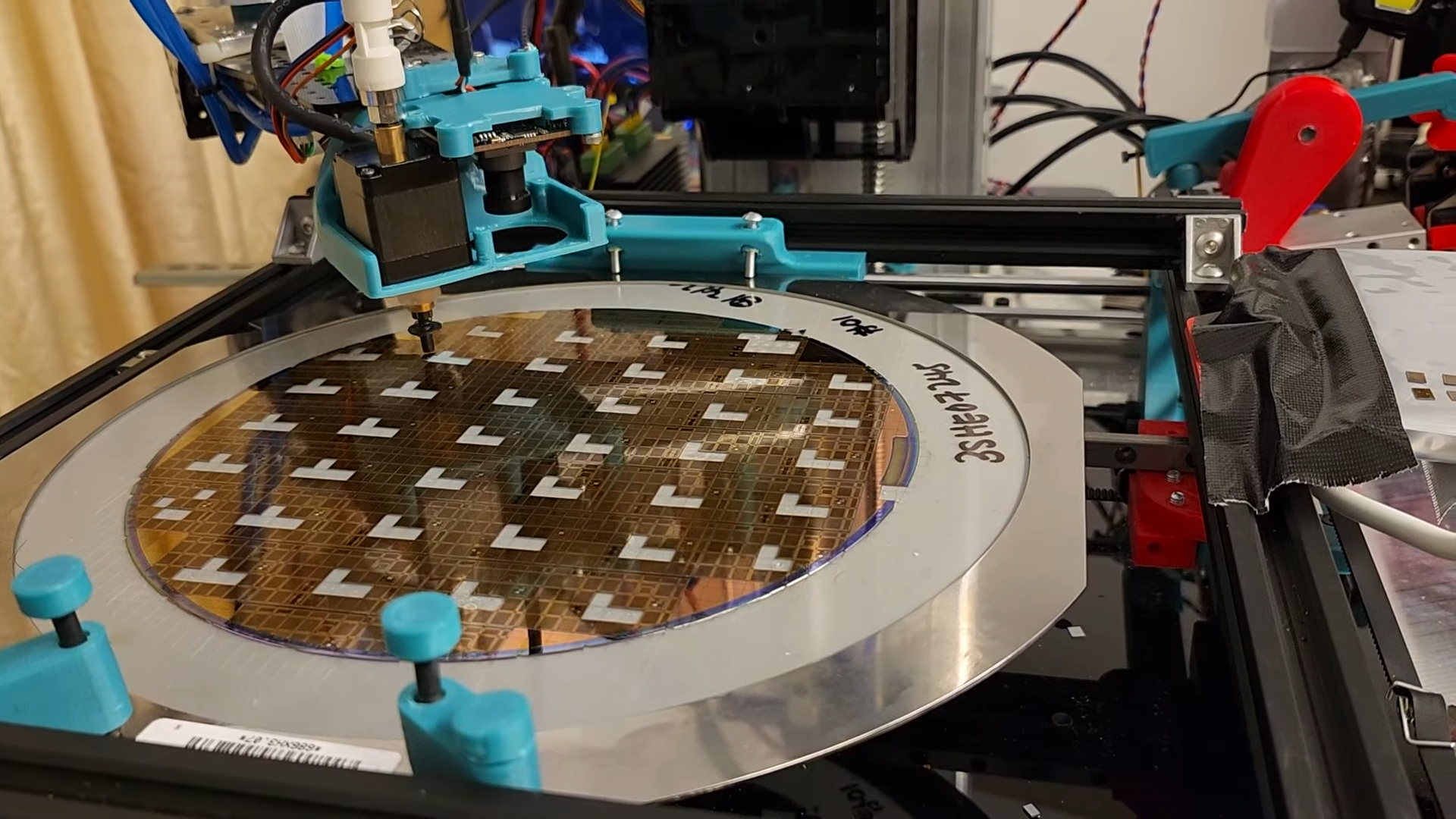
    <p class="text-center text-muted mb-10"><small>The die sorting
robot picking up individual dies from the diced wafer</small></p>
    
    <figure class="overlay overlay1 rounded">
        <a href="/assets/images/news/sorting-bare-dies/robot-picking-up-die.png" class="lightbox">
            <span class="bg"></span>
            <img src="/assets/images/news/sorting-bare-dies/robot-picking-up-die.png" alt="The die sorting
robot picking up individual dies from the diced wafer" />
        </a>
    </figure>
</div>

<h2 id="how-die-sorting-works">How Die Sorting Works</h2>

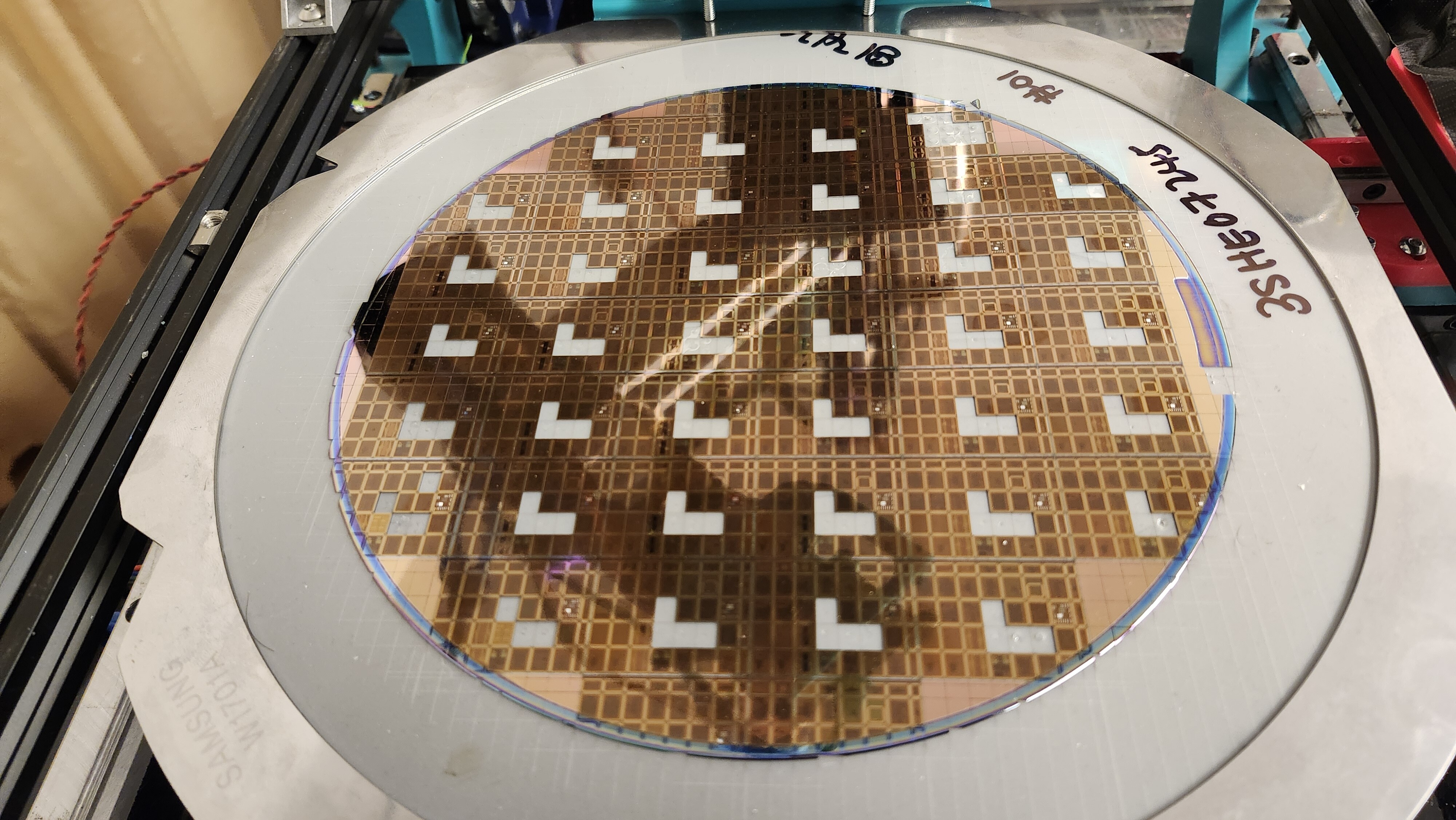
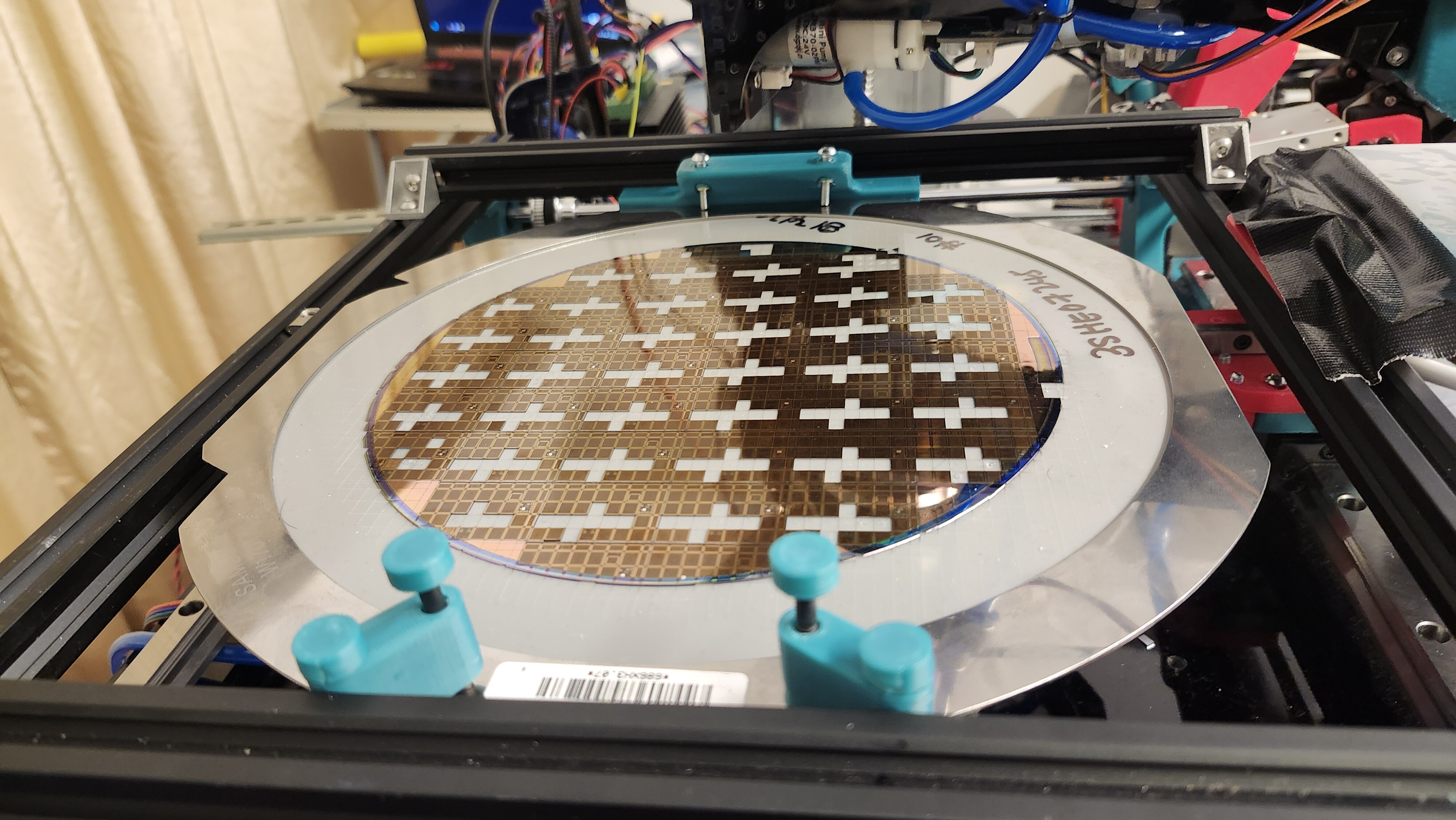
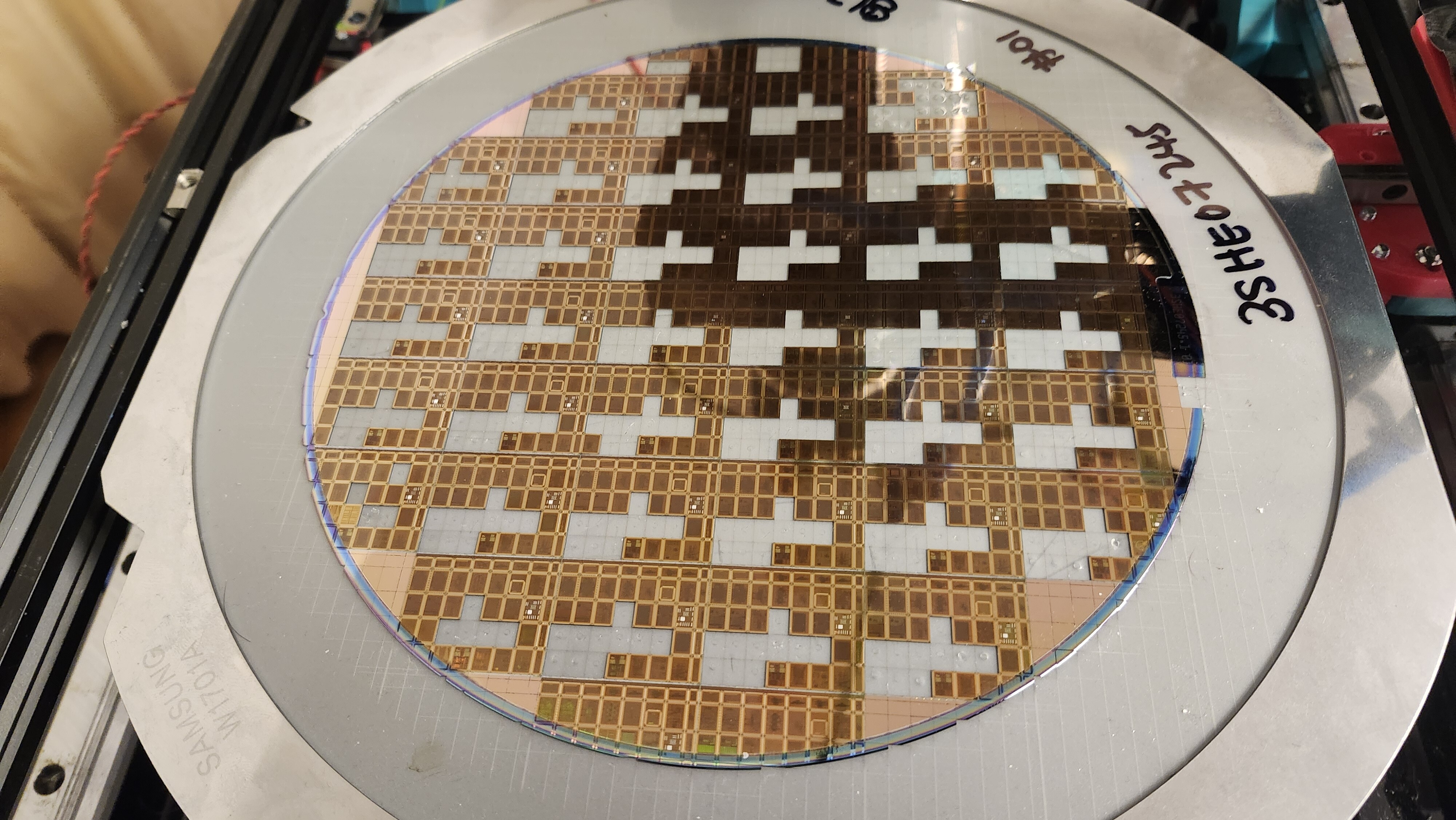
<p>After the wafers are cut into individual dies, each die needs to be picked up, inspected, and placed into a tape-and-reel
for shipping. This is handled by the sorting robot which works through the diced wafer one die at a time.</p>

<p>Note the white layer of material under the wafer - this is tape. It holds the wafer together and the dies in place,
since the wafer loses all rigidity after the dicing.</p>

<div>
    
    <iframe style="width:100%; aspect-ratio: 16/9;" src="https://www.youtube.com/embed/ZBQ0eKzSZ8o?start=&amp;end=&amp;autoplay=1&amp;mute=1&amp;playsinline=1&amp;fs=1&amp;disablekb=1&amp;controls=0&amp;loop=1&amp;playlist=ZBQ0eKzSZ8o" title="YouTube video player" frameborder="0" allow="accelerometer; autoplay; clipboard-write; encrypted-media; gyroscope; picture-in-picture; web-share" referrerpolicy="strict-origin-when-cross-origin" allowfullscreen="">
    </iframe>
</div>

<p>Eventually your die will end up in one of these reels.</p>

<div>
    
    <iframe style="width:100%; aspect-ratio: 16/9;" src="https://www.youtube.com/embed/9acyV8S0Q74?start=&amp;end=&amp;autoplay=1&amp;mute=1&amp;playsinline=1&amp;fs=1&amp;disablekb=1&amp;controls=0&amp;loop=1&amp;playlist=9acyV8S0Q74" title="YouTube video player" frameborder="0" allow="accelerometer; autoplay; clipboard-write; encrypted-media; gyroscope; picture-in-picture; web-share" referrerpolicy="strict-origin-when-cross-origin" allowfullscreen="">
    </iframe>
</div>

<div class="post-gallery light-gallery-wrapper mb-30">
  
  <p class="text-center text-muted mb-10"><small>Steady die picking progress</small></p>
  
  <div class="tiles tiles-s">
    <div class="items row">


            <div class="item col-md-6">
          
        
            <figure class="overlay overlay1 rounded">
              <a href="/assets/images/news/sorting-bare-dies/wafer-progress-0.jpg" class="lightbox">
                <span class="bg"></span>
                <img src="/assets/images/news/sorting-bare-dies/wafer-progress-0.jpg" alt="A few dies picked from each sector of the wafer" />
              </a>
              
            </figure>
          </div>


            <div class="item col-md-6">
          
        
            <figure class="overlay overlay1 rounded">
              <a href="/assets/images/news/sorting-bare-dies/wafer-progress-1.jpg" class="lightbox">
                <span class="bg"></span>
                <img src="/assets/images/news/sorting-bare-dies/wafer-progress-1.jpg" alt="More dies picked - this time forming Tetris-shaped L gaps" />
              </a>
              
            </figure>
          </div>


            <div class="item col-md-4">
          
        
            <figure class="overlay overlay1 rounded">
              <a href="/assets/images/news/sorting-bare-dies/wafer-progress-2.jpg" class="lightbox">
                <span class="bg"></span>
                <img src="/assets/images/news/sorting-bare-dies/wafer-progress-2.jpg" alt="A line of dies picked from each sector" />
              </a>
              
            </figure>
          </div>


            <div class="item col-md-4">
          
        
            <figure class="overlay overlay1 rounded">
              <a href="/assets/images/news/sorting-bare-dies/wafer-progress-3.jpg" class="lightbox">
                <span class="bg"></span>
                <img src="/assets/images/news/sorting-bare-dies/wafer-progress-3.jpg" alt="Progressing to the entire sector being picked clean" />
              </a>
              
            </figure>
          </div>


            <div class="item col-md-4">
          
        
            <figure class="overlay overlay1 rounded">
              <a href="/assets/images/news/sorting-bare-dies/wafer-progress-4.jpg" class="lightbox">
                <span class="bg"></span>
                <img src="/assets/images/news/sorting-bare-dies/wafer-progress-4.jpg" alt="A wafer fully picked - die test structures left behind in a skeleton-like grid structure" />
              </a>
              
            </figure>
          </div>
      
    </div>
  </div>
</div>

<h2 id="shipping-timeline">Shipping Timeline</h2>

<p>We have started shipping bare dies and chip-on-board packaged dies. Some of you may have received shipping notifications, but be
sure to keep an eye out.</p>

<h2 id="run-2-reminder">Run 2 Reminder</h2>

<p>Run 2 is open until <strong>30 June 2026</strong>.</p>

<ul>
  <li><a href="https://www.crowdsupply.com/wafer-space/gf180mcu-run-2">Run 2 on Crowd Supply</a></li>
  <li><a href="https://discord.gg/43y2t53jpE">Discord</a></li>
</ul>

<p>- Tim ‘mithro’ Ansell</p>]]></content><author><name>Tim &apos;mithro&apos; Ansell</name></author><category term="news" /><category term="gf180mcu" /><category term="run1" /><category term="manufacturing" /><summary type="html"><![CDATA[The Run 1 wafers are diced and the individual dies can now be sorted. Here is a look at the process.]]></summary></entry><entry><title type="html">Run 1 Wafers Have Arrived</title><link href="https://wafer.space/news/run1-wafers-arrived" rel="alternate" type="text/html" title="Run 1 Wafers Have Arrived" /><published>2026-05-27T12:00:00+00:00</published><updated>2026-05-27T12:00:00+00:00</updated><id>https://wafer.space/news/run1-wafers-arrived</id><content type="html" xml:base="https://wafer.space/news/run1-wafers-arrived"><![CDATA[<p>The wafers are here.</p>

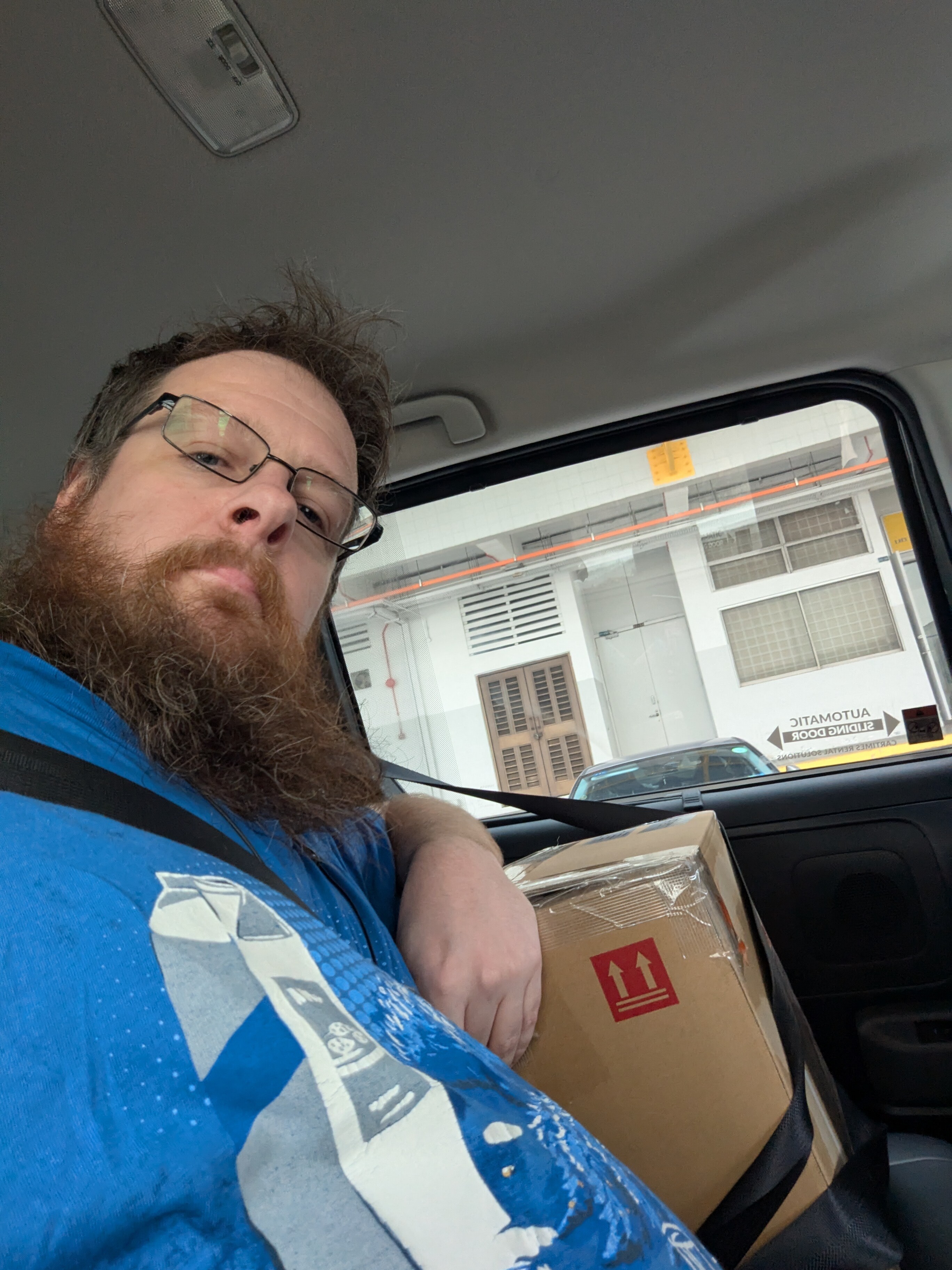
<p>After 12 weeks at GlobalFoundries, the Run 1 wafers have been manufactured and returned to us. This is the moment where
your designs stop being GDSII files and start being real silicon.</p>

<div class="post-gallery light-gallery-wrapper mb-30">
    
    <p class="text-center text-muted mb-10"><small>Tim 'mithro' Ansell
with the box containing Run 1 wafers fresh from GlobalFoundries</small></p>
    
    <figure class="overlay overlay1 rounded">
        <a href="/assets/images/news/run1-wafers-arrived/tim-wafer-box.jpg" class="lightbox">
            <span class="bg"></span>
            <img src="/assets/images/news/run1-wafers-arrived/tim-wafer-box.jpg" alt="Tim 'mithro' Ansell
with the box containing Run 1 wafers fresh from GlobalFoundries" />
        </a>
    </figure>
</div>

<h2 id="what-happens-next">What Happens Next</h2>

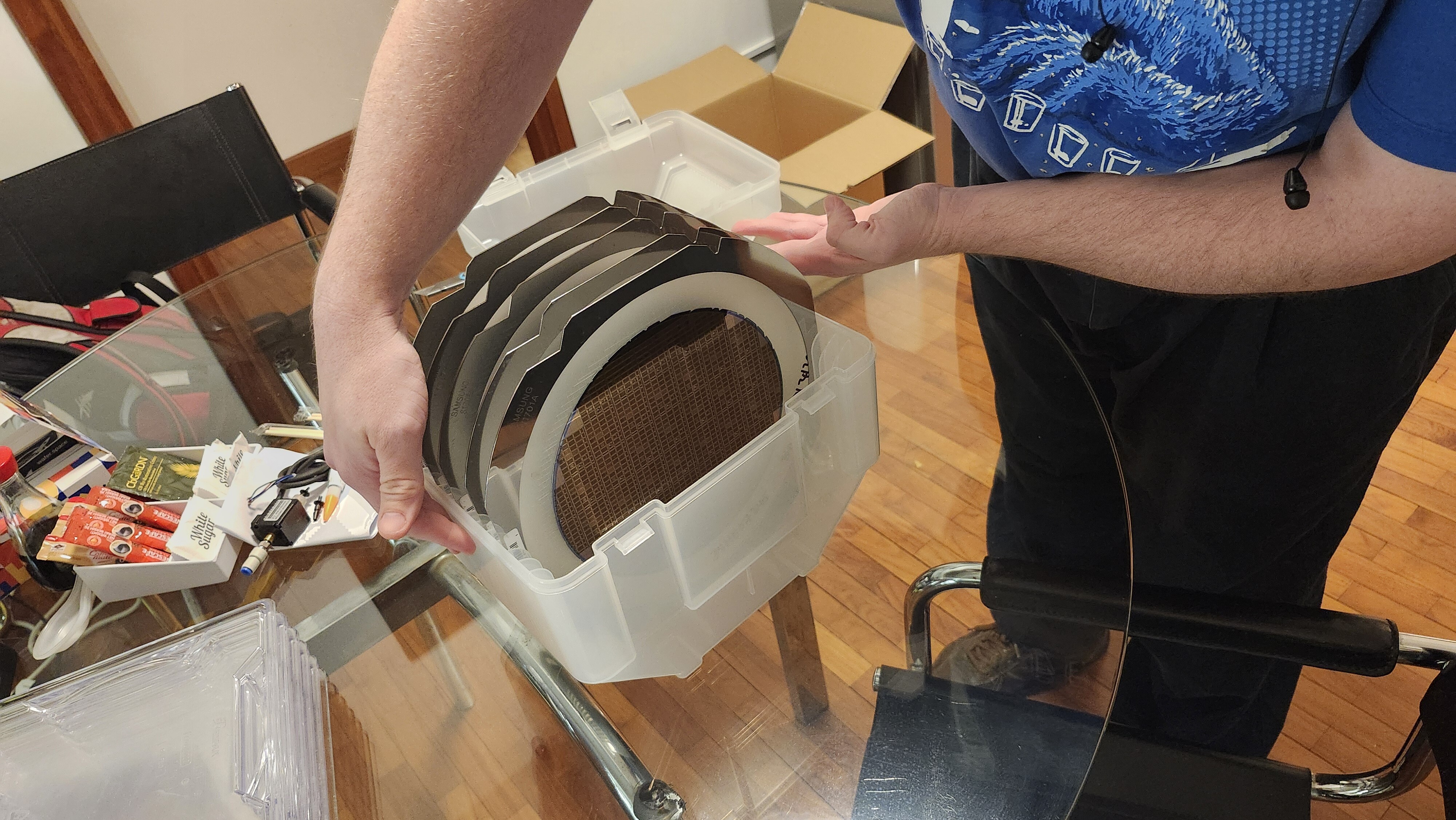
<p>Each wafer is cut into individual dies, and those dies are sorted by our robot before being packed for shipping (we’ll
have a separate update about this robot out soon!). We’ve already started shipping bare dies and chip-on-board parts,
so if you submitted a design on Run 1 then you should have already received some first samples. Keep an eye out for any
shipping notifications.</p>

<div class="post-gallery light-gallery-wrapper mb-30">
  
  <p class="text-center text-muted mb-10"><small>First look at the wafers</small></p>
  
  <div class="tiles tiles-s">
    <div class="items row">


          <div class="item col-md-4">
        
            <figure class="overlay overlay1 rounded">
              <a href="/assets/images/news/run1-wafers-arrived/wafer-first-look.jpg" class="lightbox">
                <span class="bg"></span>
                <img src="/assets/images/news/run1-wafers-arrived/wafer-first-look.jpg" alt="Undiced Run 1 wafers" />
              </a>
              
            </figure>
          </div>
      
        
          <div class="item col-md-4">
        
            <figure class="overlay overlay1 rounded">
              <a href="/assets/images/news/run1-wafers-arrived/wafer-second-look.jpg" class="lightbox">
                <span class="bg"></span>
                <img src="/assets/images/news/run1-wafers-arrived/wafer-second-look.jpg" alt="Diced Run 1 wafers" />
              </a>
              
            </figure>
          </div>
      
        
          <div class="item col-md-4">
        
            <figure class="overlay overlay1 rounded">
              <a href="/assets/images/news/run1-wafers-arrived/wafer-closeup.jpg" class="lightbox">
                <span class="bg"></span>
                <img src="/assets/images/news/run1-wafers-arrived/wafer-closeup.jpg" alt="Close up of a diced wafer" />
              </a>
              
            </figure>
          </div>
      
    </div>
  </div>
</div>

<h2 id="run-2-is-open">Run 2 is Open</h2>

<p>If you missed Run 1 or want another slot, <a href="https://www.crowdsupply.com/wafer-space/gf180mcu-run-2">Run 2 is now open on Crowd Supply</a>. Run 2 slots are available until <strong>30 June 2026</strong>. Standard pricing is now in effect:</p>

<ul>
  <li><strong>1x1 (full) slot</strong>: $7,500 ($7.50/die)</li>
  <li><strong>0.5x1 (half width) slot</strong>: $4,500 ($4.50/die)</li>
  <li><strong>1x0.5 (half height) slot</strong>: $4,500 ($4.50/die)</li>
</ul>

<p>Chip-on-board packaging is available as an add-on for $1,500 ($1.50/die).</p>

<p>Every slot includes 1,000 dies. Half slots are new for Run 2.</p>

<h2 id="stay-in-touch">Stay in Touch</h2>

<ul>
  <li><strong>Discord</strong>: <a href="https://discord.gg/43y2t53jpE">discord.gg/43y2t53jpE</a></li>
  <li><strong>Matrix</strong>: <a href="https://matrix.to/#/#gf180mcu:fossi-chat.org">#gf180mcu:fossi-chat.org</a></li>
</ul>

<p>Tune back in later for more updates.</p>

<p>- Tim ‘mithro’ Ansell</p>]]></content><author><name>Tim &apos;mithro&apos; Ansell</name></author><category term="news" /><category term="gf180mcu" /><category term="run1" /><category term="manufacturing" /><summary type="html"><![CDATA[After 12 weeks at GlobalFoundries, the Run 1 wafers have been manufactured and returned. Your designs are now real silicon.]]></summary></entry><entry><title type="html">GF180MCU Run 2 is Here!</title><link href="https://wafer.space/news/run2-announcement" rel="alternate" type="text/html" title="GF180MCU Run 2 is Here!" /><published>2026-05-17T12:00:00+00:00</published><updated>2026-05-17T12:00:00+00:00</updated><id>https://wafer.space/news/run2-announcement</id><content type="html" xml:base="https://wafer.space/news/run2-announcement"><![CDATA[<p>Hey folks,</p>

<p>Quick update from <a href="https://wafer.space">wafer.space</a> with some news about what comes next.</p>

<h2 id="run-1-status">Run 1 Status</h2>

<p>First things first: we’ve received your Run 1 wafers and have been hard at work at picking and sorting everyone’s die.
We’ve already shipped some bare die, and others have gotten a few packaged parts, so make sure to keep an eye on your
inbox regarding any shipping notifications! While you’re waiting, be sure to check out the behind the scenes pictures
in our <a href="https://www.crowdsupply.com/wafer-space/gf180mcu-run-1/updates/wafers-received-sorting-robot-progress">update post</a>.</p>

<h2 id="run-2-is-here">Run 2 is Here</h2>

<p>We have launched our second GF180MCU production run, building on everything we learned from Run 1. The submission
platform, DRC tooling, and overall flow have all been improved based on real experience from this first shuttle. The
goal is a smoother process for everyone.</p>

<p>For those who are new here: we’re on a mission to bring you affordable silicon. 1,000 dies now starting from just $4,500.
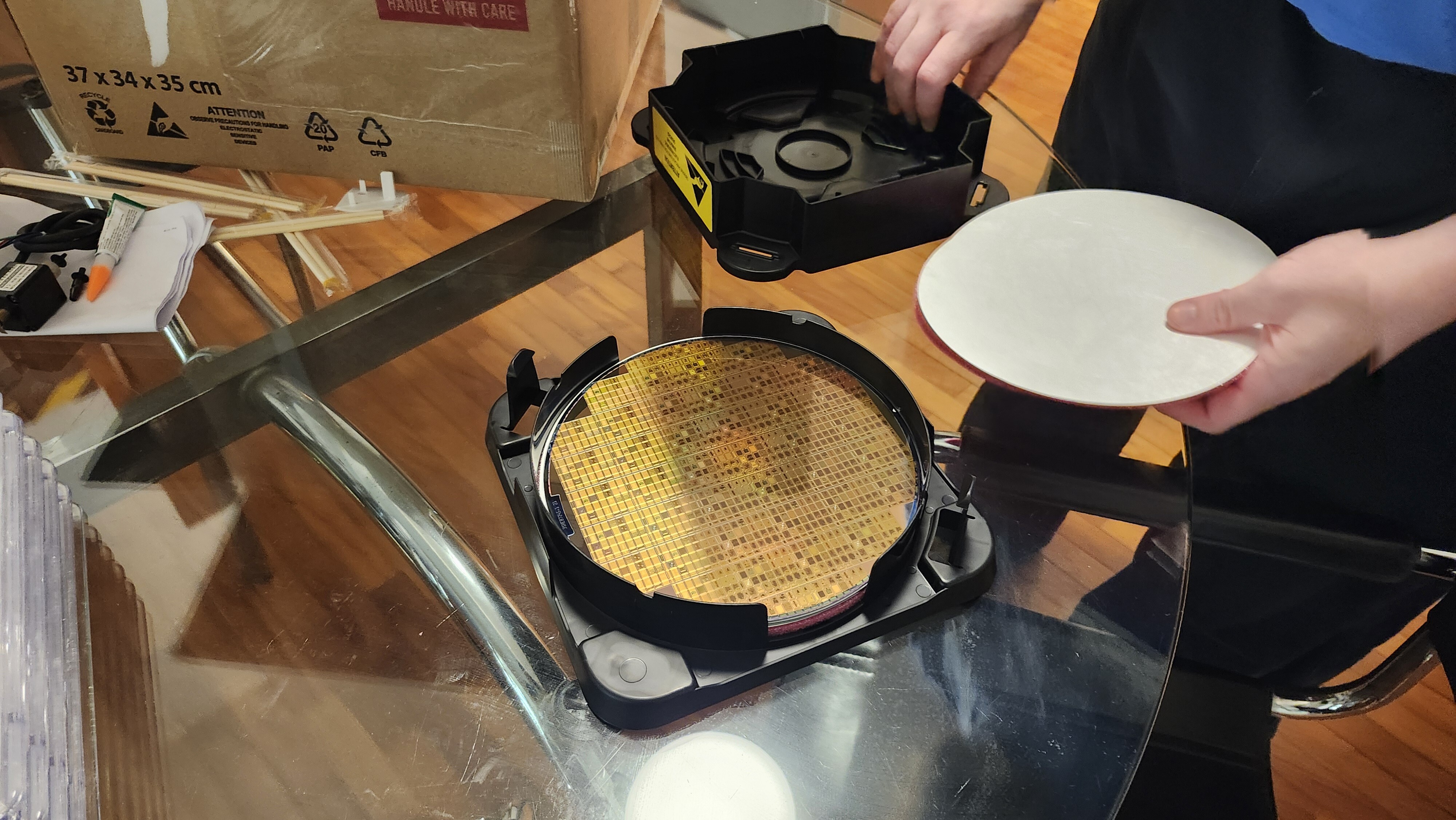
That’s $4.50 per die using GlobalFoundries’ <a href="https://gf180mcu-pdk.readthedocs.io/">GF180MCU</a> process. Real production
quantities, not just a handful of prototypes.</p>

<h3 id="what-is-new">What is New</h3>

<p>The biggest change for Run 2 is <strong>multiple slot sizes</strong>. In Run 1, every slot was the same size. For Run 2, we are
introducing half and full slot options. Smaller slots mean a lower cost of entry, so if your design does not need the
full 20 mm², you will not have to pay for it. This opens the door for more people to participate and for experienced
designers to run smaller test structures alongside larger projects.</p>

<p>We have also been working on improvements to the DRC checks, the submission platform, and the overall documentation.
Many of these improvements came directly from feedback and issues that Run 1 participants encountered, so thank you for
helping us make the process better.</p>

<h2 id="timeline">Timeline</h2>

<p>The campaign closes on <strong>30 June 2026</strong>, with delivery of bare dies in Q4 2026. More details will be announced as we finalize things.</p>

<h2 id="get-involved">Get Involved</h2>

<p>If you are interested in Run 2, or if you want to share it with someone who missed Run 1, here is how to stay in the loop:</p>

<ul>
  <li><strong>Run 2 Launch Page</strong>: <a href="https://www.crowdsupply.com/wafer-space/gf180mcu-run-2">Visit our Crowd Supply page</a> for more information about Run 2 and how you can get started</li>
  <li><strong>Discord</strong>: <a href="https://discord.gg/43y2t53jpE">discord.gg/43y2t53jpE</a></li>
  <li><strong>Matrix</strong>: <a href="https://matrix.to/#/#gf180mcu:fossi-chat.org">#gf180mcu:fossi-chat.org</a></li>
</ul>

<h2 id="thank-you">Thank You</h2>

<p>Run 1 would not exist without the people who backed it. You made the first <a href="https://wafer.space">wafer.space</a> shuttle
real, and that matters. The designs you submitted, the bugs you reported, the feedback you shared in Discord, the
problems you solved for each other - all of it is what makes Run 2 possible and better.</p>

<p>Whether you are planning to come back for Run 2 or just waiting for your Run 1 silicon to arrive, we appreciate you being part of this.</p>

<p>- Tim ‘mithro’ Ansell</p>]]></content><author><name>Tim &apos;mithro&apos; Ansell</name></author><category term="news" /><category term="gf180mcu" /><category term="run1" /><category term="run2" /><summary type="html"><![CDATA[Run 2 is finally here with major improvements and early-bird pricing.]]></summary></entry><entry><title type="html">wafer.space @ Hackaday Europe 2026</title><link href="https://wafer.space/news/wafer-space-at-hackaday-europe-2026" rel="alternate" type="text/html" title="wafer.space @ Hackaday Europe 2026" /><published>2026-05-15T12:00:00+00:00</published><updated>2026-05-15T12:00:00+00:00</updated><id>https://wafer.space/news/hackaday-2026</id><content type="html" xml:base="https://wafer.space/news/wafer-space-at-hackaday-europe-2026"><![CDATA[<p>Hey everybody, nice short announcement today.</p>

<p>The <a href="https://wafer.space">wafer.space</a> and <a href="https://tinytapeout.com">Tiny Tapeout</a> teams will be attending <a href="https://hackaday.io/europe2026/">Hackaday
Europe 2026</a> in Lecco, Italy. If you’re attending too, we’d love for you to come say hi
and have a chat!</p>

<p>That’s all for now, talk soon.</p>]]></content><author><name>Tim &apos;mithro&apos; Ansell</name></author><category term="news" /><category term="wafer-space" /><category term="announcement" /><summary type="html"><![CDATA[We're coming to Hackaday Europe 2026!]]></summary></entry><entry><title type="html">GF180MCU Run 2 is Coming!</title><link href="https://wafer.space/news/run2-coming-soon" rel="alternate" type="text/html" title="GF180MCU Run 2 is Coming!" /><published>2026-03-01T12:00:00+00:00</published><updated>2026-03-01T12:00:00+00:00</updated><id>https://wafer.space/news/run2-coming-soon</id><content type="html" xml:base="https://wafer.space/news/run2-coming-soon"><![CDATA[<p>Hey folks,</p>

<p>We’re pleased to announce that Run 2 is coming soon! Whether you followed Run 1 or this is your first time hearing about wafer.space, we are glad you are here.</p>

<h2 id="what-is-waferspace">What is wafer.space?</h2>

<p><a href="https://wafer.space/">wafer.space</a> is pooled silicon fabrication. Think <a href="https://oshpark.com">OSH Park</a>, but for custom chips instead of PCBs. You design a chip using GlobalFoundries’ open <a href="https://gf180mcu-pdk.readthedocs.io/">GF180MCU</a> PDK, submit your layout, and we handle fabrication, dicing, and delivery. $7 per chip, 1,000 chips per slot.</p>
<p>The tools are open source. The PDK is open source. Your design can be open or closed. No NDAs required to get started.</p>

<h2 id="run-1-designs-on-silicon">Run 1: Designs on Silicon</h2>

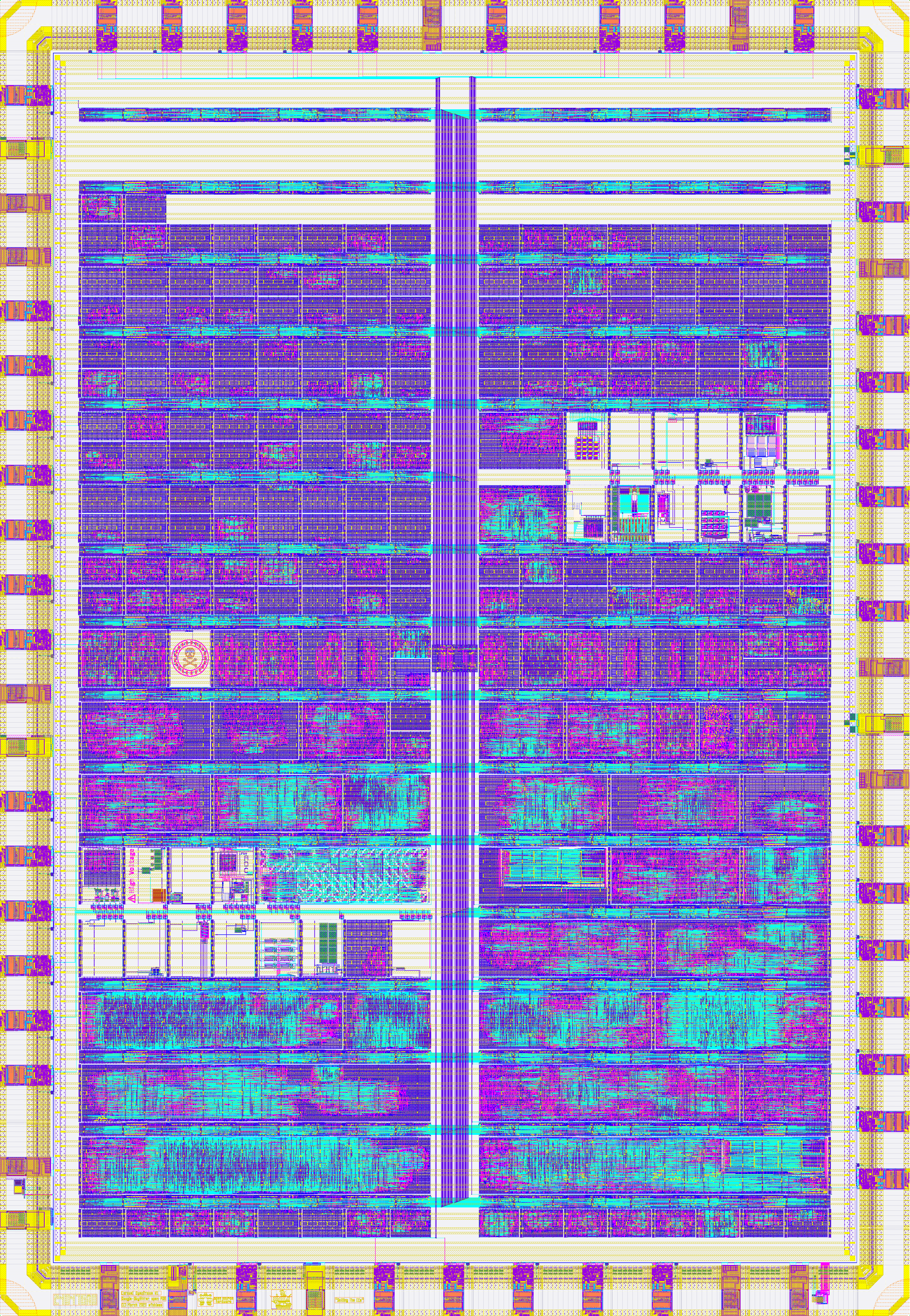
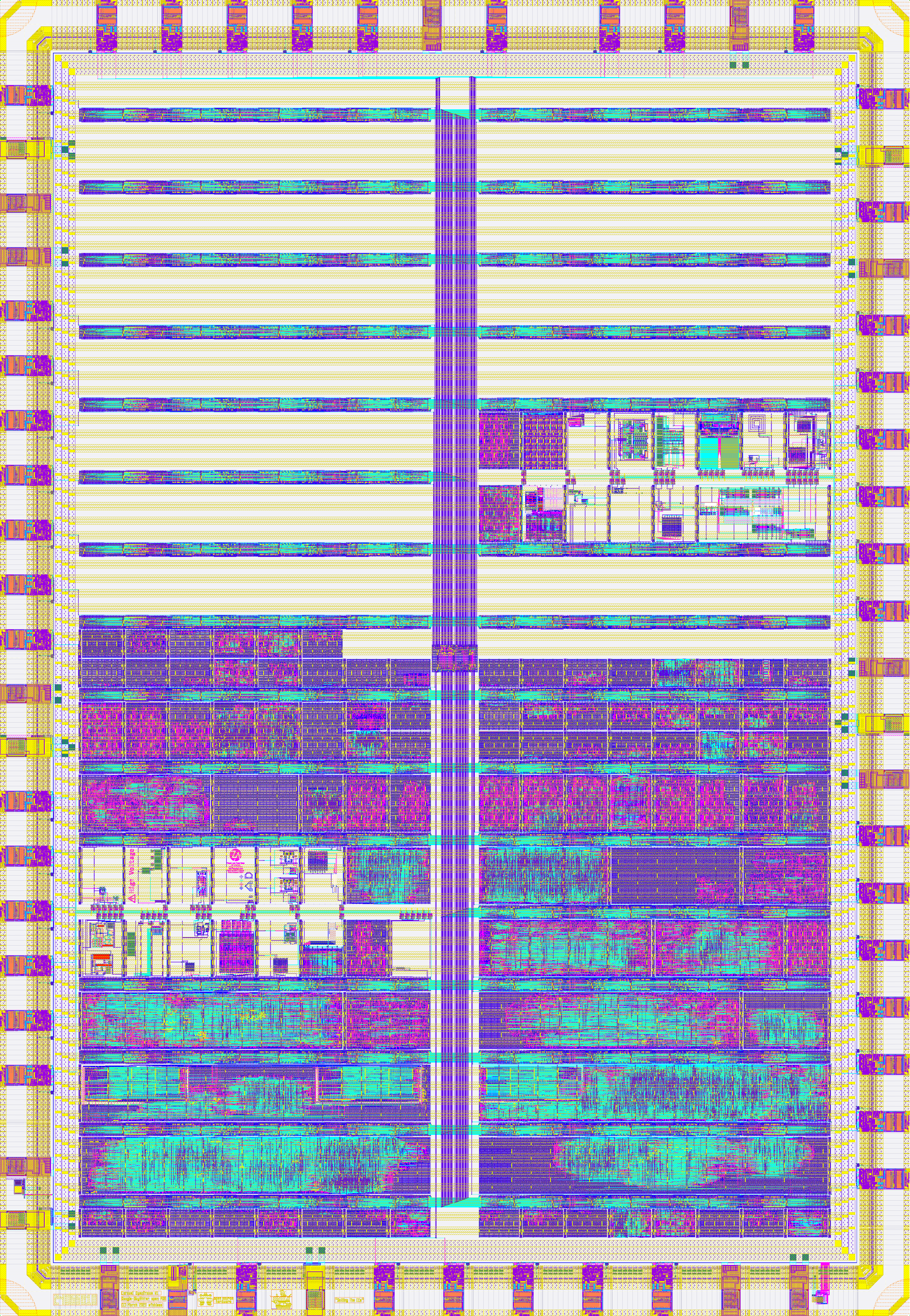
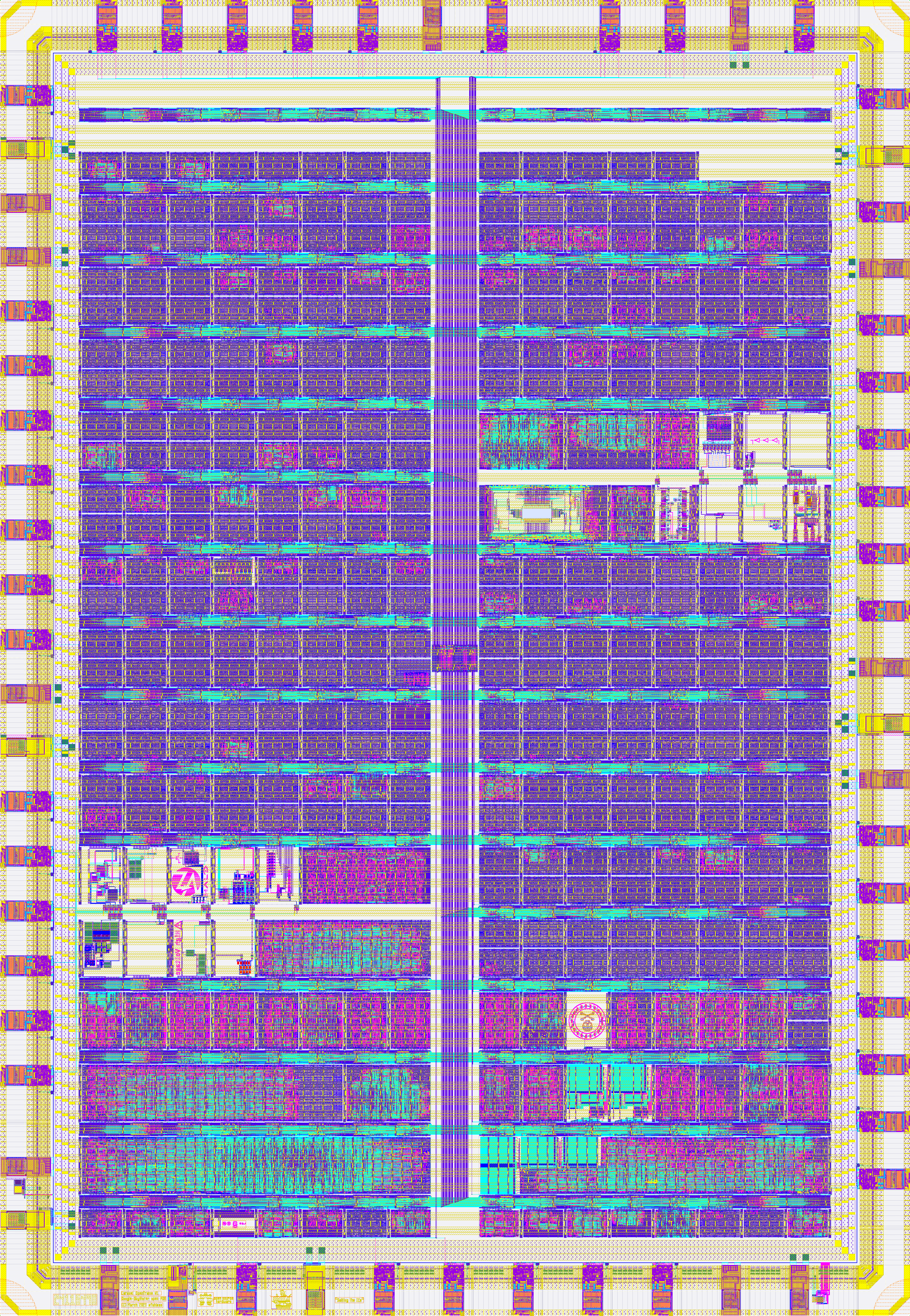
<p>Run 1 closed in late November 2025 and the wafers are currently in production at GlobalFoundries. We filled the reticle with <strong>many designs</strong> from individuals, universities, startups, and community groups. 29 of those designs are public and available for you to study at <a href="https://github.com/wafer-space/ws-run1">github.com/wafer-space/ws-run1</a>.</p>

<p>Some highlights from the run:</p>

<ul>
  <li><strong>KianV</strong>: A 32-bit RISC-V SoC (RV32IMA with SV32 MMU) capable of running mainline Linux, built entirely with open-source tools.</li>
  <li><strong>FABulous</strong>: An open-source FPGA fabric with 480 LUT4s, programmable via Yosys and nextpnr. Yes, an FPGA implemented as an ASIC on an open PDK.</li>
  <li><strong>Z80 Open Silicon</strong>: A pin-compatible, open-source reimplementation of the classic Zilog Z80, targeting drop-in compatibility with vintage 8-bit computers.</li>
  <li><strong>Tiny Tapeout GF</strong>: The Tiny Tapeout multi-project chip ported to GF180MCU, with dozens of community designs packed onto a single die.</li>
  <li><strong>ISHI-KAI</strong>: 14 novice designers from the Japanese ISHI-KAI community submitted their first silicon designs together, creating analog circuits from inverters to PLLs.</li>
</ul>

<p>The range of projects was incredible: from production-ready SoCs to first-time tapeouts, from retro computing to cutting-edge research. That is exactly what accessible fabrication enables.</p>

<h2 id="what-is-new-in-run-2">What is New in Run 2</h2>

<p>Run 2 builds on everything we learned from Run 1, with some significant improvements:</p>

<ul>
  <li><strong>Multiple slot sizes</strong>: We are introducing quarter, half, and full slot options. Not every design needs 20 mm2. Smaller slots mean a lower cost of entry for simpler designs, while full slots remain available for larger projects.</li>
  <li><strong>Improved DRC and submission platform</strong>: The <a href="https://platform.wafer.space/">platform.wafer.space</a> submission system has been refined based on Run 1 experience. Faster checks, clearer error messages, smoother workflow.</li>
  <li><strong>Better tooling</strong>: LibreLane, the project template, and the precheck tools all continue to improve. Every run makes the process smoother for the next one.</li>
  <li><strong>Early-bird pricing</strong>: Early supporters will be able to lock in discounted pricing. Stay subscribed for details.</li>
</ul>

<p>Things get better with every run. That is the whole point of building sustainable infrastructure.</p>

<h2 id="timeline">Timeline</h2>

<p>The current target is a <strong>2 July 2026 GDS submission deadline</strong>, with the campaign closing on 30 June 2026. The campaign will go live well before that, giving you plenty of time to design, verify, and submit. Bare dies are expected to ship by mid-October 2026.</p>

<p>Pricing details are coming soon. Subscribe to this campaign to be notified the moment we have them.</p>

<h2 id="get-involved-now">Get Involved Now</h2>

<p>You do not need to wait for the campaign to launch to start designing. The tools and PDK are available today:</p>

<ul>
  <li><strong>Start designing</strong>: Clone the <a href="https://github.com/wafer-space/gf180mcu-project-template">gf180mcu-project-template</a> and start experimenting. It includes a complete Nix environment with all the tools you need.</li>
  <li><strong>Join the community</strong>: The <a href="https://discord.gg/43y2t53jpE">wafer.space Discord</a> is where designers help each other with pad rings, DRC issues, floorplanning, and everything in between. It is also the fastest way to get answers from the wafer.space team.</li>
  <li><strong>Study Run 1 designs</strong>: Browse the <a href="https://github.com/wafer-space/ws-run1">29 public designs from Run 1</a> to see what fits in the die area and how others approached their layouts.</li>
</ul>

<p>The earlier you start, the more time you have to iterate. The best designs from Run 1 were the ones that started early and took advantage of community feedback.</p>

<p>More updates coming soon with pricing details, slot sizes, and timeline specifics. Stay tuned.</p>

<p>- Tim ‘mithro’ Ansell</p>]]></content><author><name>Tim &apos;mithro&apos; Ansell</name></author><category term="news" /><category term="gf180mcu" /><category term="run2" /><category term="crowd-supply" /><summary type="html"><![CDATA[GF180MCU Run 2 is coming! Multiple slot sizes, improved DRC, better tooling, and early-bird pricing for Run 1 backers.]]></summary></entry><entry><title type="html">Less than 48 hours to go!</title><link href="https://wafer.space/news/final-reminder" rel="alternate" type="text/html" title="Less than 48 hours to go!" /><published>2025-11-27T12:00:00+00:00</published><updated>2025-11-27T12:00:00+00:00</updated><id>https://wafer.space/news/final-reminder</id><content type="html" xml:base="https://wafer.space/news/final-reminder"><![CDATA[<p>Less than 48 hours remain in the first shuttle campaign! If you hope to be on this shuttle, place your order now. If you’re facing purchasing obstacles, please don’t hesitate to <a href="https://www.crowdsupply.com/wafer-space/gf180mcu-run-1/ask-question">get in touch</a>.</p>

<p><strong>The Deadline: 28th November 2025 @ 11:59 PM <a href="https://en.wikipedia.org/wiki/Anywhere_on_Earth">AoE</a></strong> (<a href="https://www.timeanddate.com/worldclock/fixedtime.html?iso=20251128T2359&amp;p1=3399">see in your timezone</a>) — After this deadline you’ll be waiting until next year for the next shuttle run.</p>

<h2 id="after-you-purchase">After You Purchase</h2>

<p>Once you’ve purchased your slot, you have until <strong>3rd December 2025 @ 11:59 PM <a href="https://en.wikipedia.org/wiki/Anywhere_on_Earth">AoE</a></strong> (<a href="https://www.timeanddate.com/worldclock/fixedtime.html?iso=20251203T2359&amp;p1=3399">see in your timezone</a>) to submit your GDS files.</p>

<p>Run <a href="https://github.com/wafer-space/gf180mcu-precheck">gf180mcu-precheck</a> locally to verify your design before submitting. The precheck has been and will continue to be updated, so join the <a href="https://discord.gg/43y2t53jpE">Discord</a> to get notified of changes. This is the same DRC check that <a href="https://platform.wafer.space/">platform.wafer.space</a> will run, so catching issues locally saves time.</p>

<p><strong>Submit early!</strong> The DRC queue will get busy as the deadline approaches. If you find problems at the last minute, you may not have time to fix them.</p>

<p>If you run into issues, join the <a href="https://discord.gg/43y2t53jpE">wafer.space Discord</a>. Many people are putting the finishing touches on their designs right now, and problems you encounter have likely been solved by others who can offer guidance.</p>

<div class="post-gallery light-gallery-wrapper mb-30">
    
    <p class="text-center text-muted mb-10"><small>wafer.space bringing open accessible custom silicon fabrication</small></p>
    
    <figure class="overlay overlay1 rounded">
        <a href="/assets/images/news/final-reminder/waferspace-rainbow-open.png" class="lightbox">
            <span class="bg"></span>
            <img src="/assets/images/news/final-reminder/waferspace-rainbow-open.png" alt="wafer.space bringing open accessible custom silicon fabrication" />
        </a>
    </figure>
</div>

<p><strong>— Tim ‘mithro’ Ansell and the wafer.space Team</strong></p>]]></content><author><name>Tim &apos;mithro&apos; Ansell</name></author><category term="news" /><category term="gf180mcu" /><category term="run1" /><category term="deadline" /><summary type="html"><![CDATA[Less than 48 hours remain in the first shuttle campaign! If you hope to be on this shuttle, place your order now.]]></summary></entry><entry><title type="html">Tiny Tapeout</title><link href="https://wafer.space/news/tinytapeout-feature" rel="alternate" type="text/html" title="Tiny Tapeout" /><published>2025-11-22T12:00:00+00:00</published><updated>2025-11-22T12:00:00+00:00</updated><id>https://wafer.space/news/tinytapeout-feature</id><content type="html" xml:base="https://wafer.space/news/tinytapeout-feature"><![CDATA[<p><a href="https://wafer.space/">wafer.space</a> is excited to collaborate with <a href="https://tinytapeout.com/">Tiny Tapeout</a> to port their infrastructure to GF180MCU. Founded by <a href="https://zerotoasiccourse.com/">Matt Venn</a>, Tiny Tapeout has become a cornerstone of the open-silicon movement, empowering students, hobbyists, and even industry professionals to design and fabricate their own ASICs through approachable tools and collaborative workflows. Our collaboration provides an easy and affordable pathway from initial ideas and prototyping to building real products.</p>

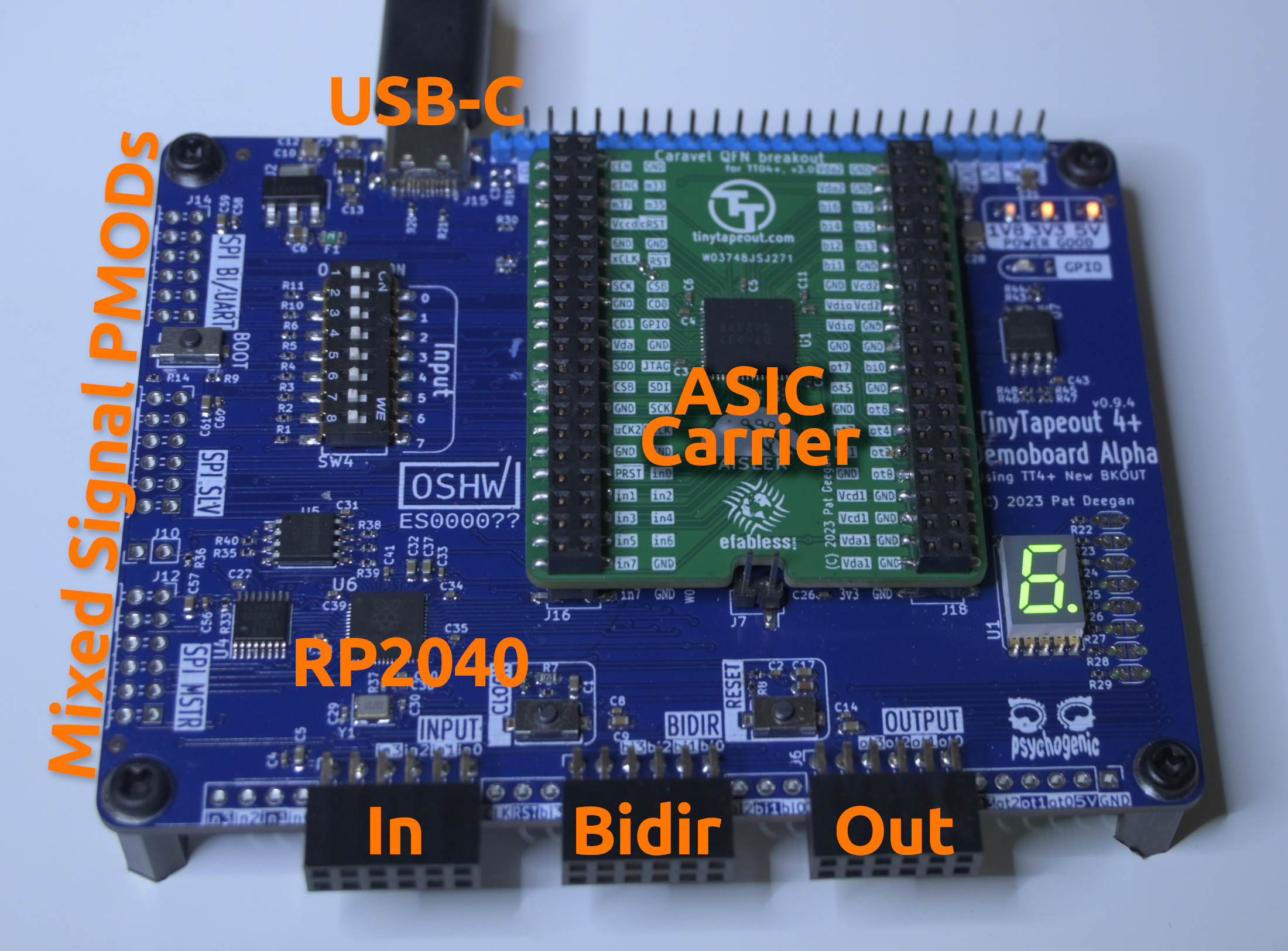
<div class="post-gallery light-gallery-wrapper mb-30">
    
    <p class="text-center text-muted mb-10"><small>With Tiny Tapeout, you get a ready-to-go development board</small></p>
    
    <figure class="overlay overlay1 rounded">
        <a href="/assets/images/news/tinytapeout-feature/previous-tt-version.jpeg" class="lightbox">
            <span class="bg"></span>
            <img src="/assets/images/news/tinytapeout-feature/previous-tt-version.jpeg" alt="With Tiny Tapeout, you get a ready-to-go development board" />
        </a>
    </figure>
</div>

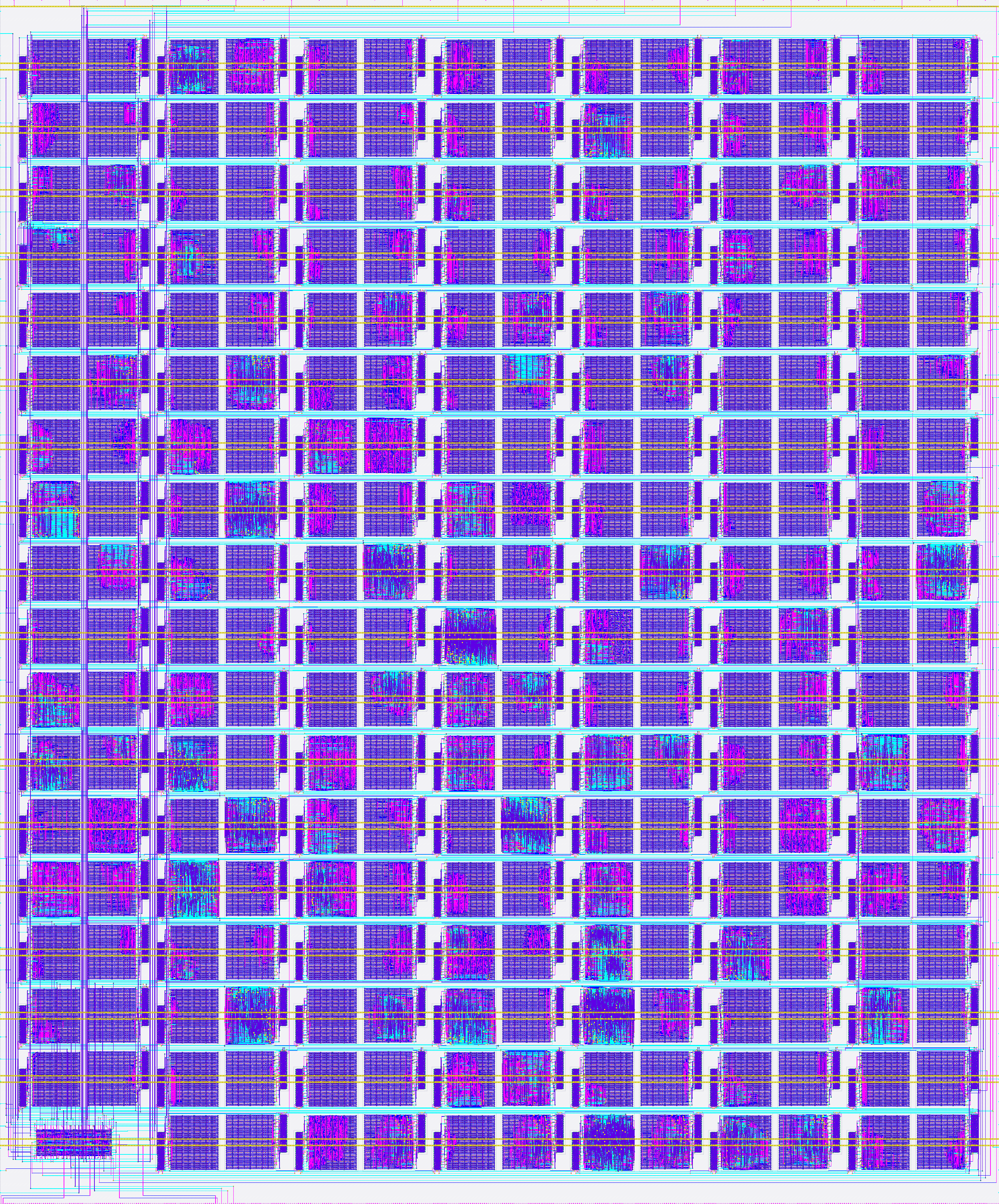
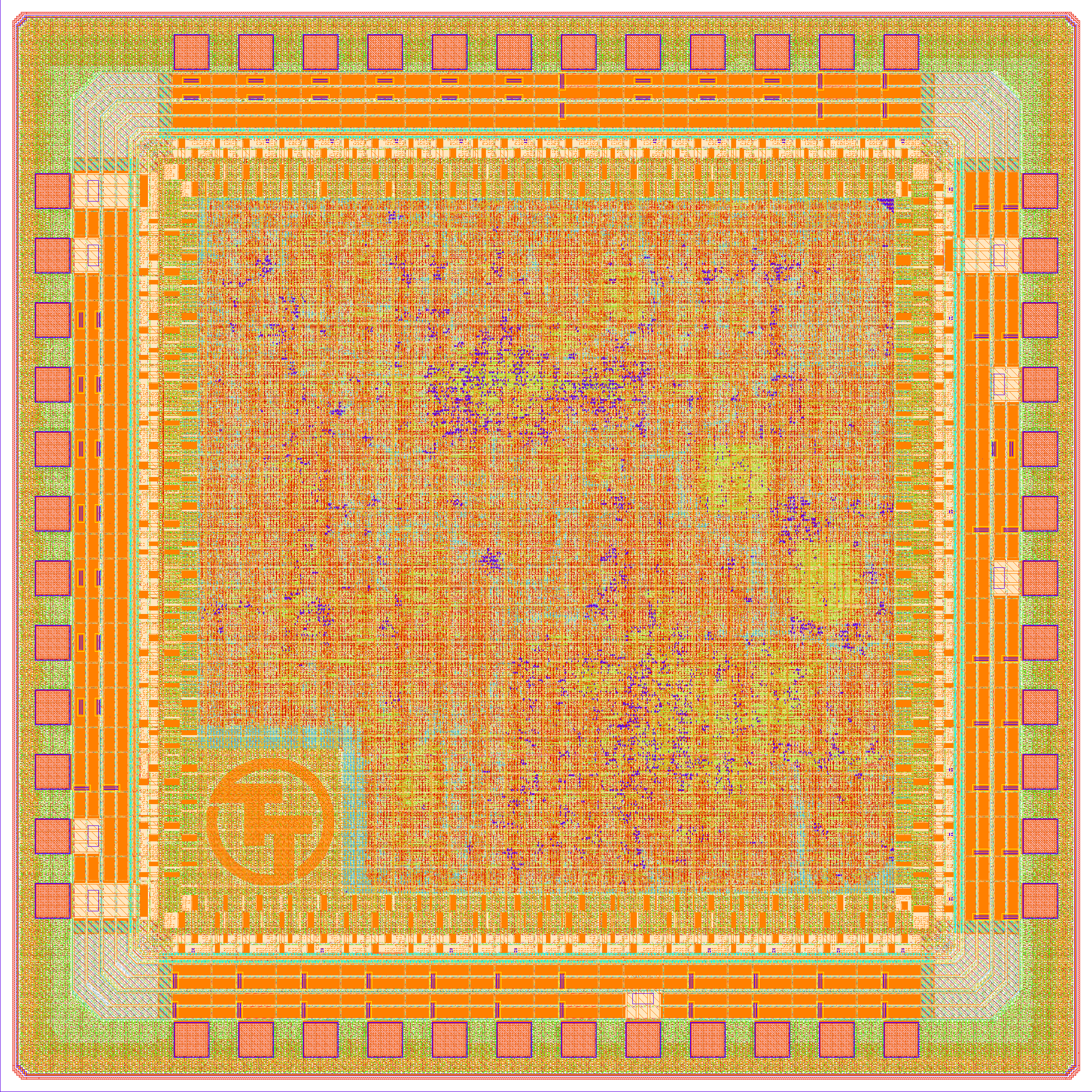
<p>Tiny Tapeout has already proven that accessible chip design works. By dramatically lowering the barrier to entry, they’ve enabled thousands of participants to bring their digital and analog designs to life. Now, our collaboration aims to take that further, helping designs move from prototype to product. The track record speaks for itself:</p>

<div class="post-gallery light-gallery-wrapper mb-30">
  
  <p class="text-center text-muted mb-10"><small>GDS renders from Tiny Tapeout shuttles</small></p>
  
  <div class="tiles tiles-s">
    <div class="items row">


            <div class="item col-md-6">
          
        
            <figure class="overlay overlay1 rounded">
              <a href="/assets/images/news/tinytapeout-feature/tt03-gds.png" class="lightbox">
                <span class="bg"></span>
                <img src="/assets/images/news/tinytapeout-feature/tt03-gds.png" alt="GDS render of Tiny Tapeout TT03" />
              </a>
              
            </figure>
          </div>


            <div class="item col-md-6">
          
        
            <figure class="overlay overlay1 rounded">
              <a href="/assets/images/news/tinytapeout-feature/tt05-gds.png" class="lightbox">
                <span class="bg"></span>
                <img src="/assets/images/news/tinytapeout-feature/tt05-gds.png" alt="GDS render of Tiny Tapeout TT05" />
              </a>
              
            </figure>
          </div>


            <div class="item col-md-4">
          
        
            <figure class="overlay overlay1 rounded">
              <a href="/assets/images/news/tinytapeout-feature/tt06-gds.png" class="lightbox">
                <span class="bg"></span>
                <img src="/assets/images/news/tinytapeout-feature/tt06-gds.png" alt="GDS render of Tiny Tapeout TT06" />
              </a>
              
            </figure>
          </div>


            <div class="item col-md-4">
          
        
            <figure class="overlay overlay1 rounded">
              <a href="/assets/images/news/tinytapeout-feature/tt07-gds.png" class="lightbox">
                <span class="bg"></span>
                <img src="/assets/images/news/tinytapeout-feature/tt07-gds.png" alt="GDS render of Tiny Tapeout TT07" />
              </a>
              
            </figure>
          </div>


            <div class="item col-md-4">
          
        
            <figure class="overlay overlay1 rounded">
              <a href="/assets/images/news/tinytapeout-feature/tt09-gds.png" class="lightbox">
                <span class="bg"></span>
                <img src="/assets/images/news/tinytapeout-feature/tt09-gds.png" alt="GDS render of Tiny Tapeout TT09" />
              </a>
              
            </figure>
          </div>


            <div class="item col-md-4">
          
        
            <figure class="overlay overlay1 rounded">
              <a href="/assets/images/news/tinytapeout-feature/ttihp0p1-gds.png" class="lightbox">
                <span class="bg"></span>
                <img src="/assets/images/news/tinytapeout-feature/ttihp0p1-gds.png" alt="GDS render of Tiny Tapeout IHP 0.1" />
              </a>
              
            </figure>
          </div>


            <div class="item col-md-4">
          
        
            <figure class="overlay overlay1 rounded">
              <a href="/assets/images/news/tinytapeout-feature/ttsky25a-gds.png" class="lightbox">
                <span class="bg"></span>
                <img src="/assets/images/news/tinytapeout-feature/ttsky25a-gds.png" alt="GDS render of Tiny Tapeout Sky130 25a" />
              </a>
              
            </figure>
          </div>


            <div class="item col-md-4">
          
        
            <figure class="overlay overlay1 rounded">
              <a href="/assets/images/news/tinytapeout-feature/ttsky25b-gds.png" class="lightbox">
                <span class="bg"></span>
                <img src="/assets/images/news/tinytapeout-feature/ttsky25b-gds.png" alt="GDS render of Tiny Tapeout Sky130 25b" />
              </a>
              
            </figure>
          </div>
      
    </div>
  </div>
</div>

<p>Building on this experience, <strong>Tiny Tapeout</strong> now joins wafer.space to bring GF180MCU into the mix. Our collaboration has enabled Tiny Tapeout to get exactly what they need from the <a href="https://www.crowdsupply.com/wafer-space/gf180mcu-run-1/updates/chip-on-board">standard wafer.space padframe</a>, ensuring full compatibility, consistent manufacturability, and reliable integration with COB-based packaging workflows.</p>

<h2 id="whats-being-built-on-gf0p2">What’s Being Built on <a href="https://app.tinytapeout.com/shuttles/ttgf0p2">GF0p2</a></h2>

<p>Both Tiny Tapeout and wafer.space have been thrilled by the community response. The <a href="https://app.tinytapeout.com/shuttles/ttgf0p2">GF0p2 shuttle</a> already has dozens of projects submitted, and more are coming in every day. Here are just a few of the designs being built:</p>

<h3 id="modern-free-and-open-source-silicon-clone-of-zilogs-z80">Modern Free and Open Source Silicon Clone of Zilog’s Z80</h3>

<p><a href="https://github.com/rejunity">Rejunity</a> is recreating <a href="https://app.tinytapeout.com/projects/3434">Zilog’s Z80</a> with the goal to develop a drop-in replacement for 8-bit home computers such as the ZX Spectrum and recent DIY computer kits such as the <a href="https://rc2014.co.uk/">RC2014</a>.</p>

<h3 id="tiny-qv-a-risc-v-soc-for-tiny-tapeout">Tiny-QV: A RISC-V SoC for Tiny Tapeout</h3>

<p><a href="https://github.com/MichaelBell/tinyQV/">Tiny-QV</a> is a 4-bit-at-a-time RV32 processor, optimized for use on Tiny Tapeout with QSPI RAM and Flash. The aim is to make a small microcontroller that is as fast as practical given the Tiny Tapeout constraints.</p>

<h3 id="zedulo-test-chip">Zedulo Test Chip</h3>

<p><a href="https://github.com/ZeduloTech/ttgf-zed_tc1">Zedulo TestChip1</a> is a UART-to-SPI bridge built using two IP blocks from the <a href="https://opentitan.org/">OpenTitan</a> project (an open-source Root of Trust). By porting these OpenTitan components to GF180MCU, Zedulo demonstrates that verified, trustworthy hardware IP can be reused across different processes and platforms.</p>

<h3 id="and-many-more">And Many More</h3>

<table>
  <thead>
    <tr>
      <th>Project</th>
      <th>Description / Notes</th>
    </tr>
  </thead>
  <tbody>
    <tr>
      <td><strong><a href="https://app.tinytapeout.com/projects/3441">2x2 MAC Systolic array with DFT</a></strong></td>
      <td>ASIC design for a 2x2 systolic matrix multiplier supporting multiply and accumulate operations on int8 data.</td>
    </tr>
    <tr>
      <td><strong><a href="https://github.com/TinyTapeout/tt-waferspace-vga-screensaver">WaferSpace VGA Screensaver</a></strong></td>
      <td>A classic animated VGA demo that prominently features the <strong>wafer.space</strong> logo — great for verifying display output and timing.</td>
    </tr>
    <tr>
      <td><strong><a href="https://app.tinytapeout.com/projects/3248">Asicle v2 (2×2 tiles)</a></strong></td>
      <td>A compact, tile-based modular layout design that explores reconfigurable logic or array instantiation.</td>
    </tr>
    <tr>
      <td><strong><a href="https://app.tinytapeout.com/projects/3119">ROM / Memory Block (1×1)</a></strong></td>
      <td>A read-only memory block intended for basic data storage — ideal for boot code or test vectors.</td>
    </tr>
    <tr>
      <td><strong><a href="https://app.tinytapeout.com/projects/3125">Ring Oscillator (5-inverter, 1×1)</a></strong></td>
      <td>A simple analog / digital hybrid circuit that toggles signal through five inverters to create a ring oscillator.</td>
    </tr>
    <tr>
      <td><strong><a href="https://app.tinytapeout.com/projects/3121">Simon Says Logic Game</a></strong></td>
      <td>Implements the classic “Simon Says” memory game in hardware logic — the chip will reproduce user-input sequences.</td>
    </tr>
    <tr>
      <td><strong><a href="https://app.tinytapeout.com/projects/3430">Sound Generator (TBB143)</a></strong></td>
      <td>A programmable sound generator that uses a ring oscillator to generate tones or effects.</td>
    </tr>
  </tbody>
</table>

<p>The project tiles are filling up fast:</p>

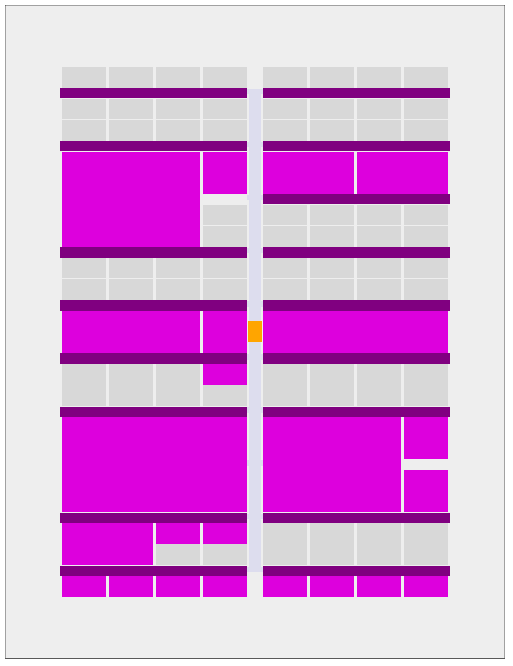
<div class="post-gallery light-gallery-wrapper mb-30">
    
    <p class="text-center text-muted mb-10"><small>Project tiles already allocated on the GF0p2 run</small></p>
    
    <figure class="overlay overlay1 rounded">
        <a href="/assets/images/news/tinytapeout-feature/current-run.png" class="lightbox">
            <span class="bg"></span>
            <img src="/assets/images/news/tinytapeout-feature/current-run.png" alt="Project tiles already allocated on the GF0p2 run" />
        </a>
    </figure>
</div>

<h2 id="join-us">Join Us!</h2>

<p>We’re thrilled to have <strong>Tiny Tapeout</strong> and <strong>Matt Venn</strong> on board for our first wafer.space shuttle, but the most exciting part is having <strong>you</strong> join us too! Whether you’re a complete beginner or an experienced designer, now is the perfect time to get started.</p>

<p>Explore the <a href="https://tinytapeout.com/">Tiny Tapeout website</a> for project ideas and tutorials, and watch the <a href="https://www.youtube.com/@ZeroToASICcourse">YouTube channel</a> for walkthroughs and interviews. If you need something more structured, Matt’s excellent <a href="https://zerotoasiccourse.com/">Zero to ASIC course</a> will give you the knowledge and confidence to bring your ideas to silicon.</p>

<p>Even if you haven’t done a tapeout yet, join the community and start learning! Connect with us on the <a href="https://discord.gg/43y2t53jpE">wafer.space Discord</a> and join the <strong>#tinytapeout</strong> channel, or the <a href="https://discord.gg/rPK2nSjxy8">Tiny Tapeout Discord</a> and join the <strong>#ttgf0p2-tapeout</strong> channel. (You can also find us on <a href="https://matrix.to/#/#gf180mcu:fossi-chat.org">Matrix at #gf180mcu</a>.)</p>

<p>With Tiny Tapeout, anyone can get started with just a web browser and a few hours. <a href="https://tinytapeout.com/">Why not give it a try?</a></p>

<hr />

<h2 id="dont-miss-your-chance-to-join-the-first-shuttle">Don’t Miss Your Chance to Join the First Shuttle</h2>

<div class="post-gallery light-gallery-wrapper mb-30">
    
    <p class="text-center text-muted mb-10"><small>wafer.space bringing open accessible custom silicon fabrication</small></p>
    
    <figure class="overlay overlay1 rounded">
        <a href="/assets/images/news/tinytapeout-feature/waferspace-rainbow-open.png" class="lightbox">
            <span class="bg"></span>
            <img src="/assets/images/news/tinytapeout-feature/waferspace-rainbow-open.png" alt="wafer.space bringing open accessible custom silicon fabrication" />
        </a>
    </figure>
</div>
<p>We’re rapidly approaching the final milestones for this shuttle run, and now is the time to secure your spot:</p>

<ul>
  <li>
    <p><strong>November 28, 2025</strong> - Last day to purchase a slot (Crowd Supply campaign closes)</p>
  </li>
  <li>
    <p><strong>December 3, 2025</strong> - Final GDS submission deadline. Your design must be submitted to wafer.space by this date to be included in the run.</p>
  </li>
</ul>

<p>If you’ve been thinking about getting your own silicon made, whether it’s your first chip or your fiftieth, this is your moment. The tools are ready, the ecosystem is growing, and we’re here to help you every step of the way.</p>

<p>Reserve your slot, finish your design, and join us in shaping the future of accessible custom silicon.</p>

<hr />

<h3 id="special-thanks">Special Thanks</h3>

<div class="post-gallery light-gallery-wrapper mb-30">
  
  <p class="text-center text-muted mb-10"><small>Sponsored by Tillitis and WIT.com</small></p>
  
  <div class="tiles tiles-s">
    <div class="items row">


          <div class="item col-md-6">
        
            <figure class="overlay overlay1 rounded">
              <a href="/assets/images/news/tinytapeout-feature/tillitis-logo-std.png" class="lightbox">
                <span class="bg"></span>
                <img src="/assets/images/news/tinytapeout-feature/tillitis-logo-std.png" alt="Tillitis logo" />
              </a>
              
            </figure>
          </div>
      
        
          <div class="item col-md-6">
        
            <figure class="overlay overlay1 rounded">
              <a href="/assets/images/news/tinytapeout-feature/witcom-logo-std.png" class="lightbox">
                <span class="bg"></span>
                <img src="/assets/images/news/tinytapeout-feature/witcom-logo-std.png" alt="WIT.com logo" />
              </a>
              
            </figure>
          </div>
      
    </div>
  </div>
</div>

<p><a href="https://www.tillitis.se/">Tillitis</a> and <a href="https://wit.com/">WIT.com</a> generously sponsored the work to bring Tiny Tapeout to GF180MCU, its third process technology. This funding is enabling the <a href="https://www.youtube.com/watch?v=30emLKLpq50">improved multiplexer</a>, <a href="https://www.youtube.com/watch?v=_m_jK7twymM">power gating, analog support</a>, and <a href="https://www.youtube.com/watch?v=cCbTyfewaCw">more</a> (designed by <a href="https://github.com/smunaut">Sylvain “tnt” Munaut</a>) to be ported to GF180MCU. Thank you for making this happen!</p>]]></content><author><name>Tim &apos;mithro&apos; Ansell</name></author><category term="news" /><category term="gf180mcu" /><category term="run1" /><category term="featured-project" /><category term="tiny-tapeout" /><summary type="html"><![CDATA[wafer.space is excited to have a Tiny Tapeout test design on our first shuttle! Tiny Tapeout has enabled thousands of people to create their own digital and analog designs.]]></summary></entry></feed>